5-2 Live Tab Model 831 Manual
Live Tab
The Live tab may not appear as
described here if the displays have
been customized. For a detailed
description of display customization,
see the section "Displays" on
page 18-23
When the Model 831 is turned ON, the user is generally
presented with the Live tab. The measurements displayed on
the Live tab are always active, real-time measurements. The
displayed values are not controlled by the
9 (RUN/
PAUSE) key. This allows you to view the current SPL
without disrupting any overall data. For example, suppose
you are making a measurement and an unwanted event takes
place, causing you to stop the measurement. With the
measurement stopped, you can monitor the actual level on
the Live tab to be certain that the residue effects of the
unwanted event have died down before beginning a new
measurement.
You can also access the Any Level
Display, from any tab, as described
in "Any Level Display" on page 5-
41.
The Live tab includes multiple pages for displaying data.
Use the 8 (UP) or 2 (DOWN) keys to navigate up or
down through pages on the tabs.
SLM Display
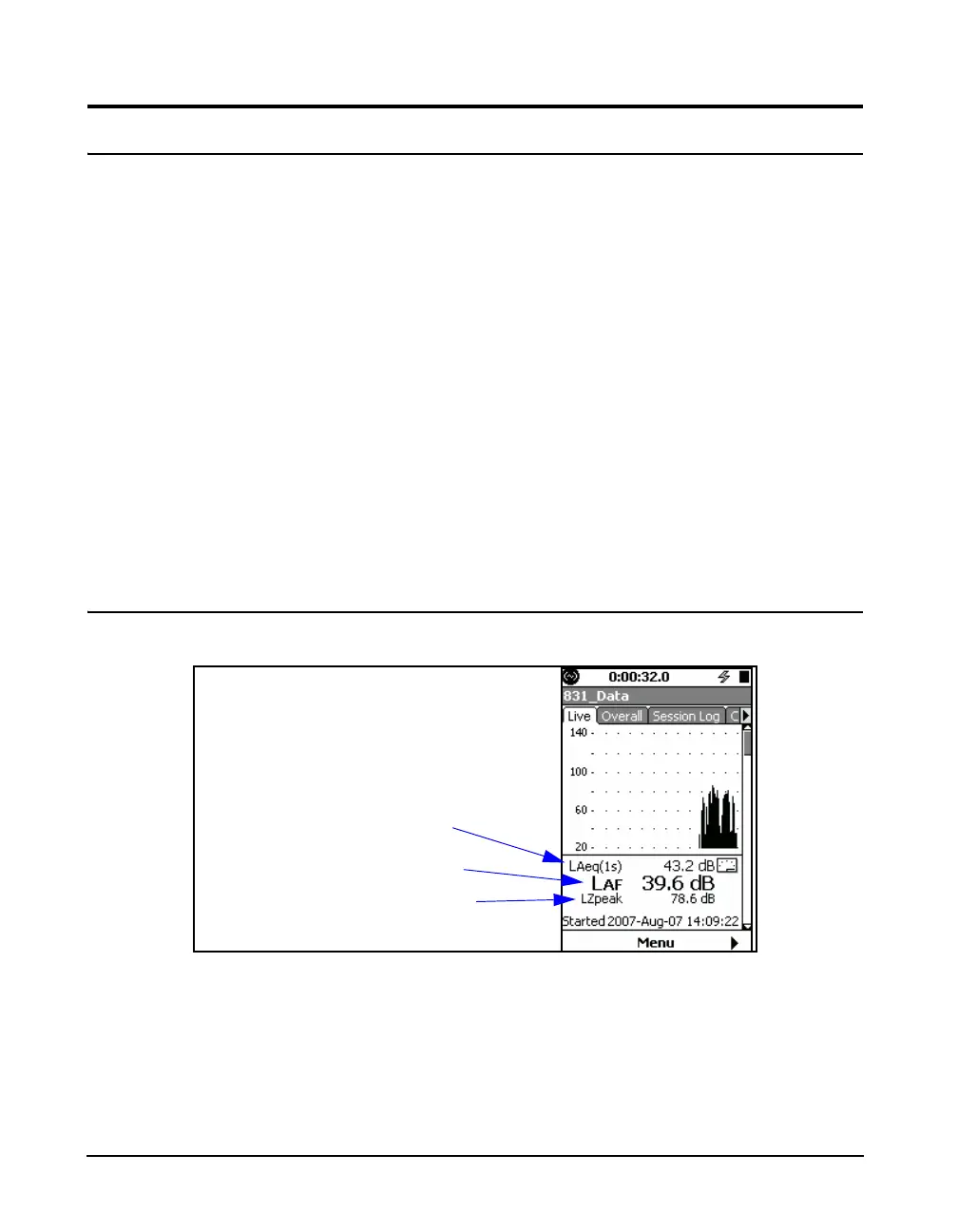
FIGURE 5-2 Live Tab: Sound Level Profile
The Profile page presents a recent history of L
eq
calculated
for each second. The graph presents the last 120 seconds of
the measurement.
The first numerical level displayed, LA
eq(1s)
in this example,
is the most recently graphed 1 second value. The frequency
Leq, 1 second averaging, using
frequency weighting and
detector selected in setup
Lpeak using frequency
weighting selected in setup
User-selected SLM parameter



 To Next Page