Model 831 Manual Making a Measurement 15-3
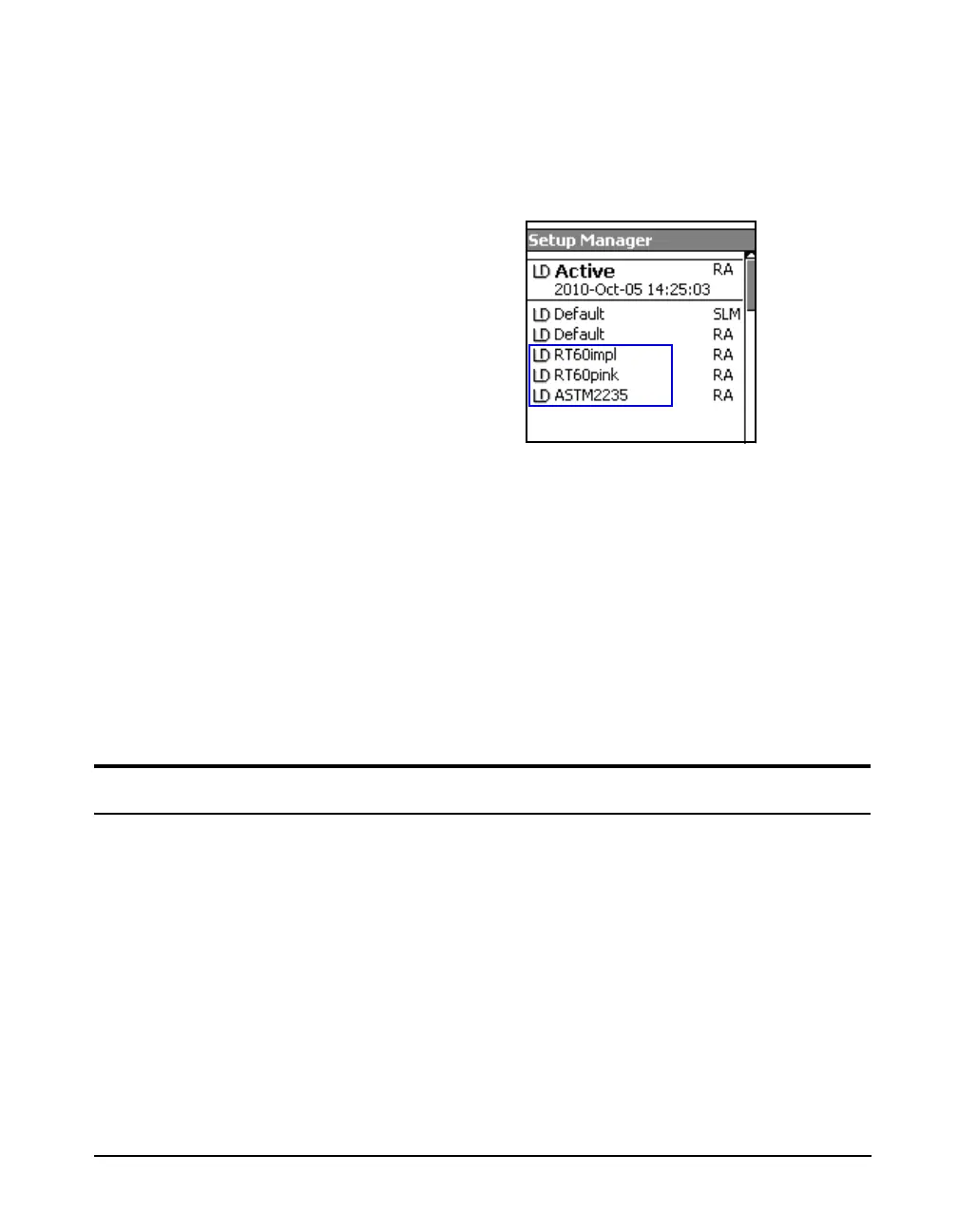
Open the Setup Manager to display the available setups as
shown in FIGURE 15-4. Note that the instrument mode
associated with each setup file is indicated in the right-hand
column. RA indicates RT-60 (Room Acoustics) mode.
FIGURE 15-4 RT60 Setups in Setup Manager
If you have created and saved your
own RT-60 setups, these will also
appear in the list and can be
similarly selected.
As a “quick start”, several predefined RT-60 setups are
provided (see the “Making a Measurement” on page 15-3’):
• RT60impl -Impulse method
• RT60pink - Interrupted Noise method using pink noise
via the internal noise source
• ASTM2235 - Specific to ASTM E2235 using the
internal noise source
Any setting changes made while one of these setups is active
will become permanent. Refer to the Setup Manager section
in Chapter 4 for information on creating custom setup files.
Making a Measurement
Selecting the Method
There are two methods available for measuring
reverberation time:
• Impulse Method (using Schroeder reverse integration)
• Interrupted Noise Method
In many instances, RT60 measurements can be made using
the predefined setup files provided.
Impulse Method
Step 1 Recall RT60impl from the Setup Manager.



 To Next Page