13-10 Event Time History Setup Model 831 Manual
Event Time History Setup
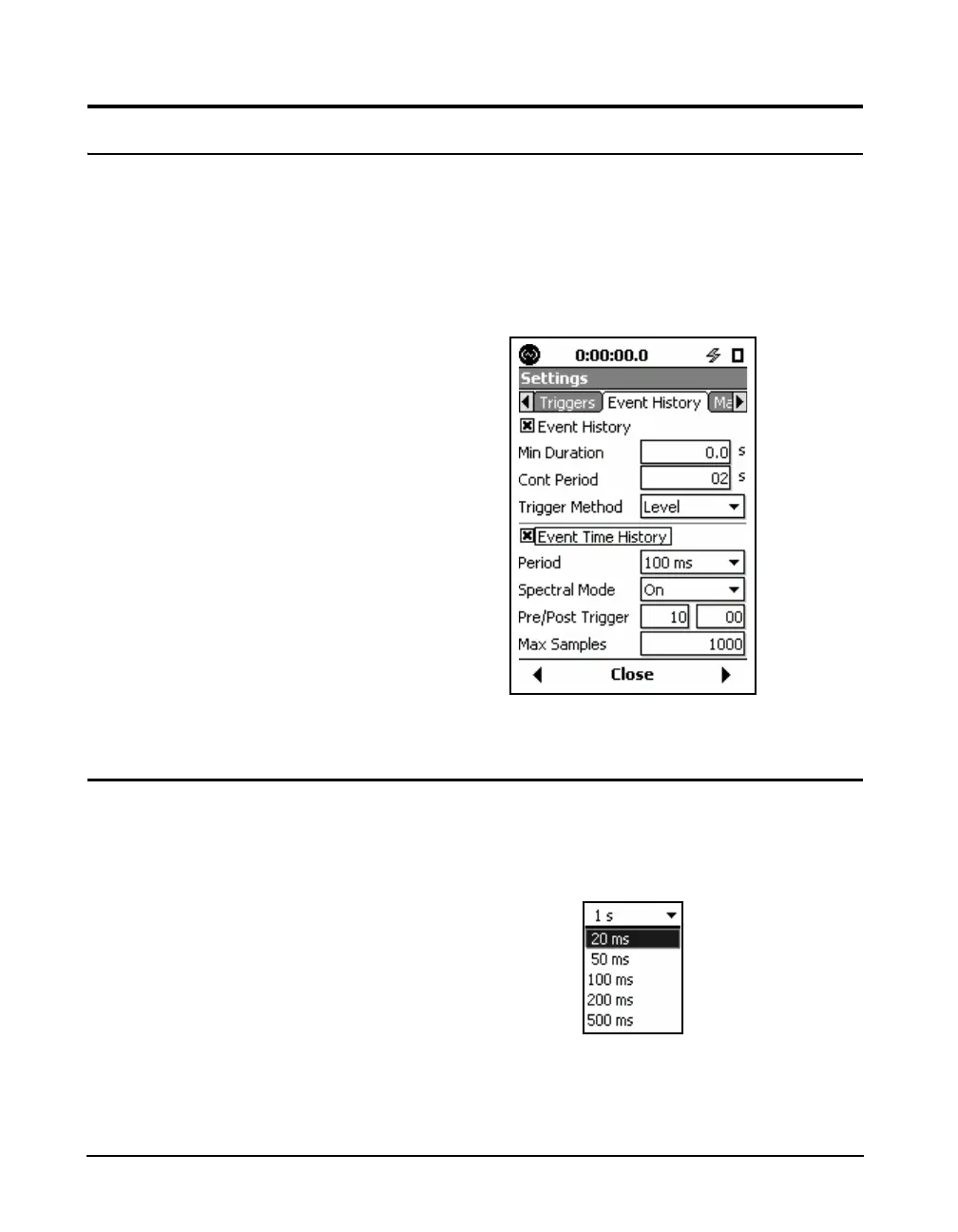
When Event Time History has been enabled, time history
data will be measured as a part of each event history.
Note that the default values for these
parameters are as shown in
FIGURE 13-8.
Highlight the Event Time History check box and press
5 to
enable it and place a check in the check box. This will
produce the Event Time History Setup menu shown in
FIGURE 13-8.
FIGURE 13-8 Event Time History Setup Menu
Period
Period defines the time period of each time history sample,
which is the inverse of the sample rate. Highlight the Period
data field and press
5 to obtain the Period menu, shown in
FIGURE 13-9.
FIGURE 13-9 Event Time History Period Menu
The available choices are as follows:



 To Next Page