20-12 SMS Out Model 831 Manual
Troubleshooting Tips
If the connection is not using the
Larson Davis SLM Utility-G3
software on the PC, it is required
that the slmserver portion of the
SLM-Utility-G3 software be installed
to communicate with the Model 831
since there is not currently an ASCII
character-based command set for
RS-232 communication.
If the connection does not establish itself after a few
moments, verify the following settings on the COM port
configuration on the PC side:
• Baud Rate: User selectable metric; must match the
connection rate on the instrument end.
• Flow Control: None
• Data Bits: 8
• Stop Bits: 1
• Parity: None
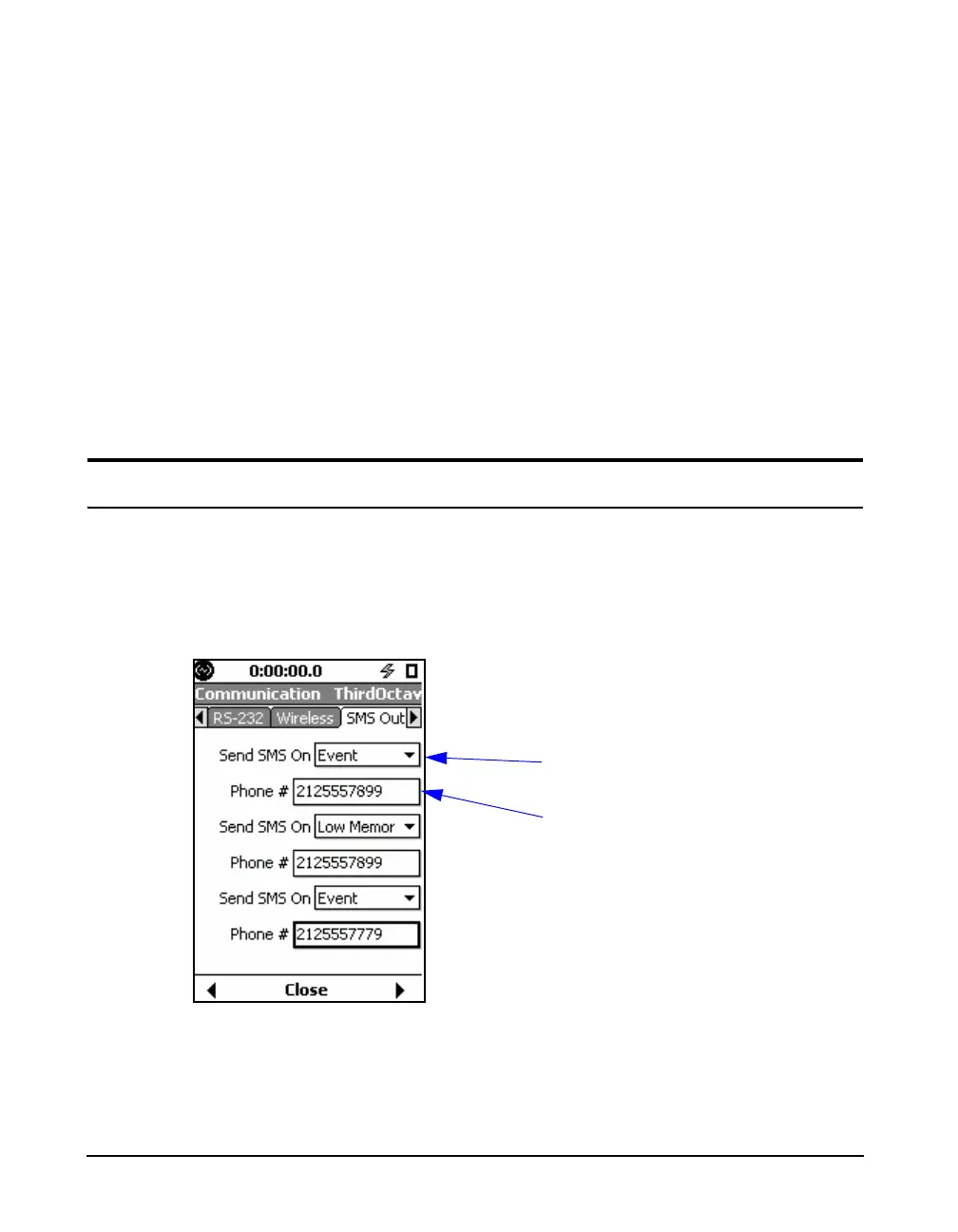
SMS Out
The SMS Out tab provides options for receiving text
message alerts for events or conditions as they happen on the
meter. You can send up to three different alerts for specified
conditions.
FIGURE 20-15 SMS Out Tab
Specify condition for text
message to be sent.
Specify phone number to
receive text message.
For SMS event detection, SPL2, not
SPL1, is used as a trigger for
sending alerts.



 To Next Page