Model 831 Manual Configuring a Measurement 14-9
amount of overlap also appear as variations in the duration
of individual FFT records for a given history record.
For example, if you generate or export FFT data files from
SLM Utility-G3 or G4, you may see that start times of some
measurements begin before previous measurement durations
are completed. This disparity reflects the overlapping
method used by the meter for capturing and processing all
sound samples.
Tonality Tab
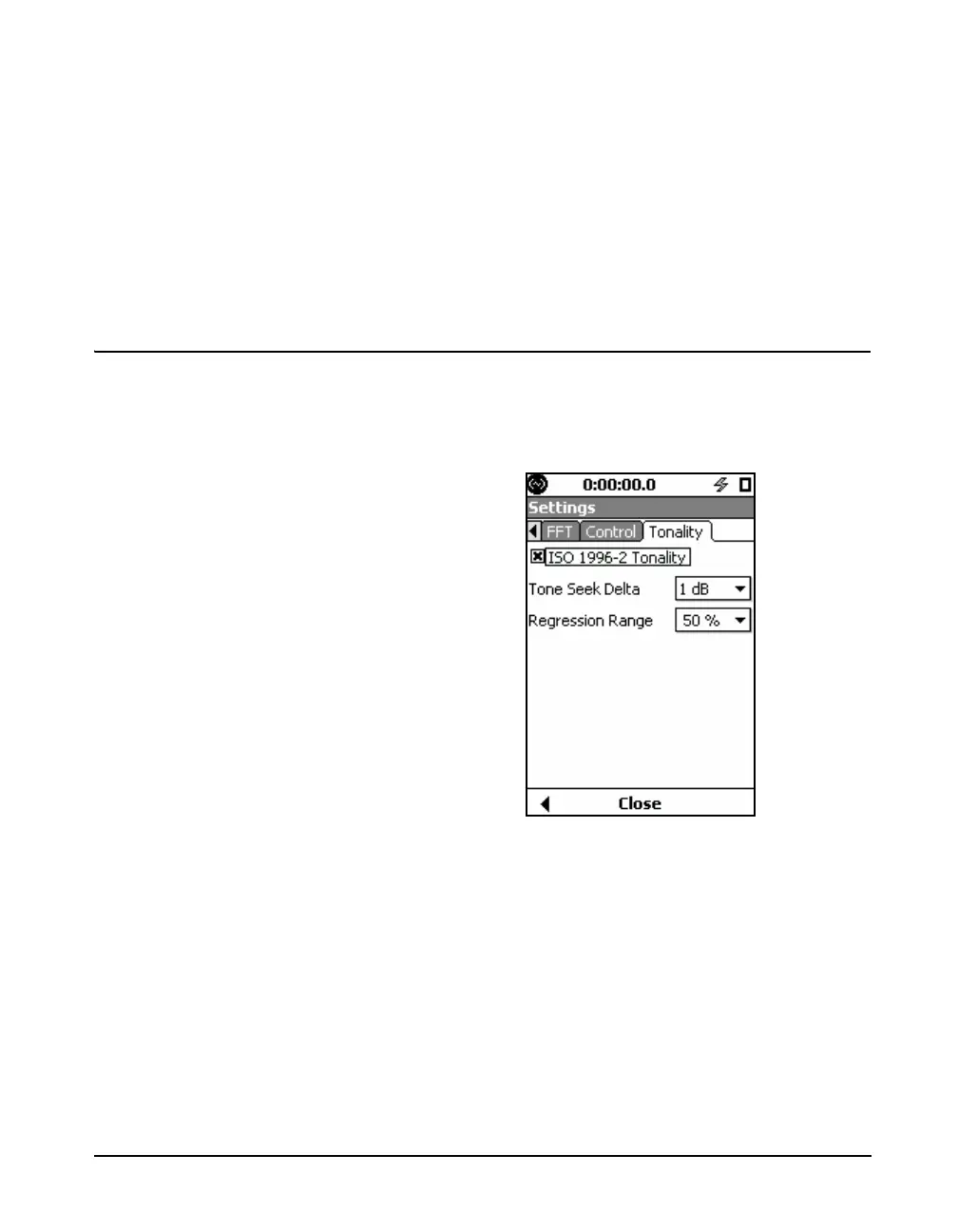
The Tonality tab, as shown in Figure 14-7, provides settings
for ISO 1996-2 Annex C Tonality Assessment.
When enabling the Tonality feature,
the Model 831 presents a prompt if
any settings are not in agreement
with the ISO 1996-2 Standard. The
prompt also includes the option to
automatically change settings to
values in accordance with the
standard.
FIGURE 14-7 Tonality Tab
ISO 1996-2 Tonality
To measure and assess tonality in
accordance with the ISO 1996-2
standard, the measurement must be
A-weighted, averaged for at least
one minute, and use a Hanning
window type.
The ISO 1996-2 Tonality setting enables tonality
measurements while in FFT mode.
Press
5 to enable tonality assessment.
Tone Seek Delta
Specify the Tone Seek Delta to determine noise pauses in
your measurement, as described in ISO 1996-2 C.4.2. The
default is 1 dB.



 To Next Page