11/8/00 RTA (optional) 10-19
Use the
u
up and
d
down arrow
keys to highlight the desired display.
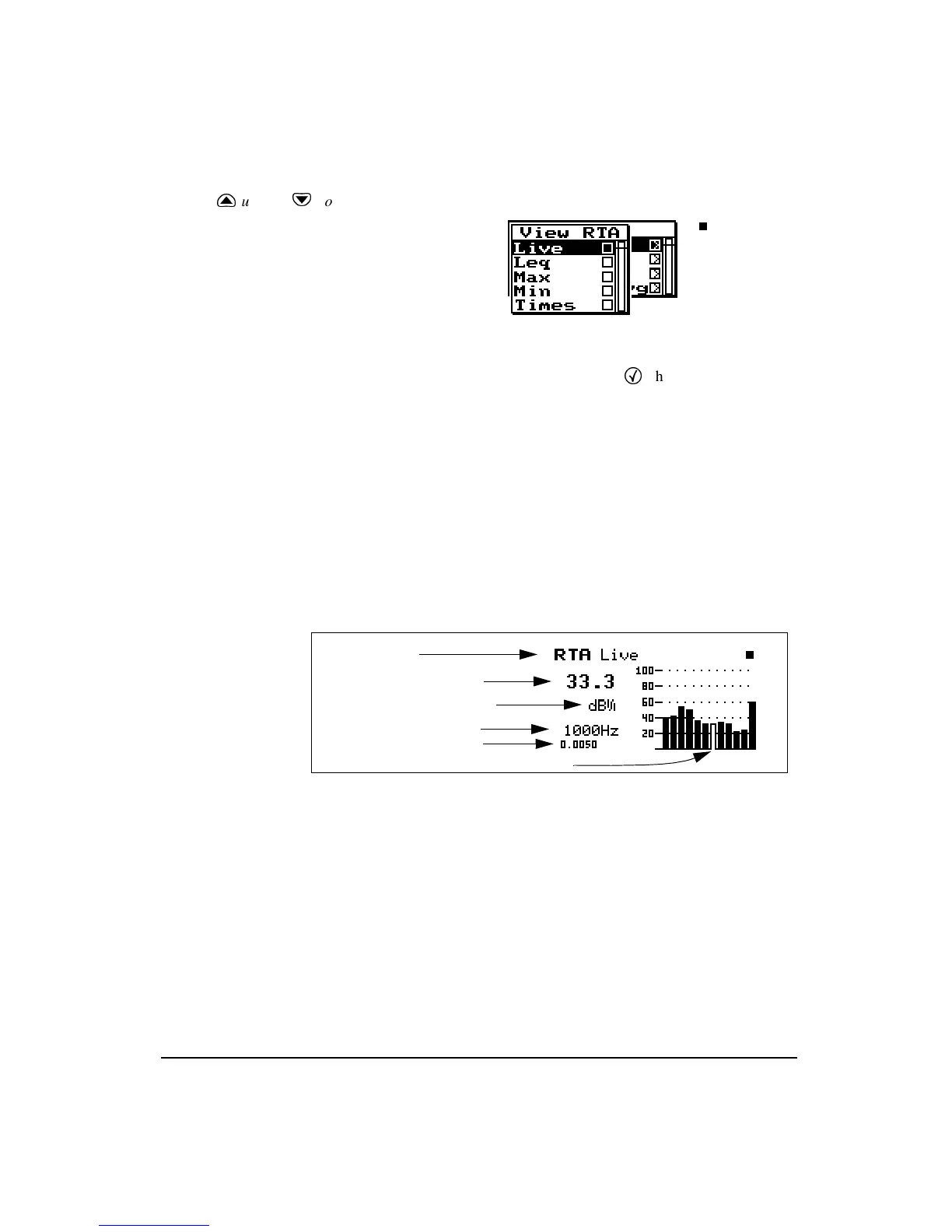
The RTA display view menu offers 5 choices: Live, Leq,
Max, Min, and Times. Use the
c
check key to select the
Live
display.
Live
If the sample time is greater than
0.25 seconds a display spectrum is
generated and displayed to keep the
live data current. If the sample time
is less than 0.25 seconds, the display
still updates every 1/4 second.
The
RTA
Live display shows the live spectrum and is the
current sampled data with a sample time based upon the
detector, detector time and detector store rate settings. The
Live display is updated regularly when the 824 is running.
Display label
Current filter level in dB
Bandwidth (1/1 or 1/3 oct.)
Selected filter frequency
Live spectrum’s duration
1/1 octave cursor



 To Next Page