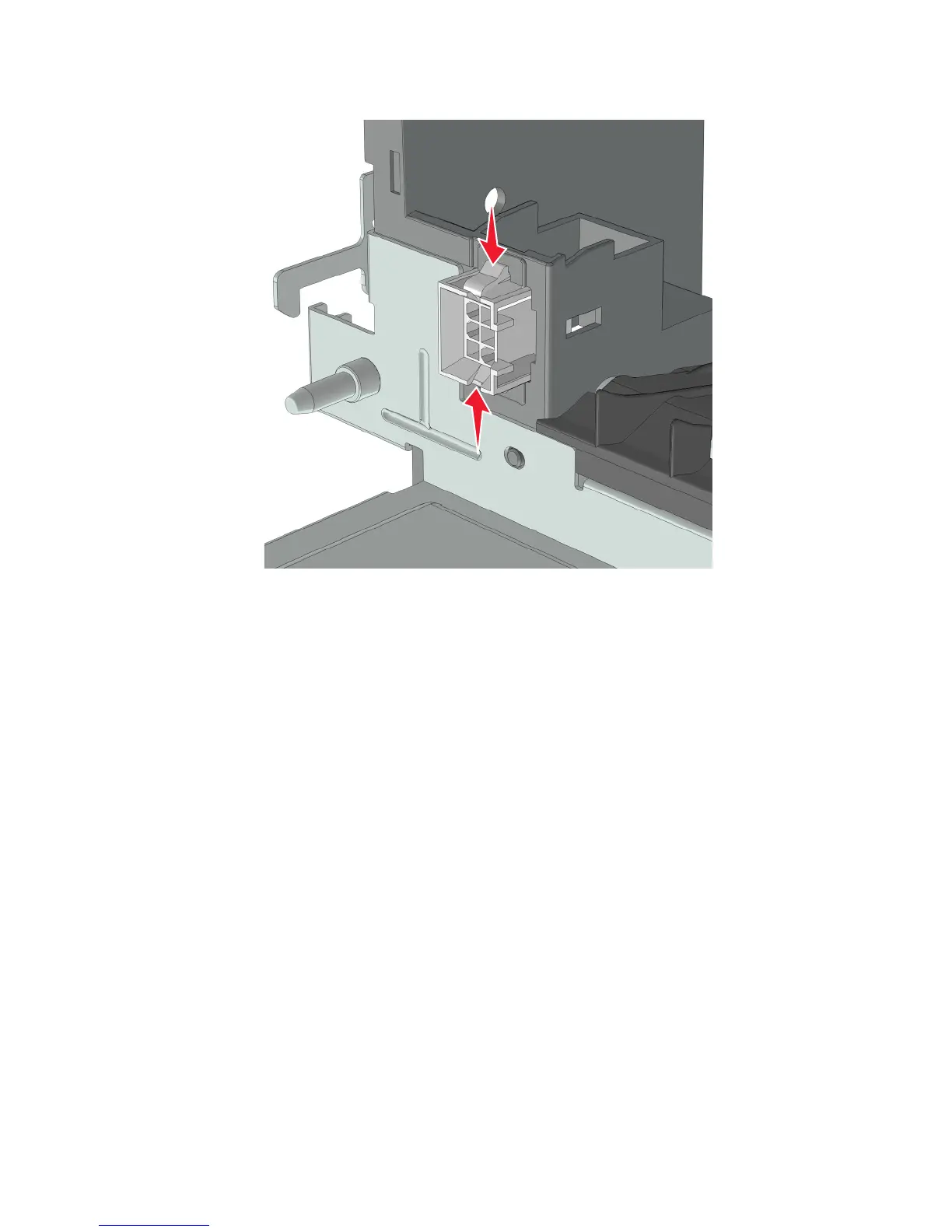
5 Squeeze the latches to release, and dislodge the interface cable from its slot.
6 Route the cable off the stapler, and remove.
Note: Pay attention to the original routing of the cable.
Stapler top cover removal
1 Remove the right cover. See “Stapler right cover removal” on page 355.
2 Remove the left cover. See “Stapler left cover removal” on page 356.
3 Remove the rear cover. See “Stapler rear cover removal” on page 364.
4 Remove the stapler cooling fan. See “Stapler cooling fan removal” on page 372.
5 Remove the stapler power supply unit. See “Stapler power supply unit removal” on page 372.
7016
Repair information
376



 To Next Page