098-00720-000 Revision D1 – February, 2018 SyncServer 600 Series User’s Guide 113
Chapter 4
Navigation Windows
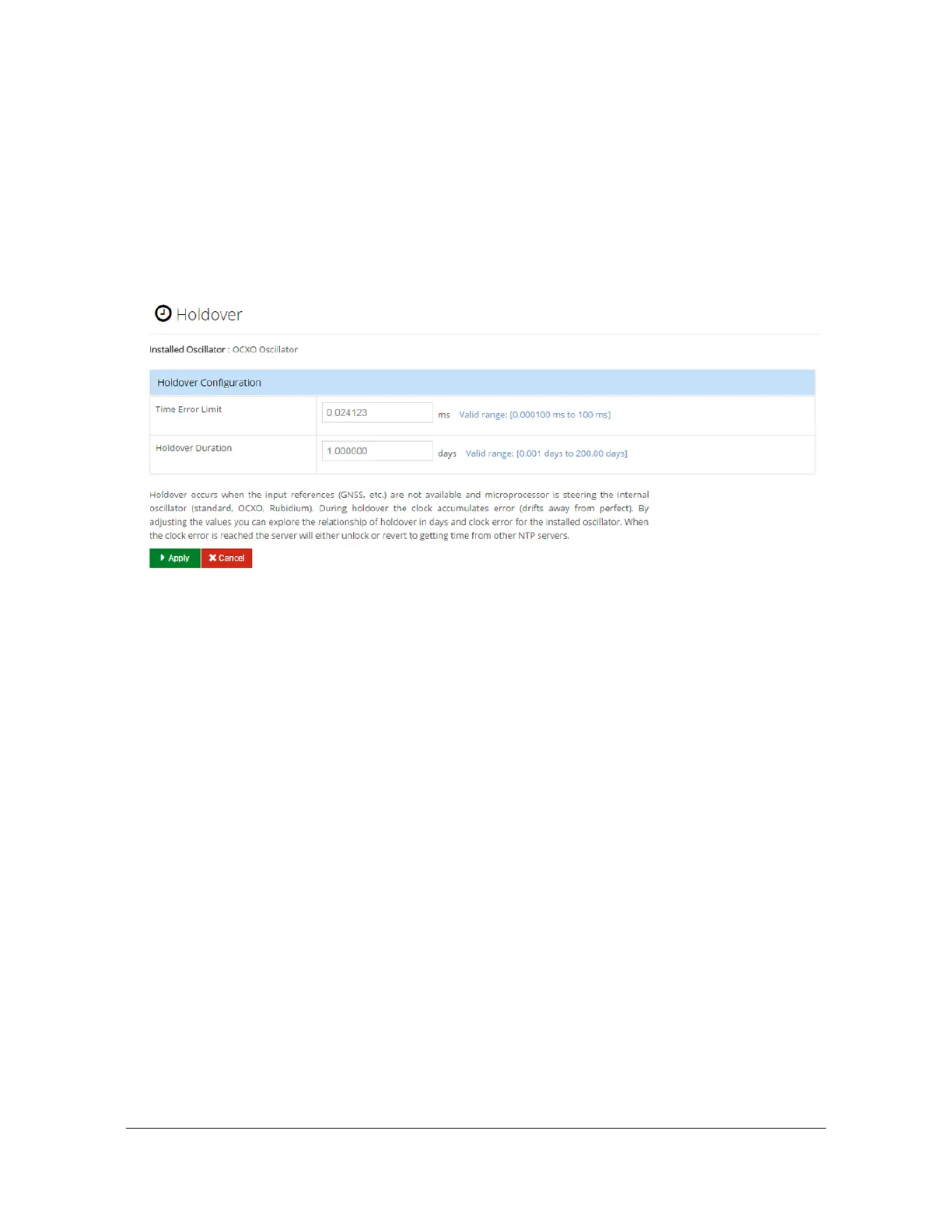
Timing - Holdover Configuration Window
Use this window to configure a duration in holdover (loss of stratum 0 reference)
until the server either unlocks or attempts to get time from other NTP servers (if
configured to do so). After this holdover period is exceeded, then the unit will
attempt to lock to external NTP servers.
See Figure 4-30.
Figure 4-30. Timing - Holdover Window
Holdover occurs when the input references (GNSS, etc.) are not available and
microprocessor is steering the internal oscillator (standard, OCXO, Rubidium).
During holdover the clock accumulates error (drifts away from perfect). By adjusting
the values you can explore the relationship of holdover in days and clock error for
the installed oscillator. When the clock error is reached the server will stop updating
the NTP reference time. If other NTP servers are configured, it will then start getting
time from other NTP servers. The value obtained with this estimator is a
conservative estimate of the performance of the unit. Actual performance may vary
and will typically be better than this estimate.
Timing - Time Zone Configuration Window
Use this window to select the desired time zone for the SyncServer S6x0. See
Figure 4-31 below. The time zone is only for the front panel display. NTP time will
continue to be served in UTC.



 To Next Page