118 SyncServer 600 Series User’s Guide 098-00720-000 Revision D1 – February, 2018
Chapter 4
Navigation Windows
Position Hold allows the user to manually enter the position for a stationary
application. The user enters the Latitude, Longitude and Altitude values for the
SyncServer S6x0. The position needs to be accurately determined to avoid
creating timing errors.
Dynamic means the SyncServer S6x0 will continuously determine the position for
applications where the system is moving. The user can select the dynamic
platform model for Automotive, Seaborne, or Airborne. For Automotive, the
maximum horizontal velocity is 100 m/sec. For Seaborne, vertical velocity is
assumed to be zero, and maximum horizontal velocity is 25 m/sec. For Airborne,
maximum horizontal velocity is 500 m/sec and maximum vertical velocity is 100
m/sec. For unpressurized airborne applications, the maximum operational
altitude for the product is 25,000 ft (7620 m).
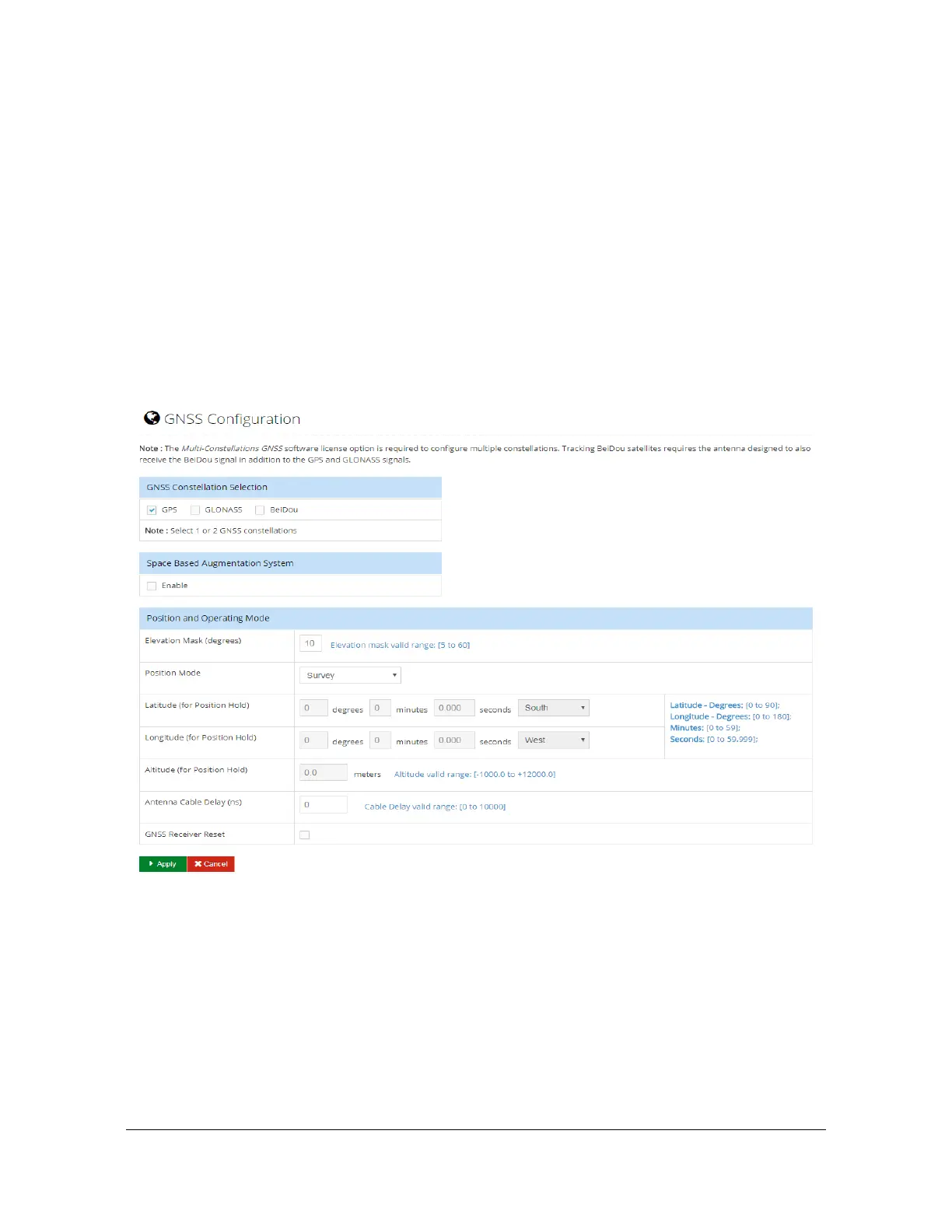
Figure 4-35. References - GNSS Window
Security Configuration Windows
The Security tab on the dashboard provides access to configure security for Users,
Access Control, Services & System Control, HTTPS, SSH, NTPd Symmetric Key,
NTPd Autokey Server, NTPd Autokey Client, RADIUS, TACACS+, and LDAP.



 To Next Page