098-00720-000 Revision D1 – February, 2018 SyncServer 600 Series User’s Guide 191
Chapter 6 Provisioning
Provisioning Inputs with Manual Entry Controls
Provisioning Inputs with Manual Entry Controls
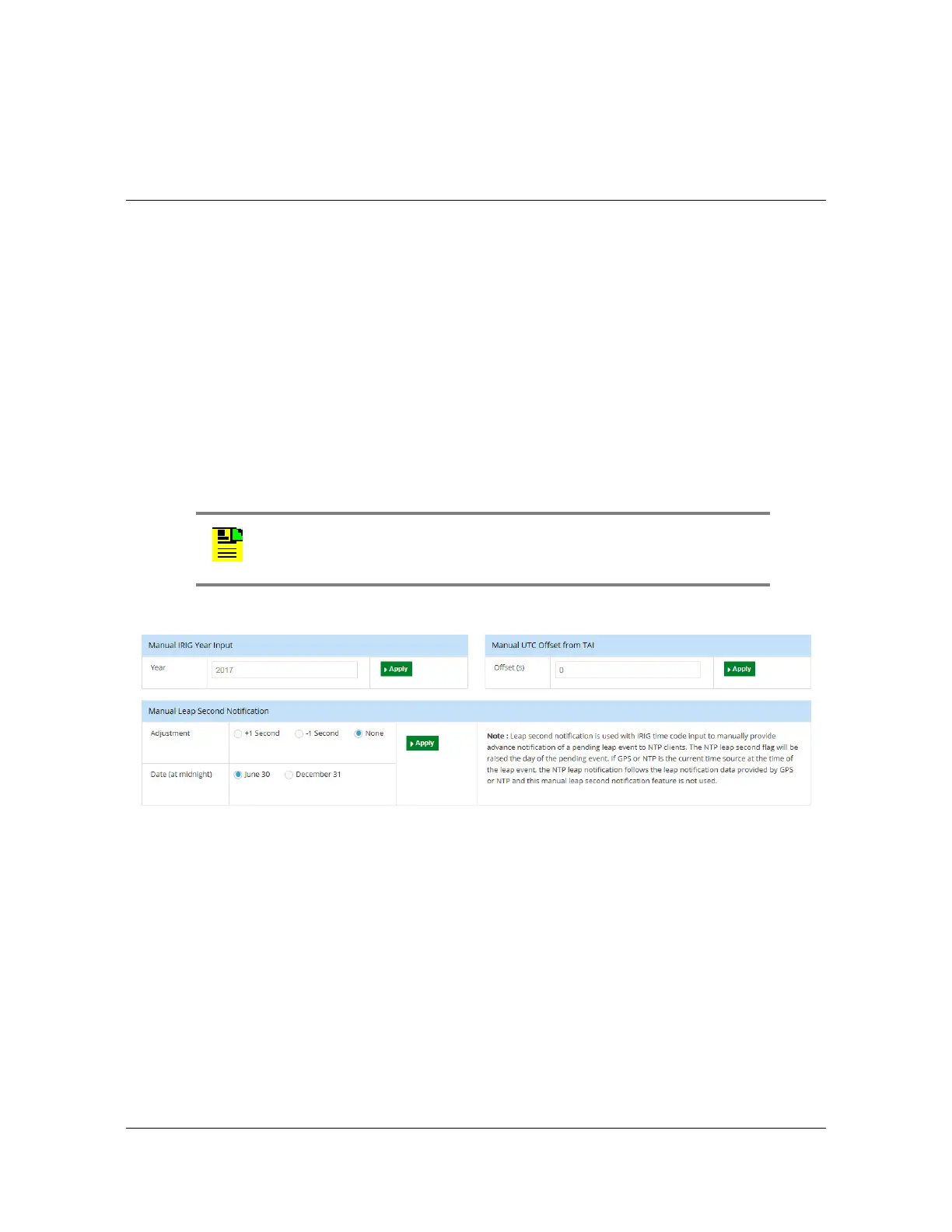
The common purpose for the manual entry controls at the bottom of the Timing >
Input Control window, see Figure 6-5, is to provide a method to enable the S6xx to
become aware of time-related status information in scenarios where ther currently is
no timing input capable of providing that status. The value of this may be best
understood by considering that the S6xx can simultaneously support a variety of
time inputs and outputs. If a particular time input does not, on its own, provide
information that is needed to fully support a different type of time output then,
without the method described in this section, such an output would have to report
degraded status. Each of these controls exists to "fill in a gap" that otherwise would
exist and lead to degraded time output capability. Table 6-11 describes the manual
entry controls. Table 6-10 summarizes all available timing inputs and any gaps they
might have, identifies the manual controls that can remove any gaps, and finally
outputs that utilize the specific information.
Figure 6-5. Timing - Input Control Window - Lower Portion
Note: This section is not about the use of the “Forced Manual Time
Entry” control, which has a narrow use-mode that is described in that
area of the web form..



 To Next Page