098-00720-000 Revision D1 – February, 2018 SyncServer 600 Series User’s Guide 77
Chapter 4
Status / Information Windows
Note: The SyncServer 6x0 does not contain a battery-backed
real time clock. Therefore, it will always boot up with a default
value for the system time. This time will be updated when it
obtains time from a time reference such as GNSS, IRIG, or
NTP. The default value for the date is the software build date.
This date will be used for the first log entries when booting up
the unit. The time will change to local time during the boot-up
process if a time zone has been configured.
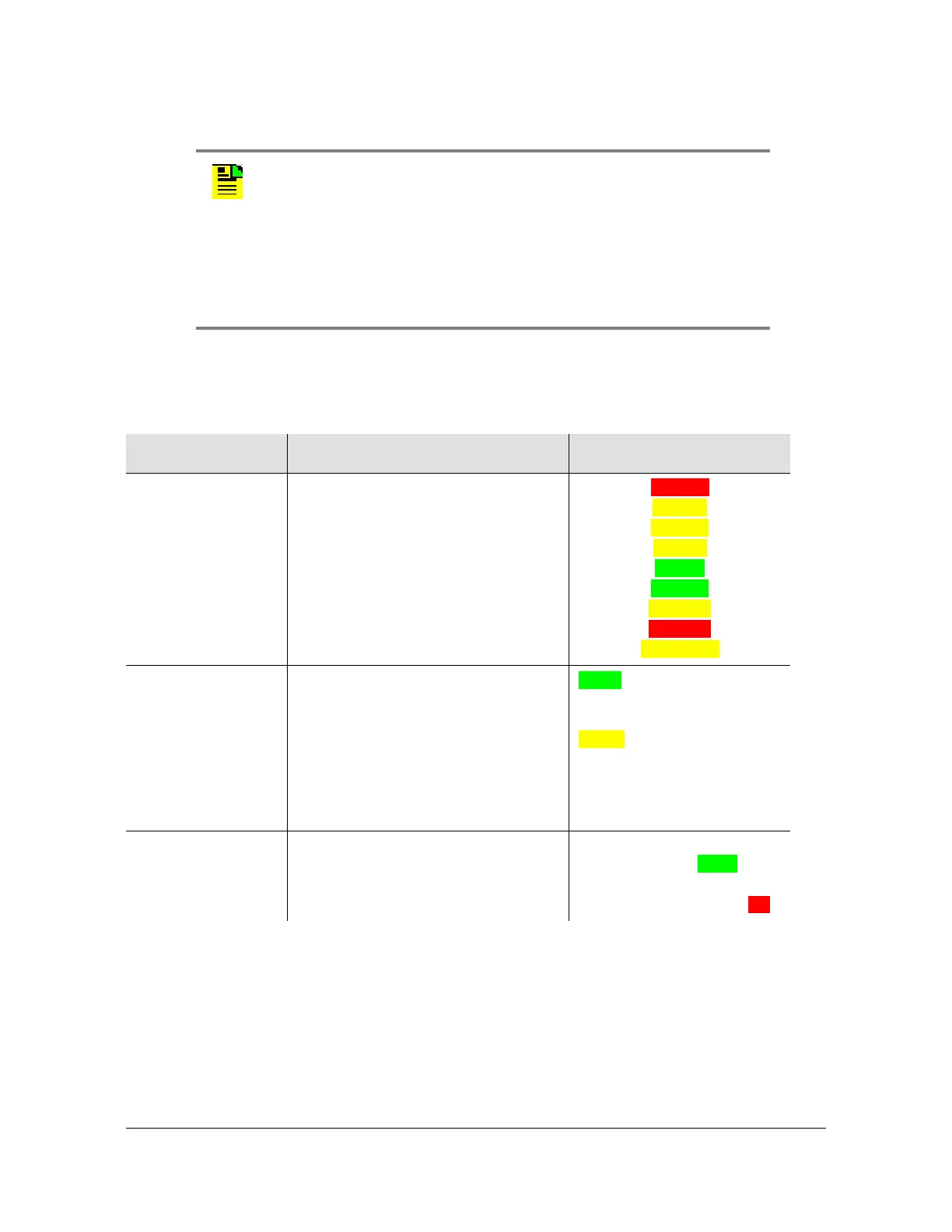
Table 4-1. Timing Window Descriptions
Item Details Color Scheme
Time of Day Status This row is essentially showing the
time clock state.
See
Table 4-2 for descriptions of
clock states.
Warmup
Freerun
Handset
Locking
Locked
Bridging
Holdover
Holdover
Recovering
Current Reference This row shows the input reference
that is currently “driving” the
SyncServer. It could be a timing
source (best case), an external
holdover source, or the SyncServer
internal reference (worst case).
See
Table 4-3 for details of current
sources.
Green if any externally
selected reference,
Amber color only if internal
oscillator.
Timing References This row shows all enabled time
references.
If a time reference is ready to
be used it will be
green.
If it is not ready it will be
red.



 To Next Page