098-00720-000 Revision D1 – February, 2018 SyncServer 600 Series User’s Guide 125
Chapter 4
Navigation Windows
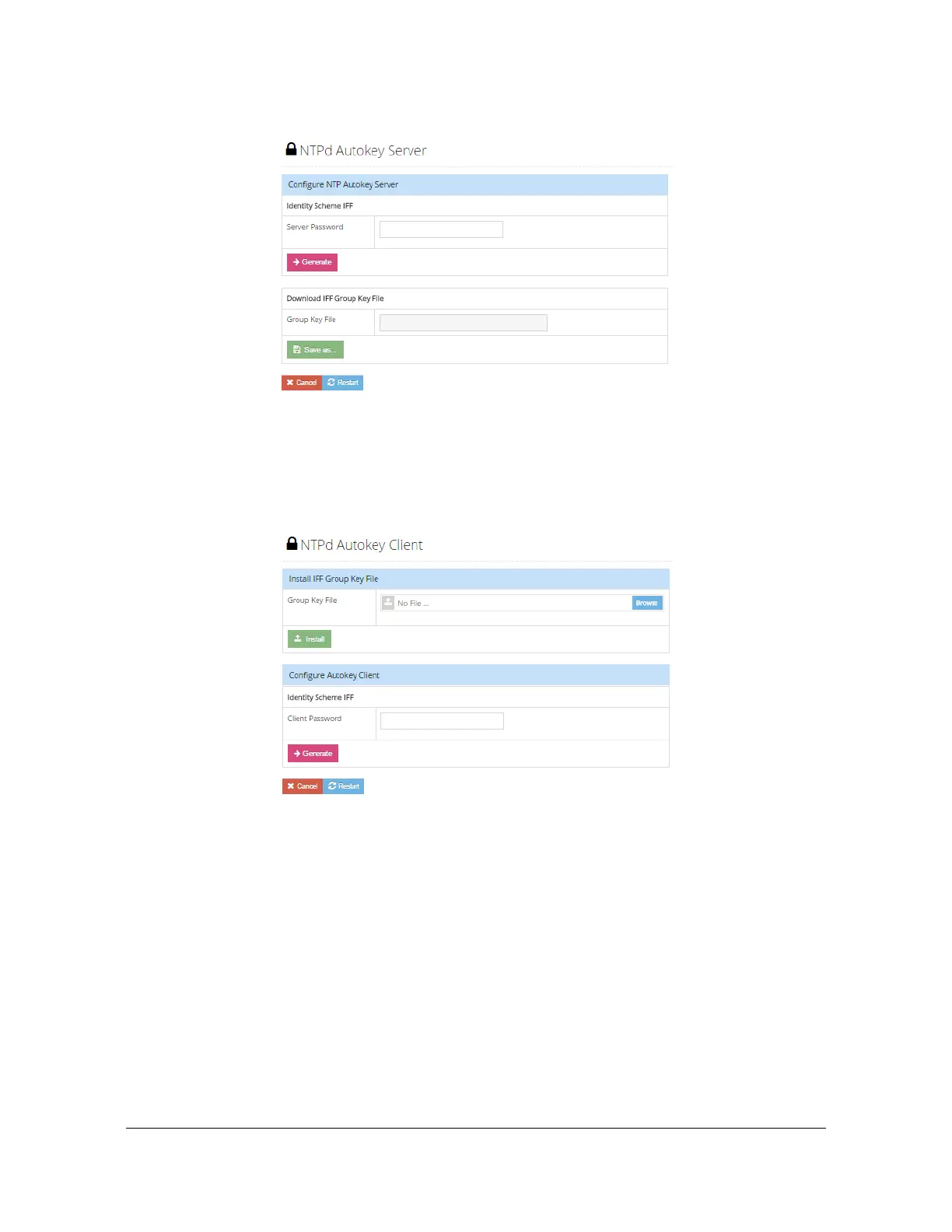
Figure 4-42. Security - NTPd Autokey Server Configuration Window
Security - NTPd Autokey Client Configuration Window
Use this window to configure the NTP Autokey Client and install the IFF Group Key
file. See Figure 4-43.
Figure 4-43. Security - NTPd Autokey Client Configuration Window
Security - RADIUS Configuration Window
Use this window to enable and configure RADIUS authentication. Up to 5 RADIUS
servers can be configured. See Figure 4-44. After entering the RADIUS information,
click the green "+" icon to add the row. Then click the "save" icon to save the
information.
The SyncServer S6xx software supports remote authentication using RADIUS,
TACACS+ and LDAP servers. The authentication process with multiple remote
authentication servers is different among the RADIUS, TACACS+ and LADP
servers.



 To Next Page