098-00720-000 Revision D1 – February, 2018 SyncServer 600 Series User’s Guide 145
Chapter 4
Navigation Windows
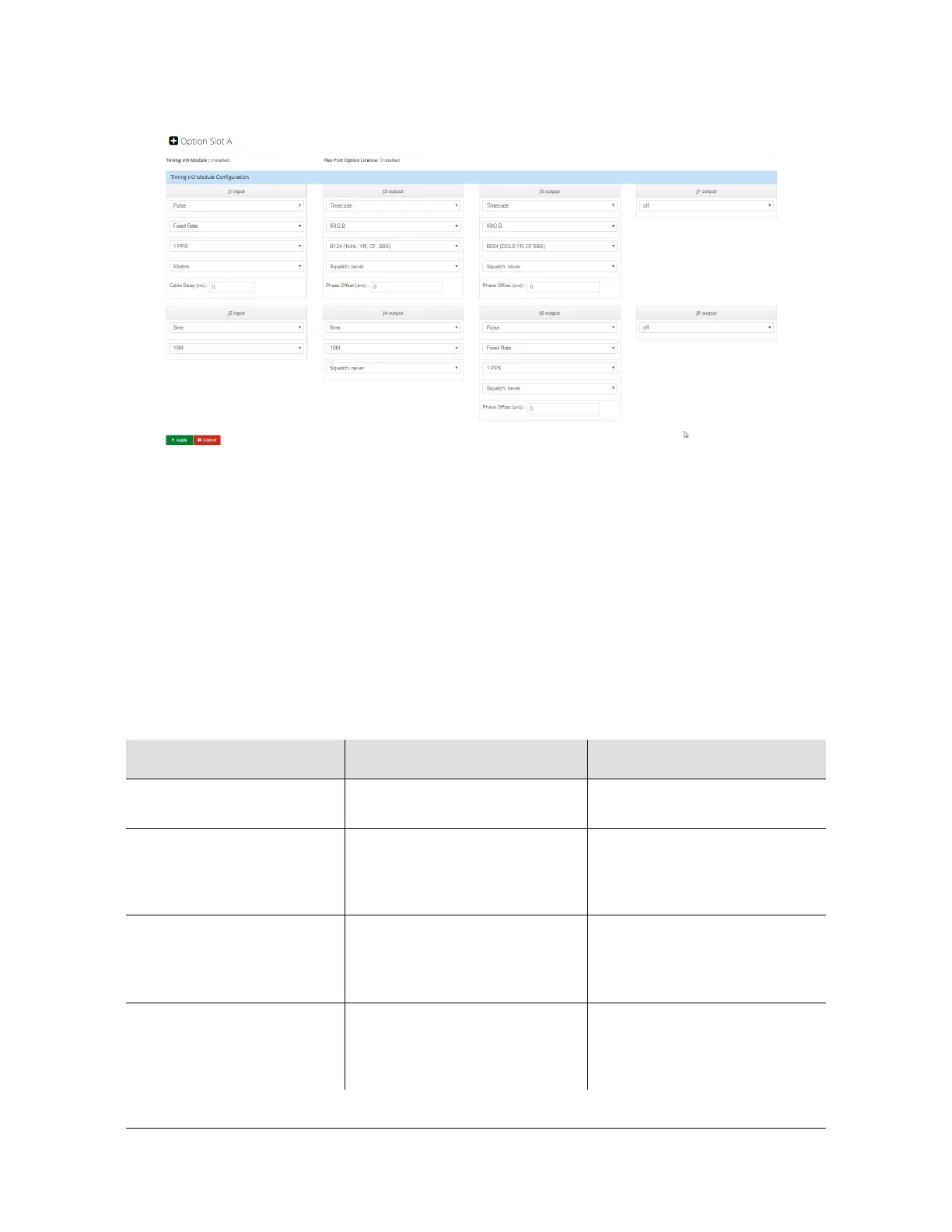
Figure 4-62. Options Slot A Configuration Window Showing Timing I/O Module
The SyncServer S600/S650 has separate timing and frequency clock controls.
The squelch feature uses the time clock state for timecode and fixed-rate pulse
modes. The squelch feature uses the frequency clock state for
programmable-period pulse and sine modes.
The time clock state can be viewed on the "Time of Day Status" line on the
Dashboard >Timing display. Normally frequency and clock states are the same. If
they are different, then the frequency clock state is displayed next to the icon on the
"Current Reference" line.
Table 4-16. Squelch Settings
Squelch Setting Function Notes
Never Clock state will not cause
squelch.
If not locked Output will only occur when
appropriate clock state is
“Locked” or “Bridging” (internal
state = Normal or Bridging)
In warmup / freerun / locking
/ holdover exceeded
Output will only occur when
appropriate clock state is
“Locked”, “Bridging”, or
“Holdover”
In warmup Squelch output from powerup
until unit comes out of warmup.
It will not be squelched after
that.
Output will first turn on when
“freerun” is entered.



 To Next Page