098-00720-000 Revision D1 – February, 2018 SyncServer 600 Series User’s Guide 45
Chapter 1 Overview
Alarms
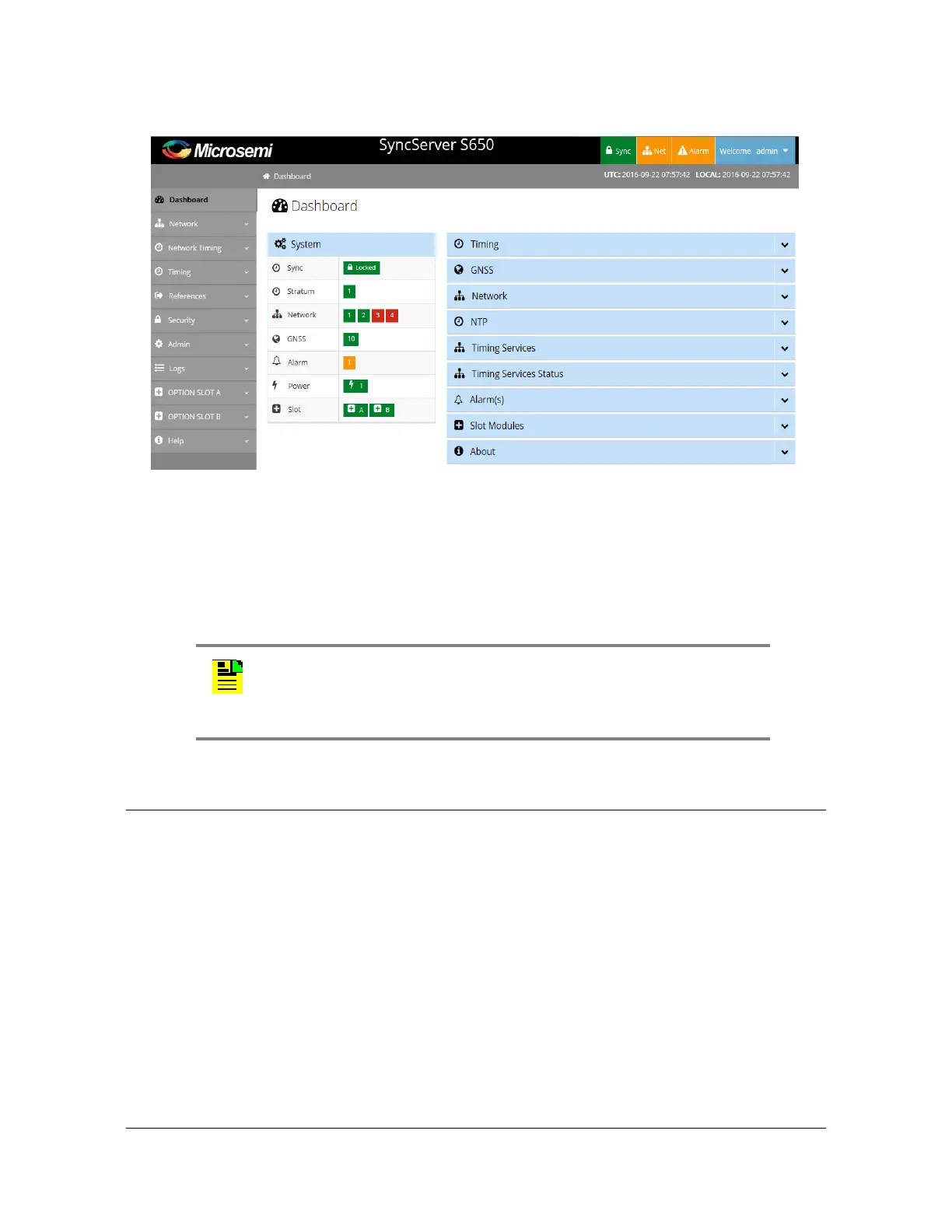
Figure 1-34. Web Interface - Dashboard
Command Line Interface (CLI)
The Command Line Interface can be used to control specific function of the
SyncServer S6x0 from a terminal connected to the EIA-232 serial port or the
Ethernet LAN1 port. Refer to Chapter 5, Command Line Interface (CLI) for further
details.
Alarms
The SyncServer S6x0 uses alarms to notify you when certain conditions are
deteriorating below specified levels or when issues arise, such as loss of power ,
loss of connectivity, or excess traffic on a port. These alarms are indicated by LEDs,
WebGUI status, CLI status, alarm connector (configurable), SNMP Trap
(configurable), message log (configurable), and email (configurable). For more
information, see Provisioning Alarms, on page 226 and Appendix A, System
Messages.
Note: Before you can communicate with the SyncServer S6x0
through an Ethernet connection, you must first configure the Ethernet
port using the serial connection or front panel (see
Provisioning the
Ethernet Ports
, on page 182).



 To Next Page