098-00720-000 Revision D1 – February, 2018 SyncServer 600 Series User’s Guide 69
Chapter 3
MENU Button
Option: Description of installed module (if any)
Flex I/O Option: Enabled | Disabled
J1 Input: Configuration of input
J2: Input: Configuration of input
J3 Output: Configuration of output
J4 Output: Configuration of output
J5 Output: Configuration of output
J6 Output: Configuration of output
J7 Output: Configuration of output
J8 Output:Configuration of output
MENU Button
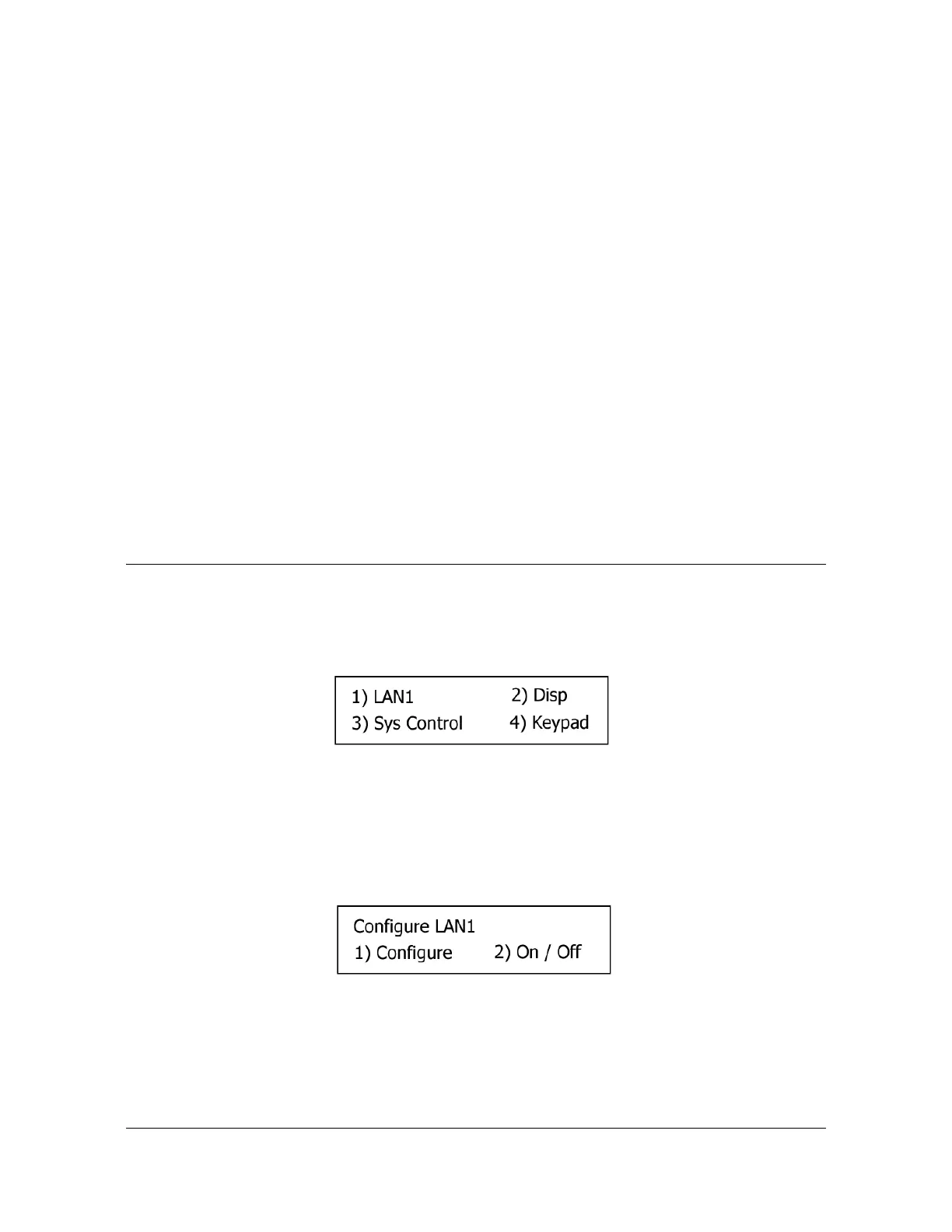
Pressing the MENU button presents a numbered menu of functions, as shown in
Figure 3-2.
Figure 3-2. Menu of Functions
LAN1
Selecting LAN1 brings up the Display menu screen on the display, as shown in
Figure 3-3.
Figure 3-3. Configure LAN1 Screen
1. Configure: Use to select IPv4 or IPv6 address mode for LAN1 port. IPv6
automatically configures LAN1 with a dynamic IPv6 address.
If Configure is selected, the Select LAN1 screen will appear, as shown in Figure
3-4.



 To Next Page