210 SyncServer 600 Series User’s Guide 098-00720-000 Revision D1 – February, 2018
Chapter 6 Provisioning
Provisioning Outputs
To use any of the services defined on this form, map that service to the specific
physical network port where it should run. This is accomplished on the Network
Timing „> NTP/PTP Mapping form.
Example - Creating a Network Timing Service
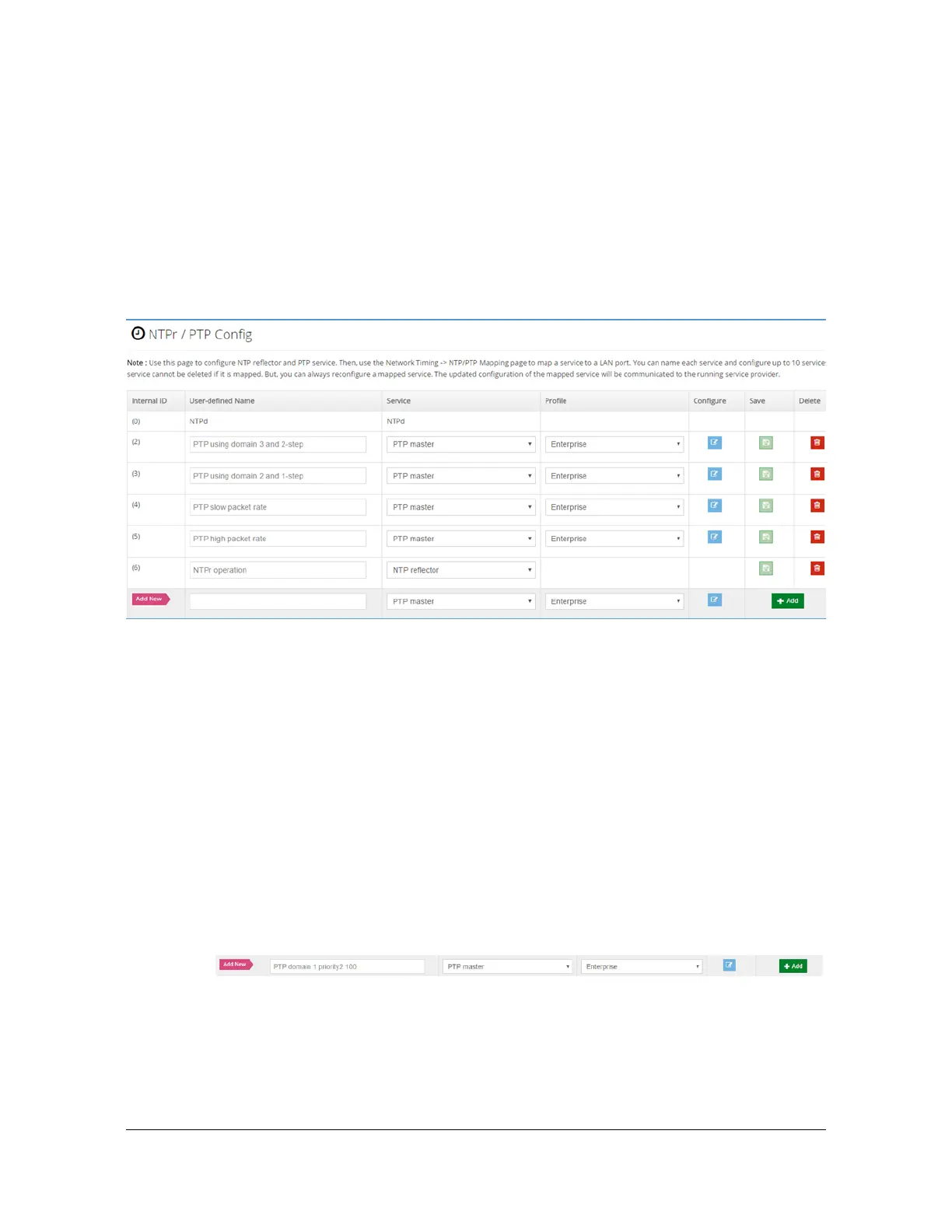
Figure 6-15 shows the timing services configuration form. Five services have
previously been configured for this example. See Table 4-8 for descriptions of the
parameters (columns) in this form.
Figure 6-15. Configuration of Network Timing Services
To illustrate the process we walk through creating one more row, starting with Figure
6-15.
Suppose we want to use the S6x0 as a 1588 (PTP) GrandMaster. As part of an
overall network plan, we want this one at a higher priority than another S6x0 that is
providing PTP Grandmaster services in this same network. Our intent for doing this
is so that if the clock quality being reported by both grandmasters is the same, then
the BMCA (Best Master Clock Algorithm) executing at the downstream PTP clients
will choose this S6x0 because of its better priority. Here are the steps:
Using the Add New row, type in a helpful name for this service. This name
reminds us that this service has the priority2 setting set to 100 and the PTP
domain set to 1. Both of these will be accomplished later in this example.
At this point there are 2 ways to proceed, both essentially equivalent:
– Select the +Add control, which will create a new row in the table. From
there we can further edit to the desired specific settings. This illustrates a
general feature that any row in the table can be edited, so it is not always
necessary to create a new one if it is preferred to alter an existing one.



 To Next Page