098-00720-000 Revision D1 – February, 2018 SyncServer 600 Series User’s Guide 213
Chapter 6 Provisioning
Provisioning Outputs
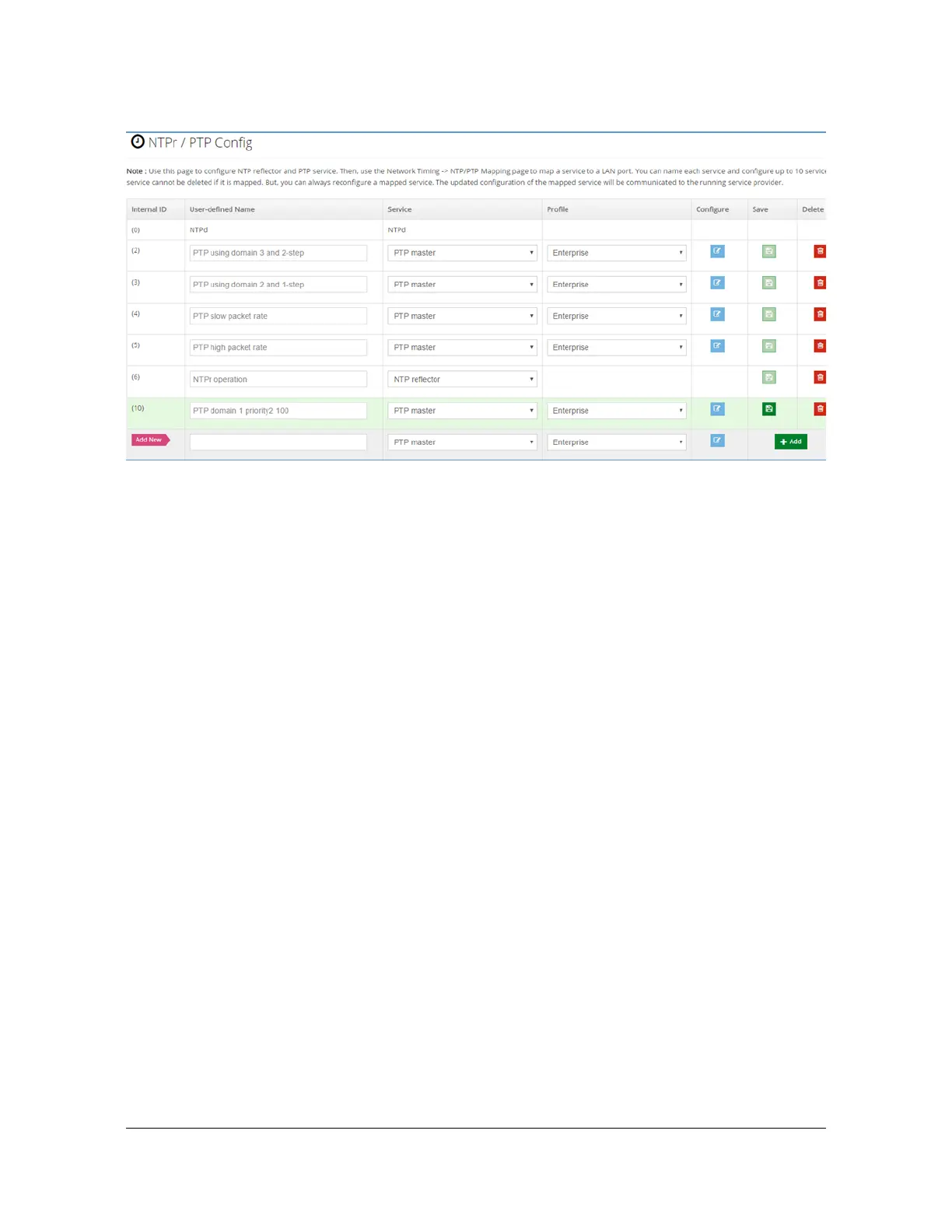
Figure 6-18. New timing service just before final save
Once a timing service has been created its configuration can be changed as
desired, including the name. In other words, an existing service can be re-purposed
or modified as needed.
Notice that there is a predefined row with internal ID = (0) at the top of the row
portion of Figure 6-15, named NTPd. The NTPd service has always been available
on S6x0 and is supported on all physical network ports. NTPd configuration is
accomplished on the Network Timing'NTPd Config form. Rather than create a new
method for its configuration, the existing method remains. However, as is seen in
Mapping a Network Timing Service to a LAN Port, the method for mapping use of
NTPd to physical network ports is consistent with all network timing services, which
is why this row (non-deletable and non-configurable) appears on this form.
Mapping a Network Timing Service to a LAN Port
Creation of network timing services Figure 6-15 provides a customizable method for
configuring specific services for use on a given S6x0. Selecting Network Timing >
NTP/PTP Mapping provides the method to associate a service with the physical
network port where is should operate. Figure 14 shows this form as it will appear on
first power-up (factory preset).
The form lists all physical ports that support multiple timing services. This is
currently LAN 2, 3, 4, 5 6). LAN1 currently supports only NTPd and is always
mapped to that service, so it does not appear here. As the S6x0 capability evolves,
the set of choices and assignment rules will evolve on this form. The service
choices and allowed mapping rules are as described in Table 6-16. The behavior
described in Table 6-16 is enforced by the form controls.



 To Next Page