098-00720-000 Revision D1 – February, 2018 SyncServer 600 Series User’s Guide 131
Chapter 4
Navigation Windows
Security - Packet Monitoring (security license required)
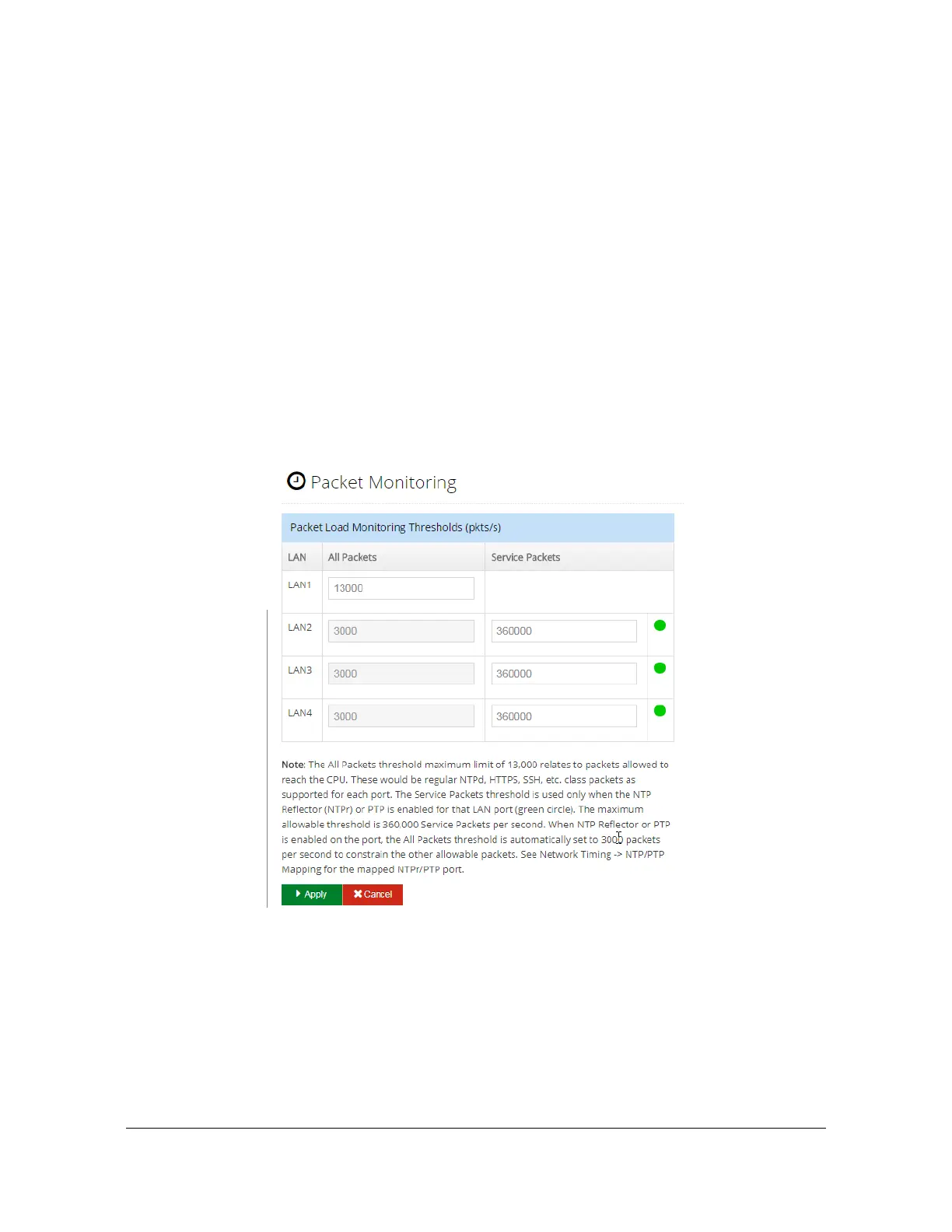
Use this window to configure packet load monitoring thresholds. The All Packets
threshold is used to limit the number of packets from each port that are sent to the
processor. It will also generate the “Excessive traffic on port” alarm if the threshold
is exceeded, and identify the impacted port. Packets that are handled by the NTP
reflector or PTP master are not counted toward this limit. The Service Packets limit
sets a threshold to create an alarm when the packet rate exceeds the limit when
using the NTP reflector or PTP master. The service packets threshold does not limit
the number of packets handled. When the service packet threshold is exceeded the
"service load limit exceeded" alarm will set. If a timing service (NTP reflector or
PTP) is mapped to an Ethernet port, then the all packets threshold is set to a fixed
value of 3000 packets/second.
See Figure 4-46. If a timing service is enabled on a port it is identified by the green
indicator on this form.
Figure 4-47. Security - Packet Monitoring Window
Security - X.509 Certificate Signing Request (CSR)
Use this window to generate and download a Certificate Signing Request (CSR).
See Figure 4-48. CSRs are created in the Base-64 encoded PEM format. This
format includes the "-----BEGIN CERTIFICATE REQUEST-----" and "-----END
CERTIFICATE REQUEST-----" lines at the begining and end of the CSR.



 To Next Page