216 SyncServer 600 Series User’s Guide 098-00720-000 Revision D1 – February, 2018
Chapter 6 Provisioning
Provisioning Outputs
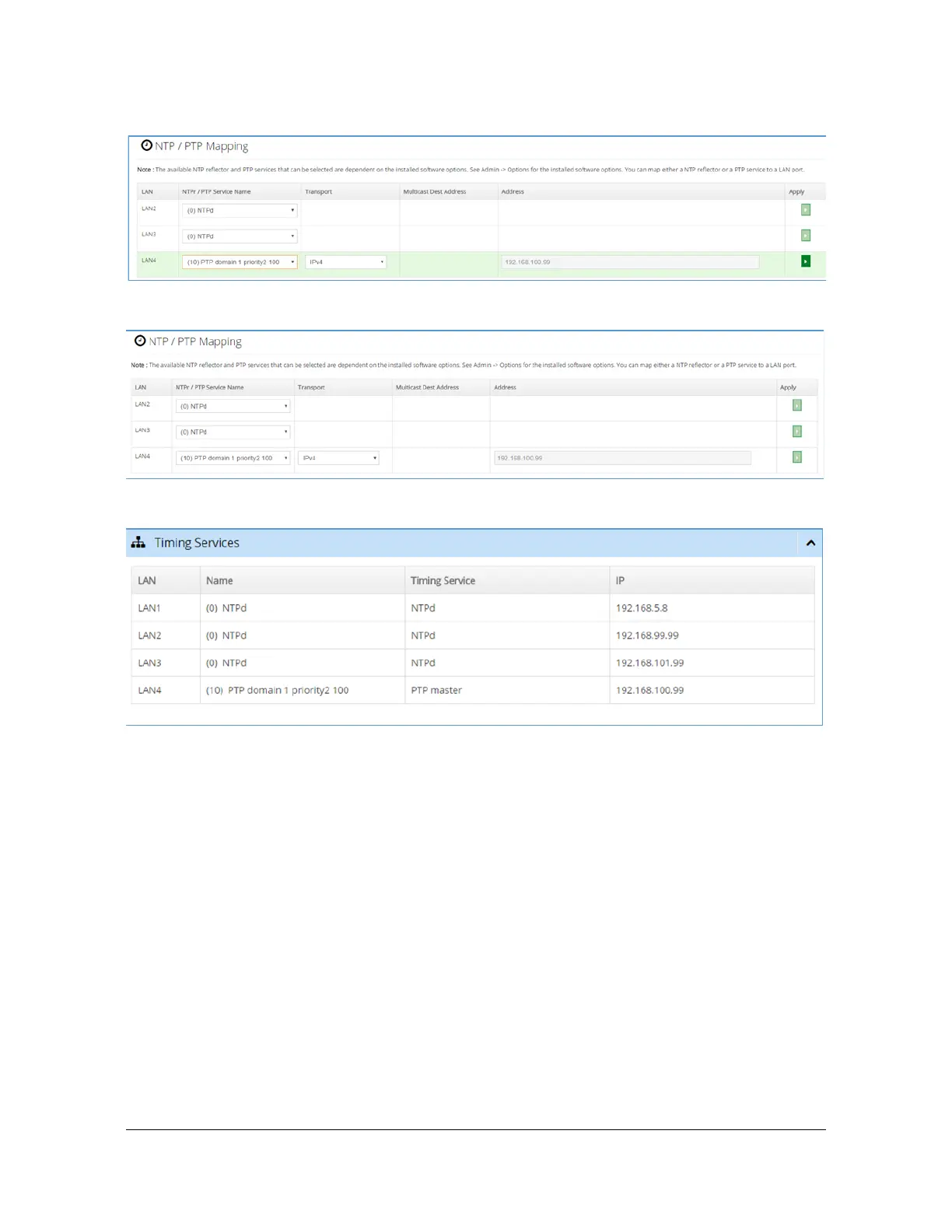
Figure 6-22. PTP Master timing service is in process of being mapped to LAN4
Figure 6-23. Successful completion of mapping new timing service to LAN4
Figure 6-24. Dashboard'Timing Services shows current mapping
Observing Status of Network Timing Services
Previous sections have covered Creating a Network Timing Service and Using a
Network Timing Service. This section discusses how to observe the status of a
timing service. To start with, keep in mind that a network timing service (defined on
Figure 6-15) is only actually in use when it is mapped to a physical network port,
accomplished on Figure 6-19. Hence the set of services that will have status are
those that have been mapped to a LAN port.
There are two areas on the web interface where timing service status can be
observed. For NTPd:
1. Network Timing > Sysinfo provides complete status, showing standard NTP
parameter values. The example below shows a typical status when the hardware



 To Next Page