70 SyncServer 600 Series User’s Guide 098-00720-000 Revision D1 – February, 2018
Chapter 3
MENU Button
2. On/Off: Use On to enable the LAN1 network port. Off disables the LAN1 network
port for all traffic types.
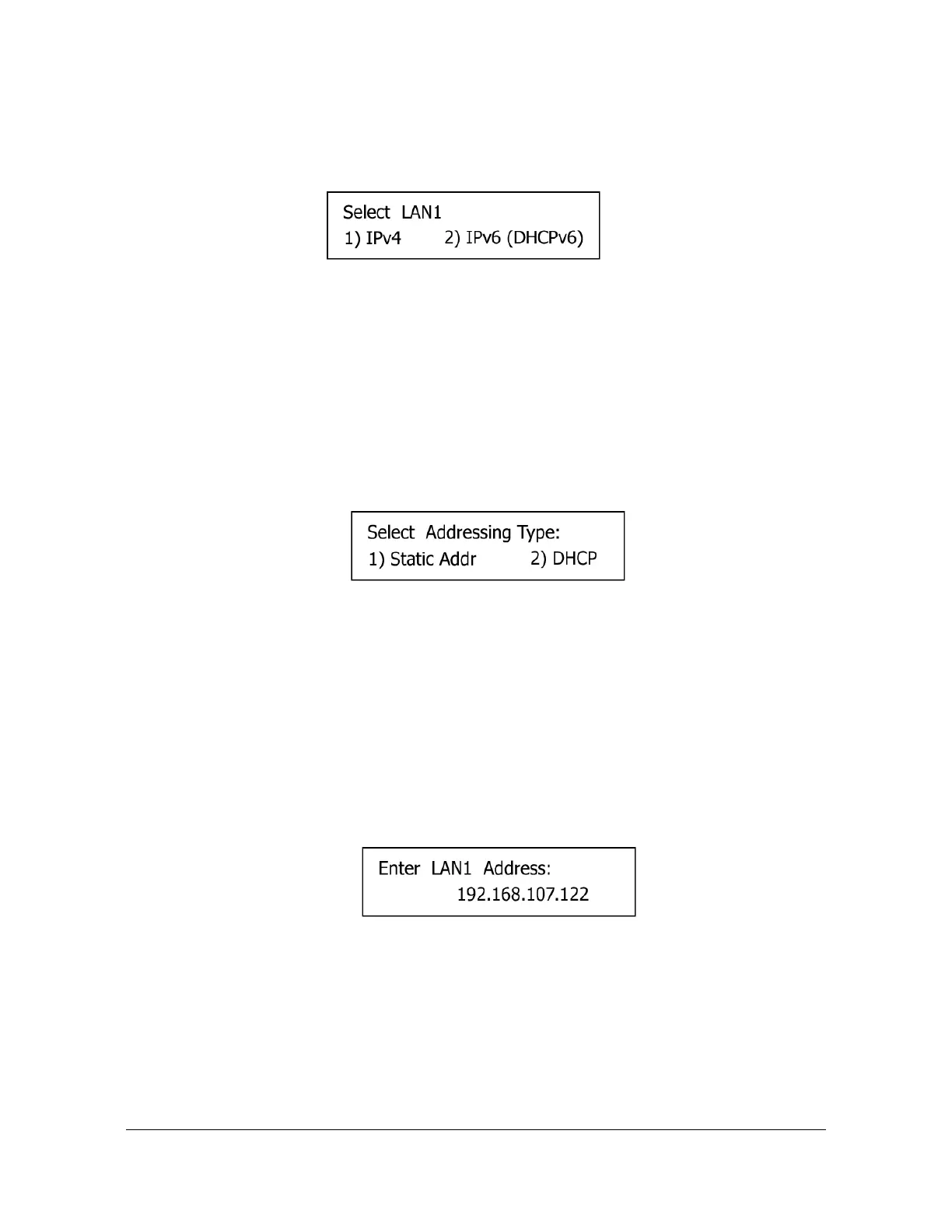
Figure 3-4. Select LAN1 IP Mode Screen
1. IPv4: Select IPv4address mode for LAN1 port.
If IPv4 is selected, the Select Addressing Type screen will appear, as shown in
Figure 3-5.
2. IPv6: Select IPv6 address mode for LAN1 port.
If IPv6 (DHCPv6) is selected, the SyncServer automatically configures LAN1 with
a dynamic IPv6 address.
Figure 3-5. Select IPv4 Addressing Type Screen
1. Static Addr: Select IPv4address mode for LAN1 port.
If Static Address is selected, the Enter LAN1 Address screen will appear, as
shown in Figure 3-6. After the address is entered press the ENTER button and
you will be prompted to enter the Subnet mask (then ENTER) followed by the
Gateway address. Once the gateway address has been entered the LAN 1 port
will be reconfigured.
2. DHCP: Select DHCP addressing type for LAN1 port. DHCP automatically
configures LAN1 with a dynamic IPv4 address.
Figure 3-6. Enter LAN1 Static IPv4 Address Screen
Display
Selecting Display brings up the Display menu screen on the display, as shown in
Figure 3-7.



 To Next Page