52 SyncServer 600 Series User’s Guide 098-00720-000 Revision D1 – February, 2018
Chapter 2 Installing
Making Ground and Power Connections
Making Ground and Power Connections
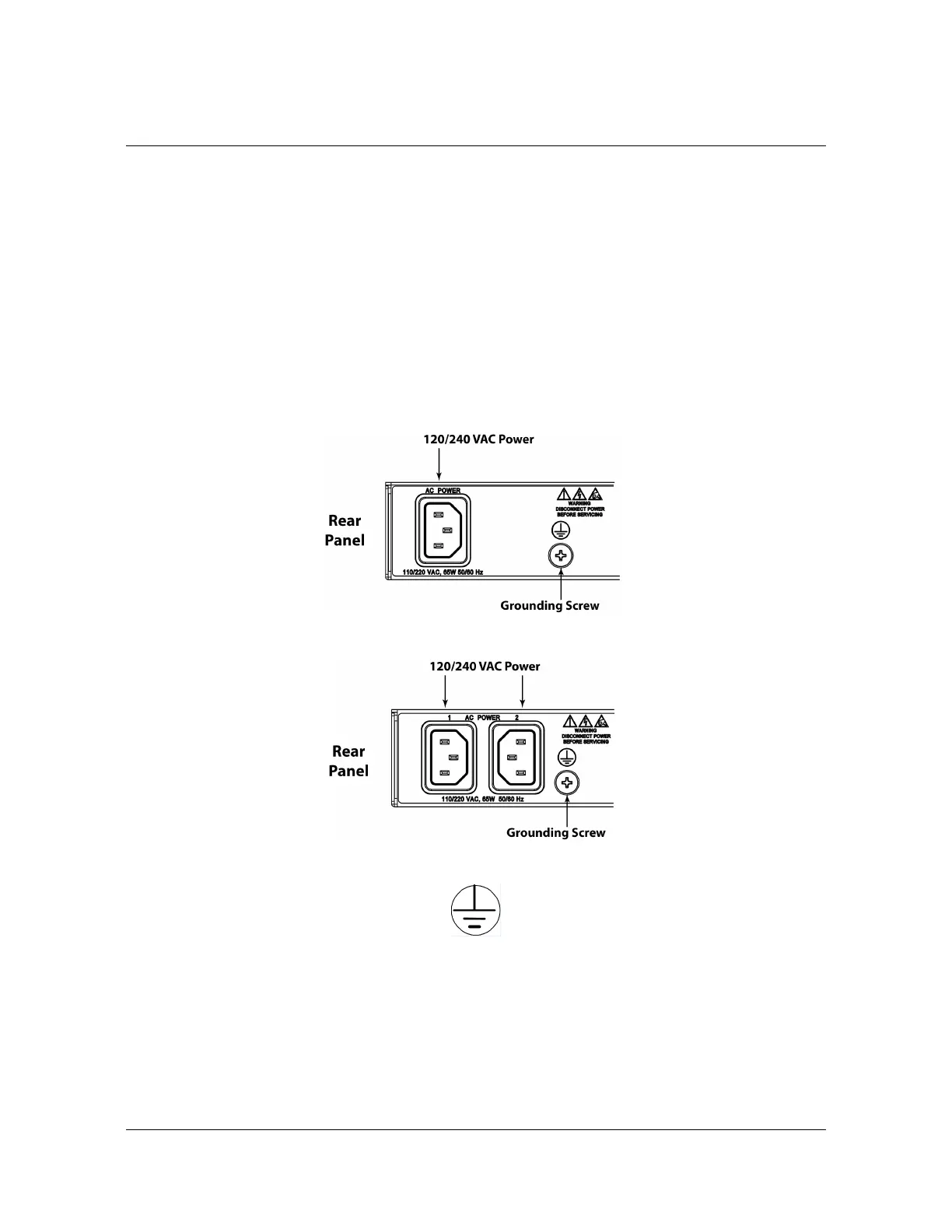
The SyncServer S6x0 has either one or two 120/240 VAC connectors, depending
on the specific model, which are located on the left side of the rear panel. (see
Figure 2-4 and Figure 2-5).
Ground Connections
The frame ground connection is made using the grounding screw, which is marked
with the universal ground symbol, as shown in Figure 2-6. This screw is located on
the left side of the rear panel for all models of the SyncServer S6x0, as shown in
Figure 2-4 and Figure 2-5.
Figure 2-4. SyncServer S600/S650 Power & Ground Connections - Single AC Version
Figure 2-5. SyncServer S600/S650 Power & Ground Connections - Dual AC Version
Figure 2-6. Universal Ground Symbol
After installing the SyncServer S6x0 into the rack, connect the chassis to the proper
grounding zone or master ground bar per local building codes for grounding.



 To Next Page