098-00720-000 Revision D1 – February, 2018 SyncServer 600 Series User’s Guide 211
Chapter 6 Provisioning
Provisioning Outputs
– Alternatively, continue editing to the final configuration prior to selection of
+Add. Doing it this way will result in the new row being saved to the
desired settings when it is created (this will be evident since the Save
control will be grayed out).
Both of these methods get to the same outcome, there is no clear advantage for
either one.
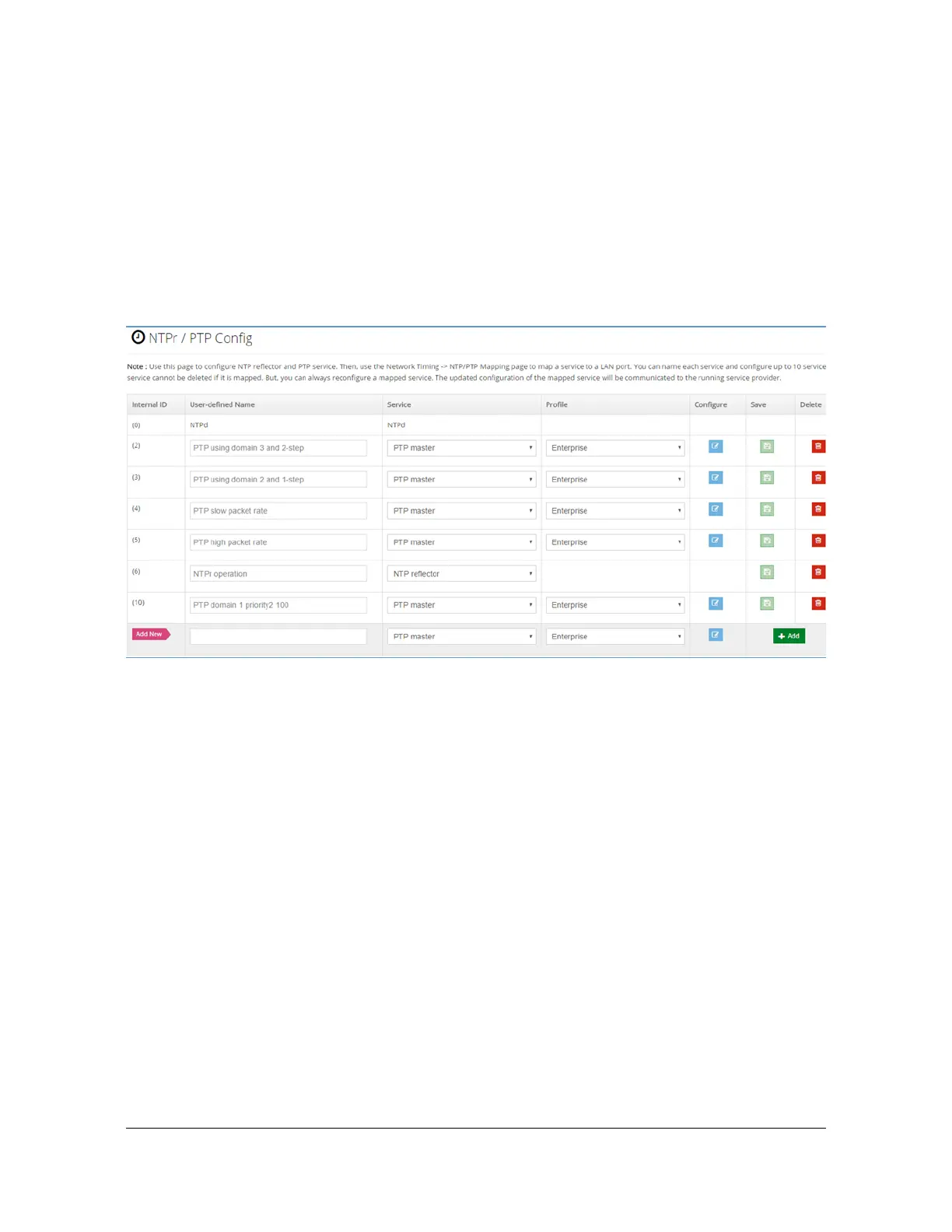
For this example, the +Add control is selected now, resulting in Figure 6-16.
Figure 6-16. Example - New Timing Service Configuration
The new timing service is shown on the bottom row. Note that it was
auto-assigned ID = 10, the actual value is not important. S6x0 assures that it
is unique. Note also that the Save control is grayed out, indicating that there
is nothing to save. However, since we haven't yet completed all of the desired
configuration there is still work to do.
Since the default values for Service and Profile columns happen to be what we
want for this service, there is no need to change them. In general, if these did
need to be changed they should done in left-to-right (Service, then Profile, then
Configure) order since the columns to the right will adapt based on selections to
the left.
Select the Configure control, which brings up Figure 6-17, which always begins
with default values the first time a new service is created. For this example we
need to change the Domain and the Priority2 values. Set Domain = 1 and
Priority2 = 100, then OK. Figure 6-17 shows the configuration with these
changes, just before selecting OK. This action returns back to Figure 6-16 but
now the detailed configuration matches the desired setup, as described in the
User-Defined Name.



 To Next Page