136 SyncServer 600 Series User’s Guide 098-00720-000 Revision D1 – February, 2018
Chapter 4
Navigation Windows
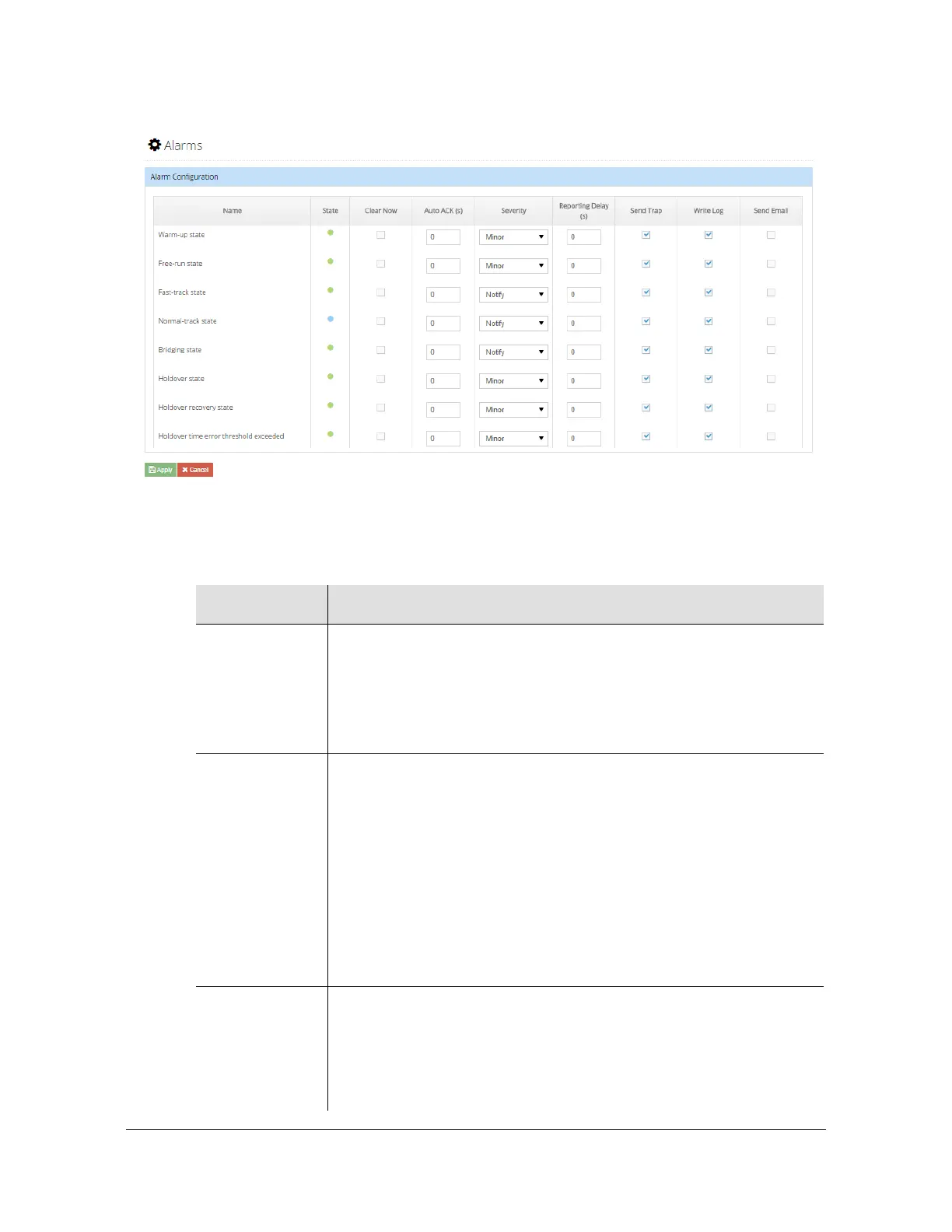
Figure 4-52. Admin - Alarm Configuration Window
Table 4-15. Alarm Configuration Parameter Descriptions
Parameter Description
Name Name of the alarm.
If there is an asterisk as first character it means it is a transient alarm.
For alarms that have multiple secondary info (e.g. Excessive Traffic
on Ethernet port has a secondary field that identifies which port),
these settings are global to all of the secondary cases.
State Indicates the current status of the alarm based on color
Always grey (unlit) if the event is transient.
Green if severity is Minor, Major, or Notify and the condition is not
SET or if the user has cleared (acknowledged it) even if it is SET.
Blue if severity is Notify and the condition is SET and not
user-cleared
Amber if severity is Minor and the condition is SET and not
user-cleared
Red if severity is Major and the condition is SET and not
user-cleared
Clear Now This is a user-control to cause some of the alarm report mechanisms
to extinguish that particular alarm indication. These include
Dashboard > Alarms, Alarm summary at top of Web GUI, Physical
alarm connector, front panel Alarm LED, and Alarm information on
front-panel display.This is really just an acknowledgement of the
alarm, but of course has no ability to impact the underlying condition.



 To Next Page