WP-C
R1 Max 29.9kg d= 0.0005kg
50000
+
kg
xBPI scale setup @admin
Dead load
Set
Delete
SPAN
Adjust with user weight
Adjust with automatic weight
WP-C
R1 Max 29.9kg d= 0.0005kg
00000
kg
xBPI scale setup @admin
NET
input
-0.0000 kg
-0.00015 kg
Accept Reset error Cancel
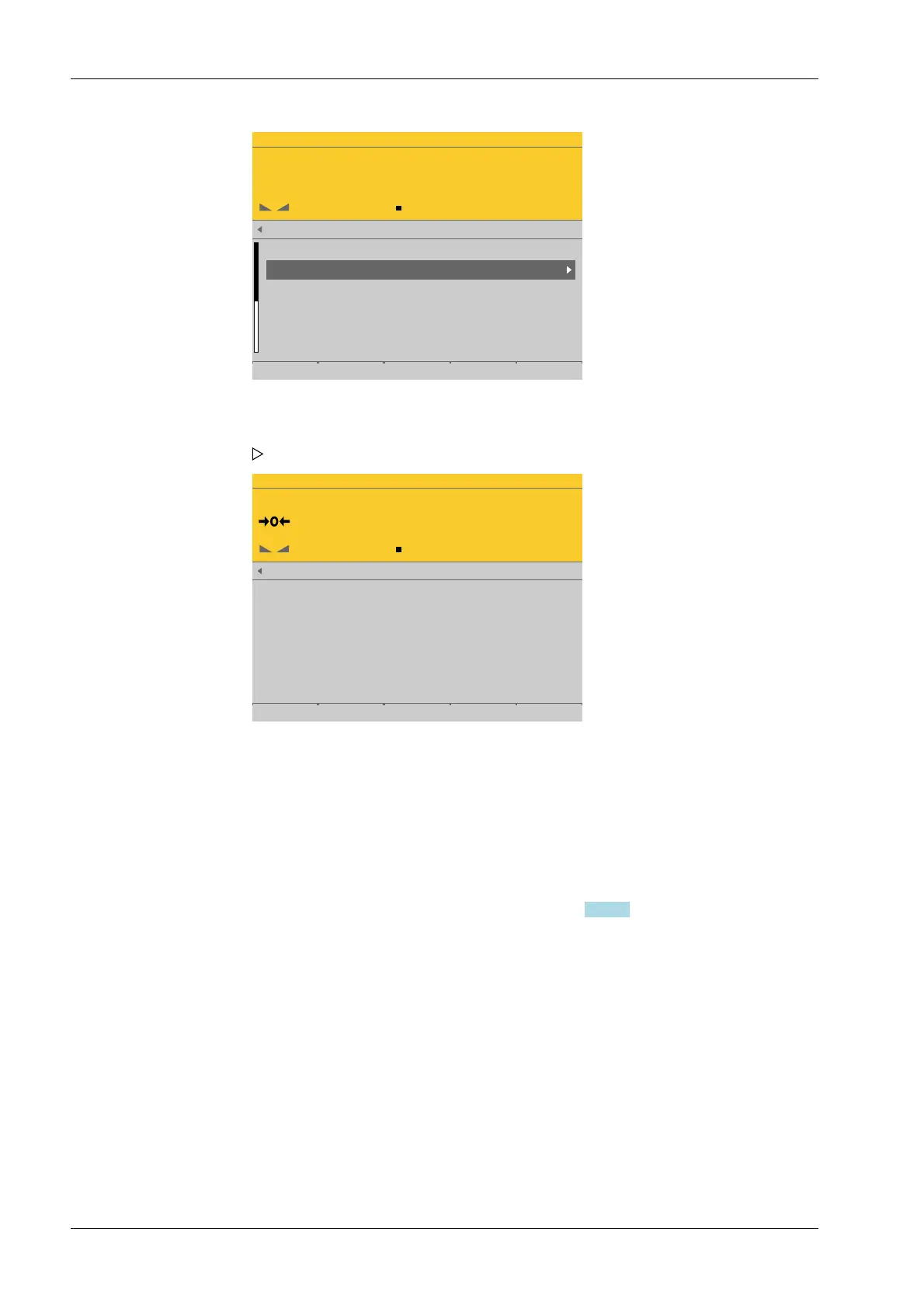
4.7.5.3.2 Delete (dead load)
In this menu item (under Calib), the dead load/preload of the xBPI scale weighing
electronics is deleted.
Requirements:
- The communication between the device and xBPI scale is active, and
- the scale parameters have been read, see Chapter 4.7.5.3.
Accessible via MENU - [Operating] - [System setup] - [Weighing points] - [Weighing
point x] - [xBPI scale] - [xBPI scale] - [Calib] - [Delete] .
1. Remove the weight from the scale.
2. Select and conrm [Set].
After the command is sent, the gross weight display shows "0."
3. Press the EXIT key to return to the xBPI setup menu.
Process Controller Maxxis 5 PR 5900 4 System setup
Minebea Intec EN-138



 To Next Page