WP-D
Max 200t d= 0.02t
11.200+ t
Calibration @admin
Local gravity
Max
Scale interval
Dead load
Calibration weight
Corner correction
9.81379 m/s²
200.000 t
0.020 t
7.510 t
10000 d
1 d
Platform 1 Save
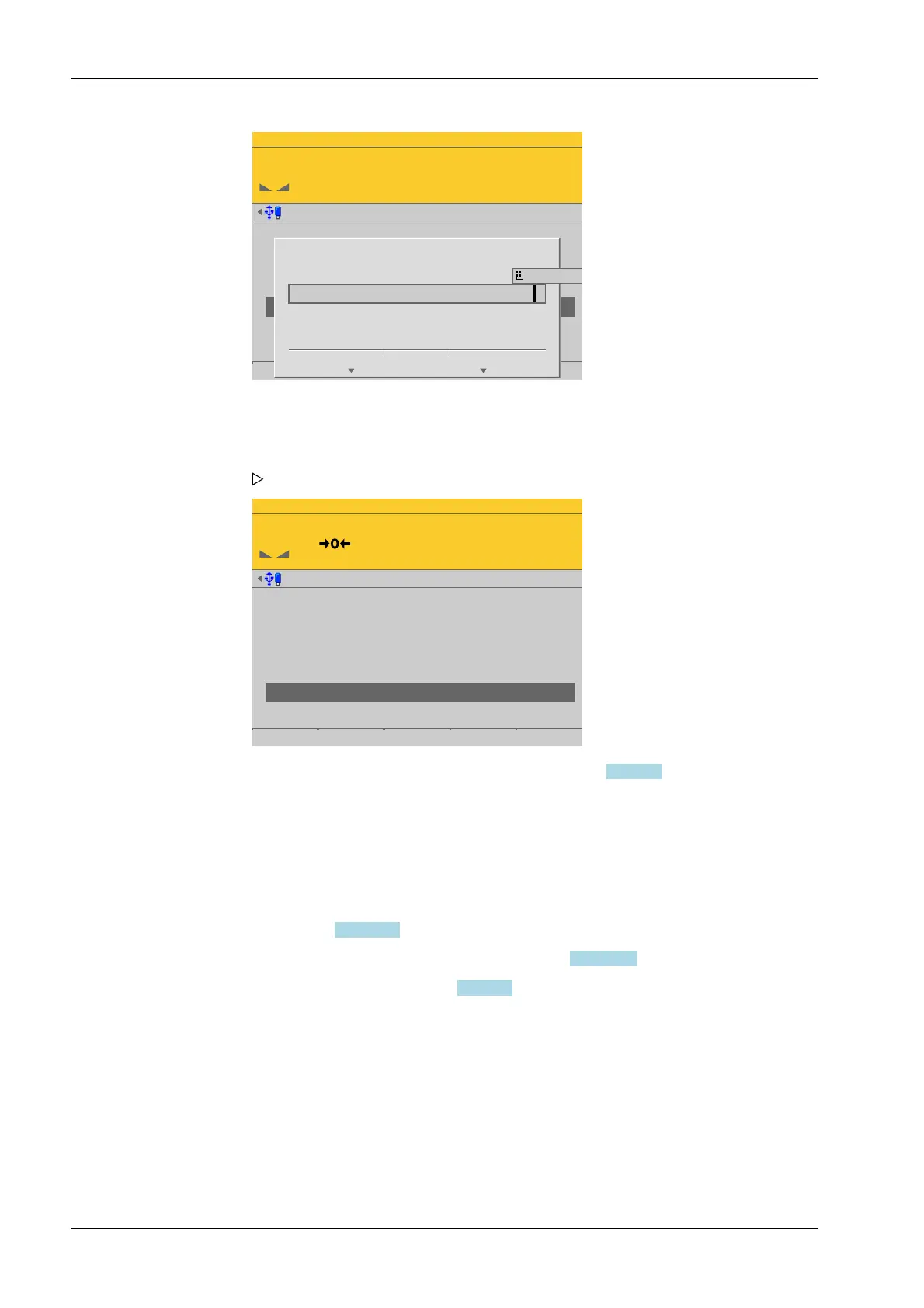
Place the adjustment weight on the
platform and enter the value.
11.000 t
Ok Cancel
WP-D
Max 200t d= 0.02t
0.000 t
Calibration @admin
Local gravity
Max
Scale interval
Dead load
Calibration weight
Corner correction
9.81379 m/s²
200.000 t
0.020 t
7.510 t
11.000 t
10000 d
1 d
4.7.7.3.4.2 Modify
In this menu item (under Calibrate the scale), changes are made to an existing calibration
of the digital weighbridge load cell Pendeo
®
Truck.
- For parameters (local gravity, maximum capacity, scale interval, calibration weight),
see Chapter 4.7.7.3.4.1.
- Dead load (subsequent correction), see Chapter 4.7.7.3.4.3.
- Corner correction, see Chapter 4.7.7.3.7
Accessible via MENU - [Operating] - [System setup] - [Weighing points] - [Weighing
point x] - [Calib] - [Calibrate the scale] - [Modify] .
14. Place calibration weight on the center of the scale and enter the weight value.
15. Press the [OK] soft key.
16. Remove the calibration weight.
The corner load (dead load set to zero) is displayed.
17. Perform a corner correction if necessary; see Chapter 4.7.7.3.7.
18. Press the [Save] soft key to save the calibration.
Process Controller Maxxis 5 PR 5900 4 System setup
Minebea Intec EN-180



 To Next Page