5-47
ROLLER DUPLEX
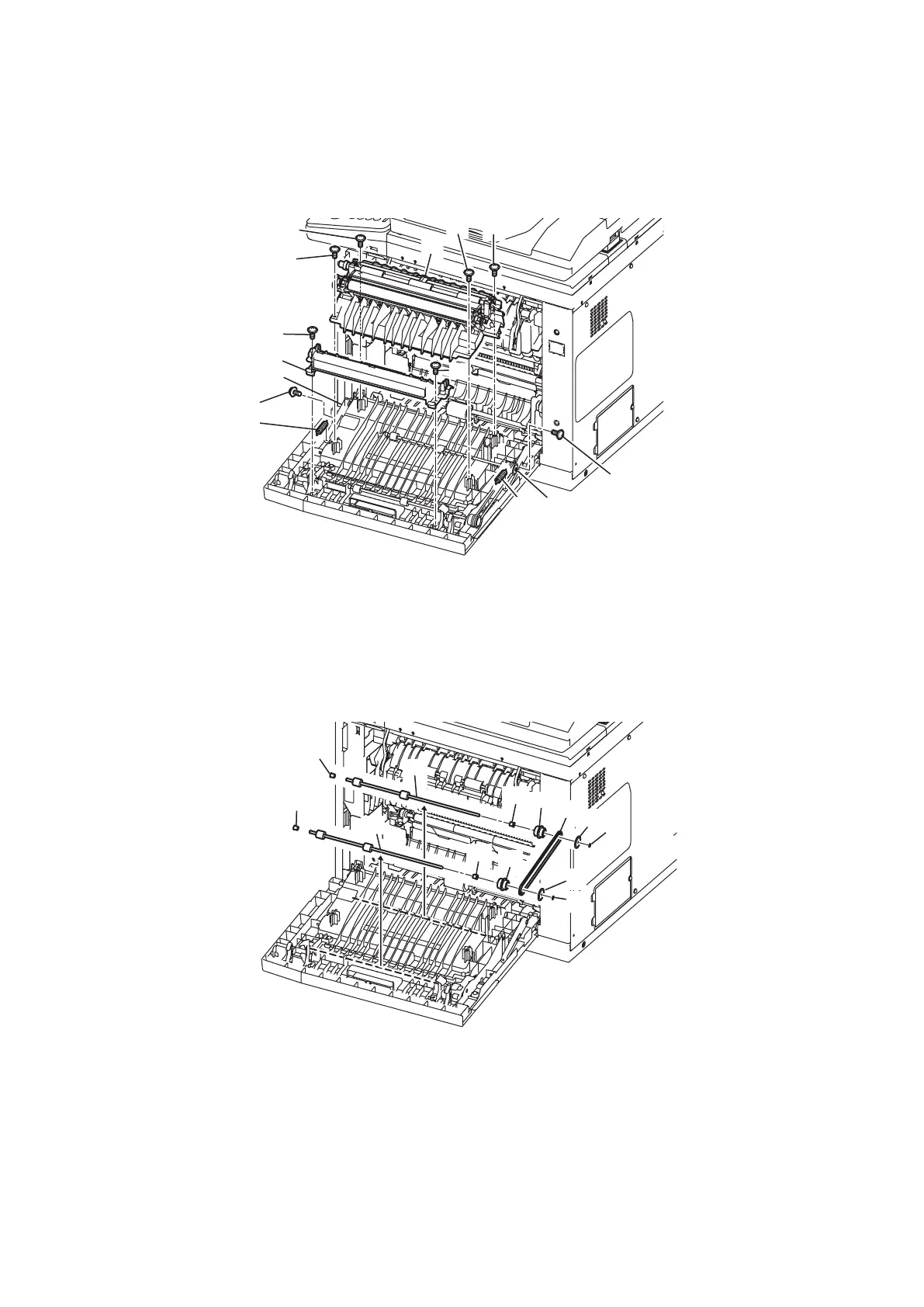
1. Open the Cover jam access. (See “ROLLER REGISTER” on page 5-44.)
2. Remove two Spring C stopper JAC [1].
3. Remove two screws [2] and remove two Stopper JAC [3] from the lug.
4. Remove four screws [4] and remove the Guide inner JAC [5].
5. Remove two screws [6] and remove the Guide duplex [7].
>
@
>
@
>
@
>
@
>
@
>
@
>
@
>
@
>
@
>
@
>
@
>
@
>
@
>
@
6. Remove two E-rings [8] and remove two Flange pulleys [9].
7. Remove the BLT (TMG) 30S2M330GB 165T 3W [10].
8. Remove two Gears 20/25P [11].
9. Remove two Bearings D4 6 [12].
10. Slide two Bearings D4 6 [13] to the outer side and remove two ROLLER DUPLEXs [14].
>
@
>
@
>
@
>
@
>
@
>
@
>
@
>
@
>
@
>
@
>
@
>
@
>
@










 To Next Page