5-95
SENSOR PSS
1. Remove the OP Cassette. (See “OP CASSETTE” on page 5-91.)
2. Remove the Roller feed OP. (See “ROLLER FEED OP” on page 5-94.)
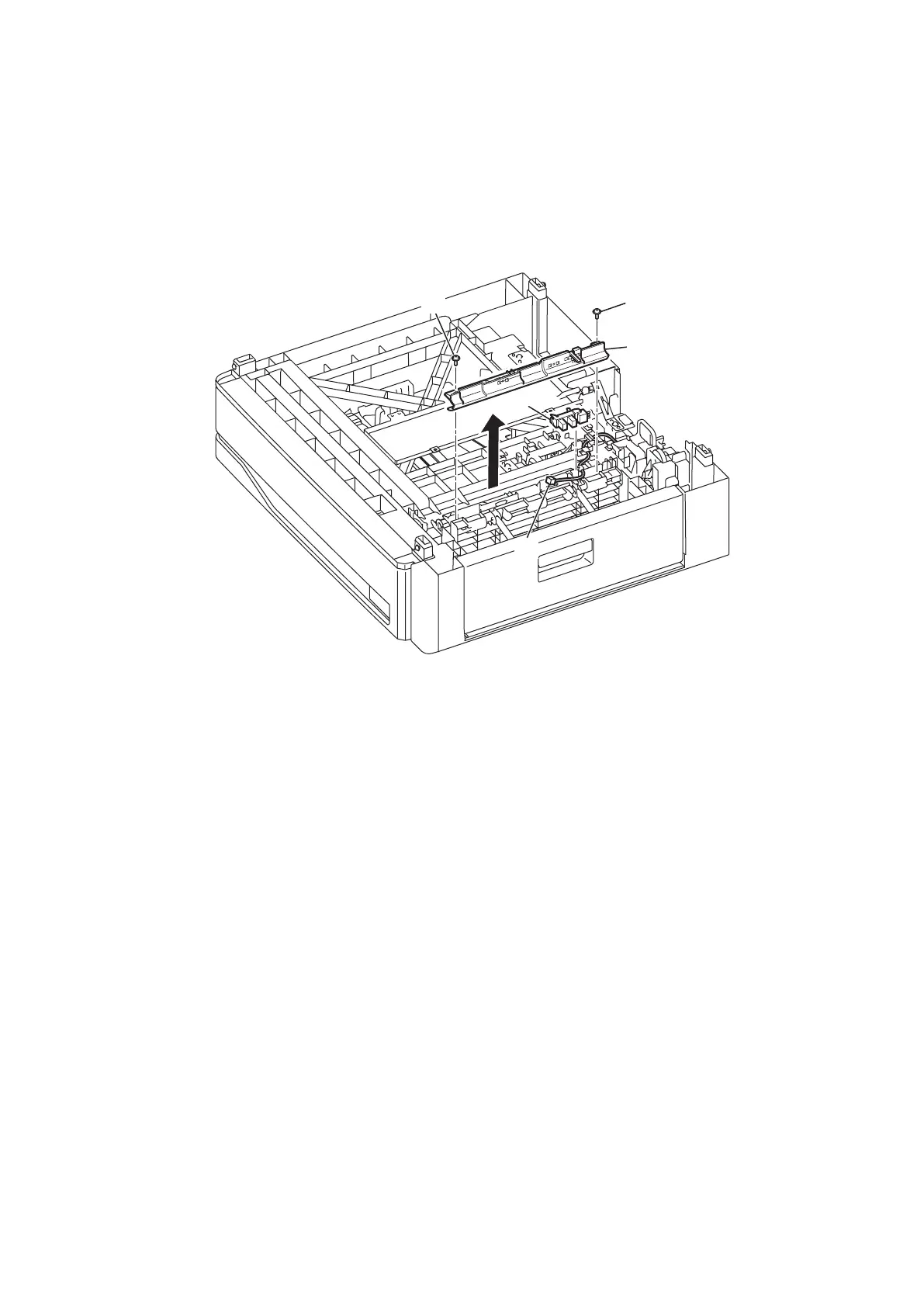
3. Remove two screws [1] then remove the Guide paper OP [2].
4. Disconnect the connector [3].
5. Remove the SENSOR PSS [4].
* There are hooks on the short side (1 place) and the long side (2 places) on the sensor.
After releasing the hook on the short side, slide the sensor to the short side and remove it.
[
1
]
[
1
]
[
2
]
[
3
]
[
4
]






 To Next Page