5-75
DRUM CARTRIDGE
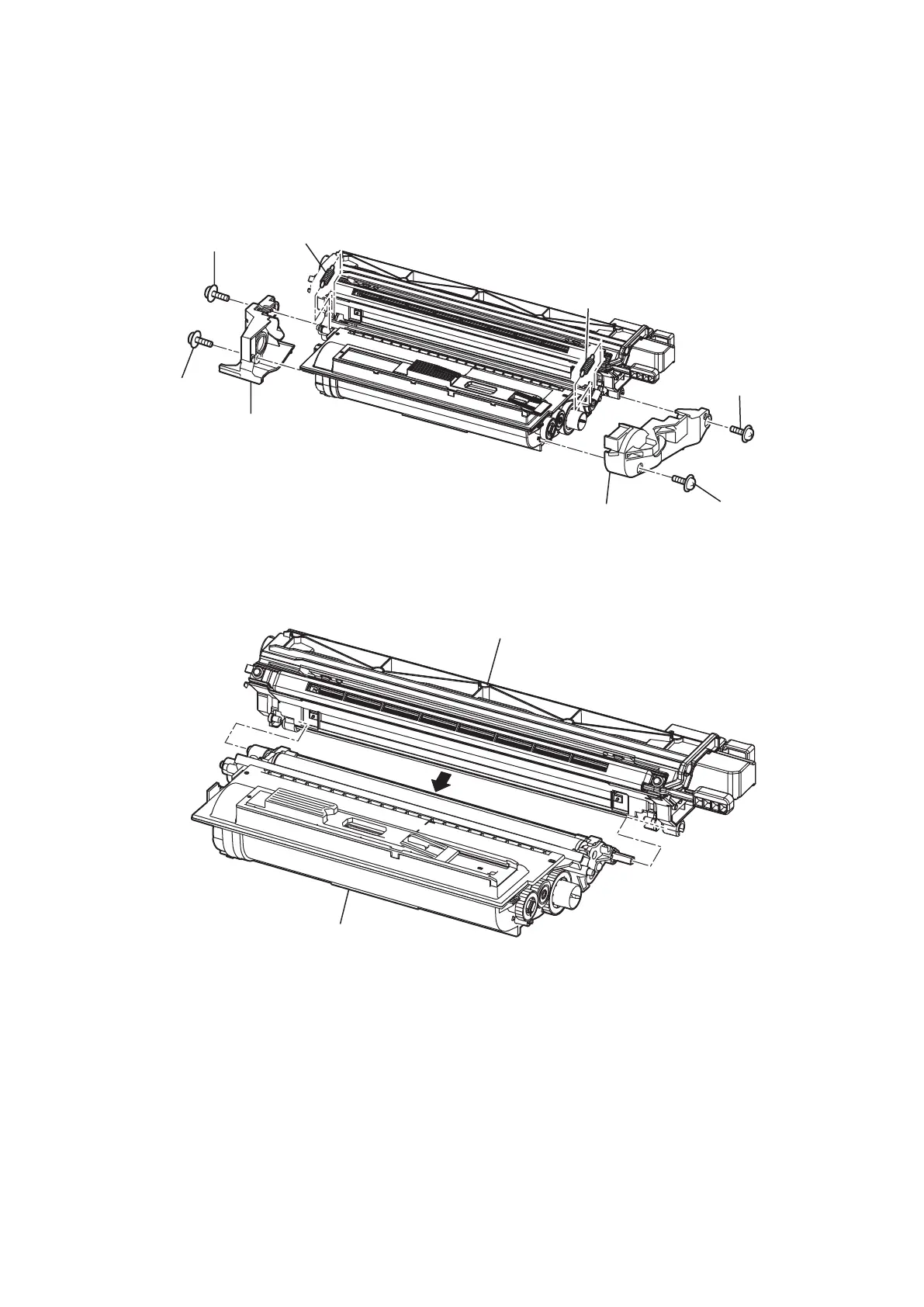
1. Open the Cover front and remove the DRUM CARTRIDGE.
2. Remove two screws [1], and remove the Cover dev F [2].
3. Remove two screws [3], and remove the Cover dev B [4].
4. Remove two Springs C lock [5].
[
3
]
[
3
]
[
4
]
[
5
]
[
5
]
[
1
]
[
1
]
[
2
]
5. Remove the Developing unit [7] shaft from the Drum unit [6].
[
6
]
[
7
]










 To Next Page