Printing in the Windows Environment 2-87
2.5 Printing options
2
How to print from the computer
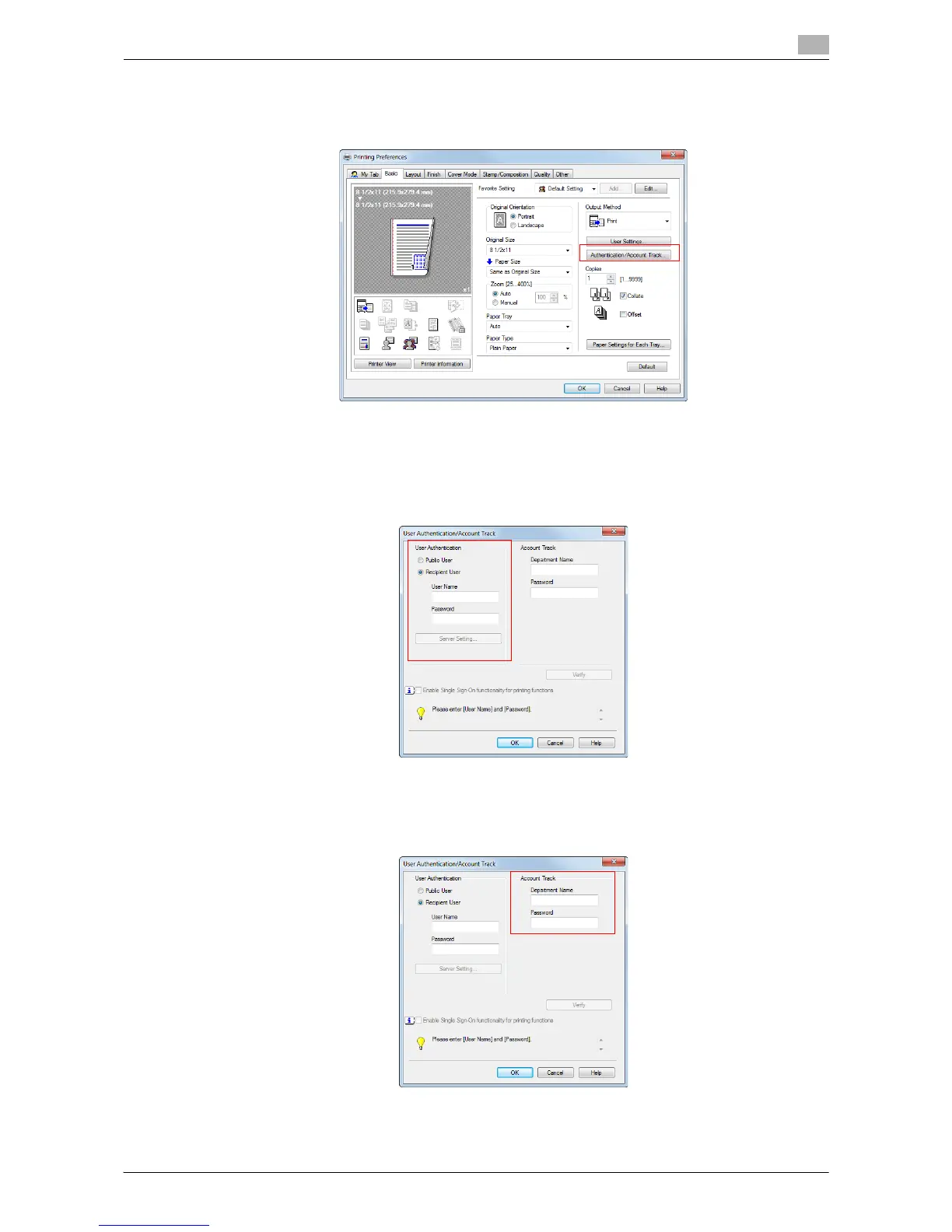
1 In the [Basic] tab, click [Authentication/Account Track...].
2 When user authentication is enabled, select [Recipient User], then enter the user name and password.
% When this machine is accessible to public users (unregistered users), selecting [Public User] ena-
bles you to execute printing without entering the user name and password.
% When an external authentication server is used, click [Server Setting...] and select the authentication
server.
% If you always use the same user name and password, registering them in advance eliminates the
need for entering them each time. For details, refer to page 2-9.
3 If account track is enabled, enter the account name and password.
% If you always use the same account name and password, registering them in advance eliminates
the need for entering them each time. For details, refer to page 2-9.



 To Next Page