Printing in a Mac OS Environment 3-83
3.7 Appendix: Using This Machine with Other Connection Methods
3
% When the printer driver is not correctly displayed, go to Step 11.
11 Manually select the printer driver.
% In Mac OS X 10.5, select [Select a driver to use...] in [Print Using:], then click the driver of the desired
printer from the list.
% In Mac OS X 10.4, select [GENERIC] in [Print Using:], and then click the driver of the desired printer
from the list.
12 Click [Add].
This completes the addition process of the printer. Then, proceed to the [Installable Options] window
to configure the optional environment for this machine. For details, refer to page 3-7.
In Mac OS X 10.2/10.3
In Mac OS X 10.2/10.3, use the following procedure to add a printer with an AppleTalk connection:
1 Select [System Preferences] in the Apple menu.
2 Click the [Network] icon.
3 From [Show:], select [Built-in Ethernet].
4 Click the [AppleTalk] tab, and select the [Make AppleTalk Active] check box.
5 Click the close button at the top left corner of the window.
% When the [Apply configuration changes] message appears, click [Apply].
Then, add the printer to the computer.
6 From [Macintosh HD] - [Applications] - [Utilities], double-click [Printer Setup Utility] or [Print Center] to
open it.
7 When the [You have no printers available.] window appears, click [Add]. When the printer list appears,
click [Add].
% If available printers have already been specified, the [You have no printers available.] window does
not appear.
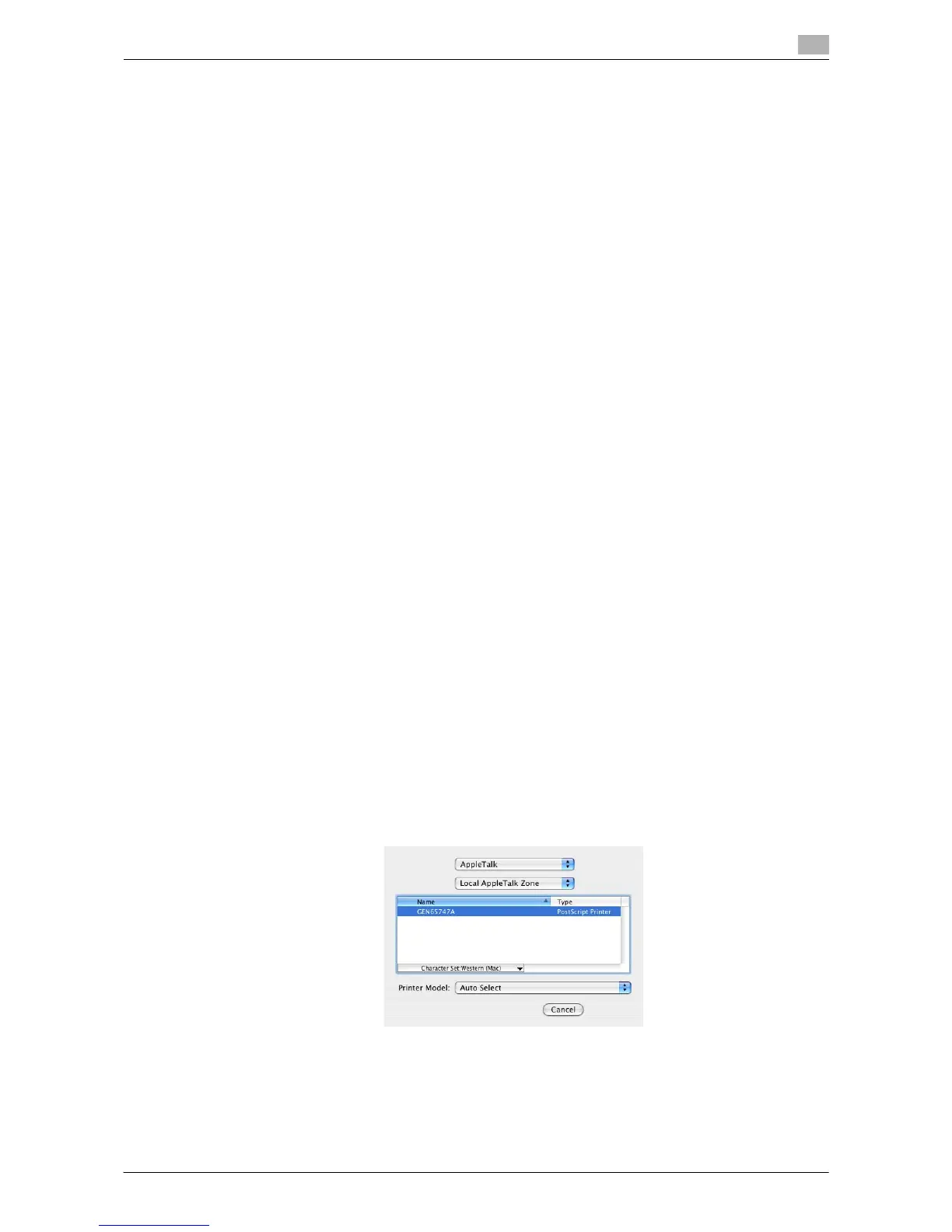
8 Select [AppleTalk] for the connection method, then select the zone to which the machine is connected.
Connected printers are detected.
% If no printers are detected, restart this machine.
9 From the [Name] list, select the desired printer.
% To check the printer name, select [Utility] - [Administrator Settings] - [Network Settings] - [AppleTalk
Settings] on this machine.



 To Next Page