Printing in the Windows Environment 2-106
2.6 Setting Items in the Printer Driver
2
2.6.4 [Printing Preferences] Window of the Printer Driver
How to display the [Printing Preferences] window
The printer driver has two windows for configuring settings: the [Properties] window and the [Printing Prefer-
ences] window. This section describes the [Printing Preferences] window.
The [Printing Preferences] window has multiple tabs on each of which related functions are grouped to enable
you to configure print functions unique to this machine. To display the [Printing Preferences] window, take
the following steps:
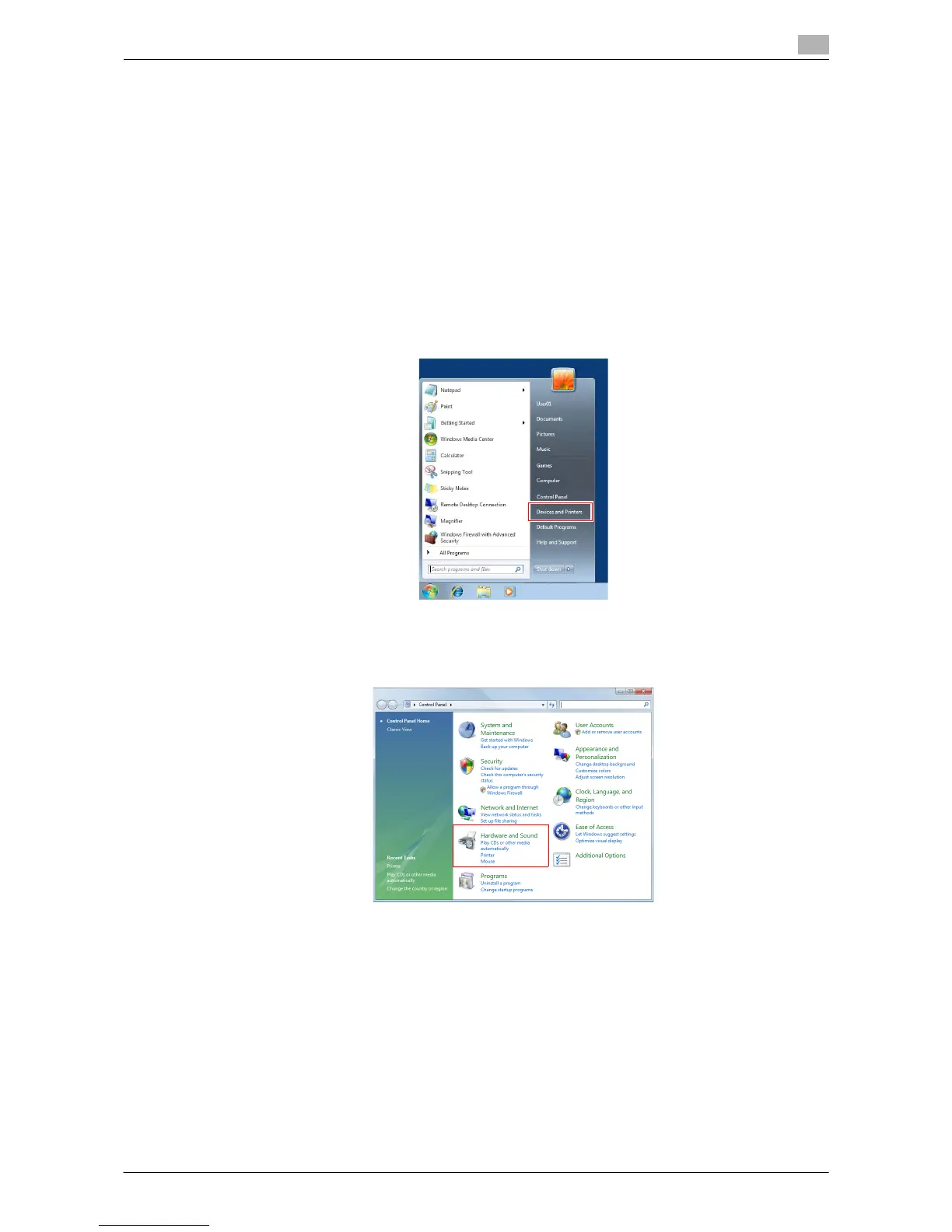
1 Display the printer window.
% If the Windows 7 or Windows Server 2008 Revision 2 is running, select [Devices and Printers] from
the Start menu.
If [Devices and Printers] is not displayed, select [Control Panel] - [Hardware and Sound], and click
[View devices and printers].
% In Windows Vista/Server 2008, click [Control Panel] - [Hardware and Sound] - [Printer] from the Start
menu.
When [Control Panel] is displayed in Classic View, double-click [Printers].



 To Next Page