Printing in a Mac OS Environment 3-35
3.3 Useful Printing Functions
3
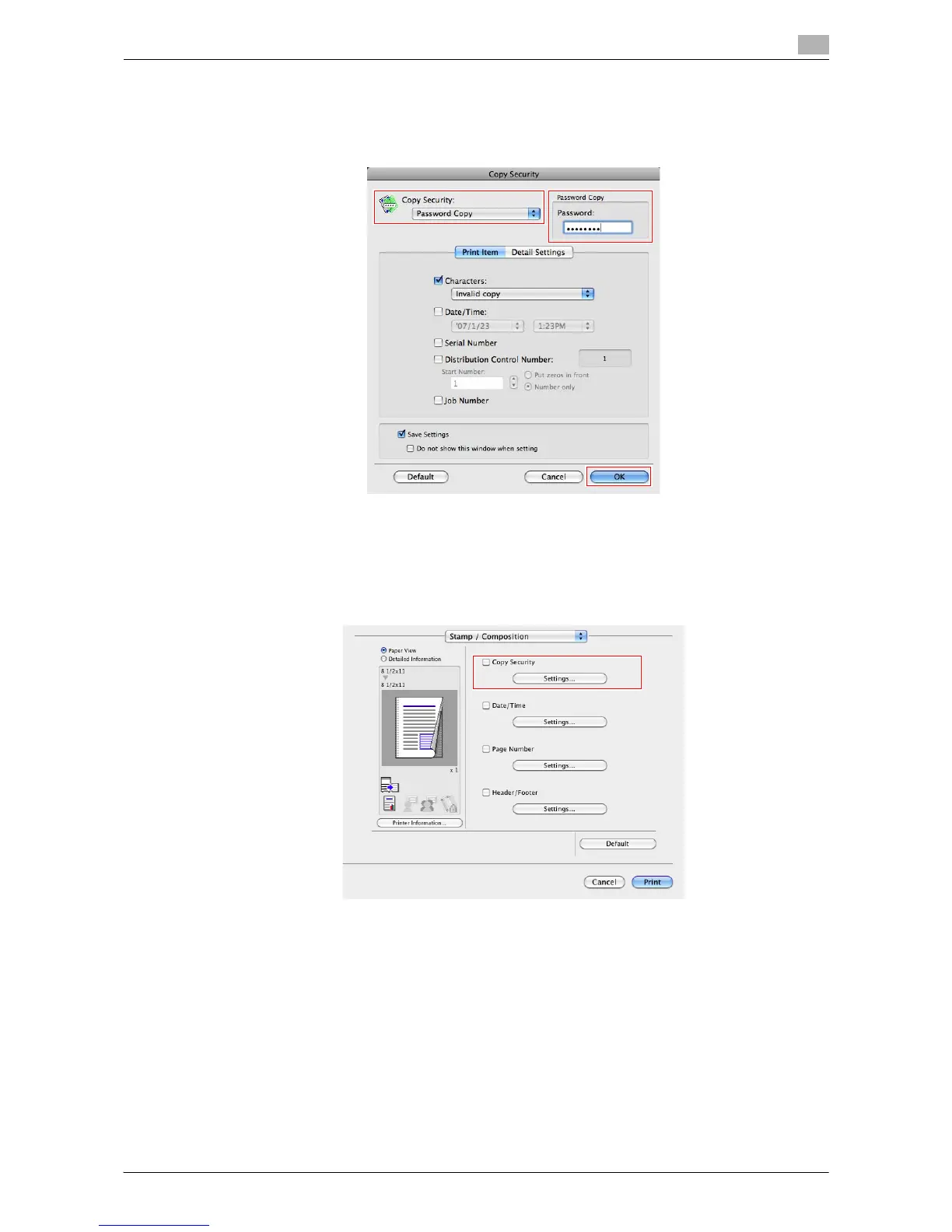
2 Select [Password Copy], enter the password to be embedded (using up to eight characters), and then
click [OK].
% As necessary, specify the text to be printed and the format of the text. For details, refer to
page 3-35.
Configuring the print settings for Copy Security
When printing a copy security pattern on sheets, you can set the text to be printed and the format of the text
as necessary.
1 In [Stamp / Composition], select the [Copy Security] check box, then click [Settings...].



 To Next Page
 Loading...




