Printing in the Windows Environment 2-73
2.4 Useful Printing Functions
2
3 Click [OK].
Tips
- If characters are garbled in an environment using the PCL driver, we recommend that you select [Bit-
map] in [Download Font Format] and clear the [Use Printer Fonts] check box.
Preventing failure in printing thin lines ([Thin Line Support]) (PCL only)
You can prevent thin lines from disappearing in reduced-size printing.
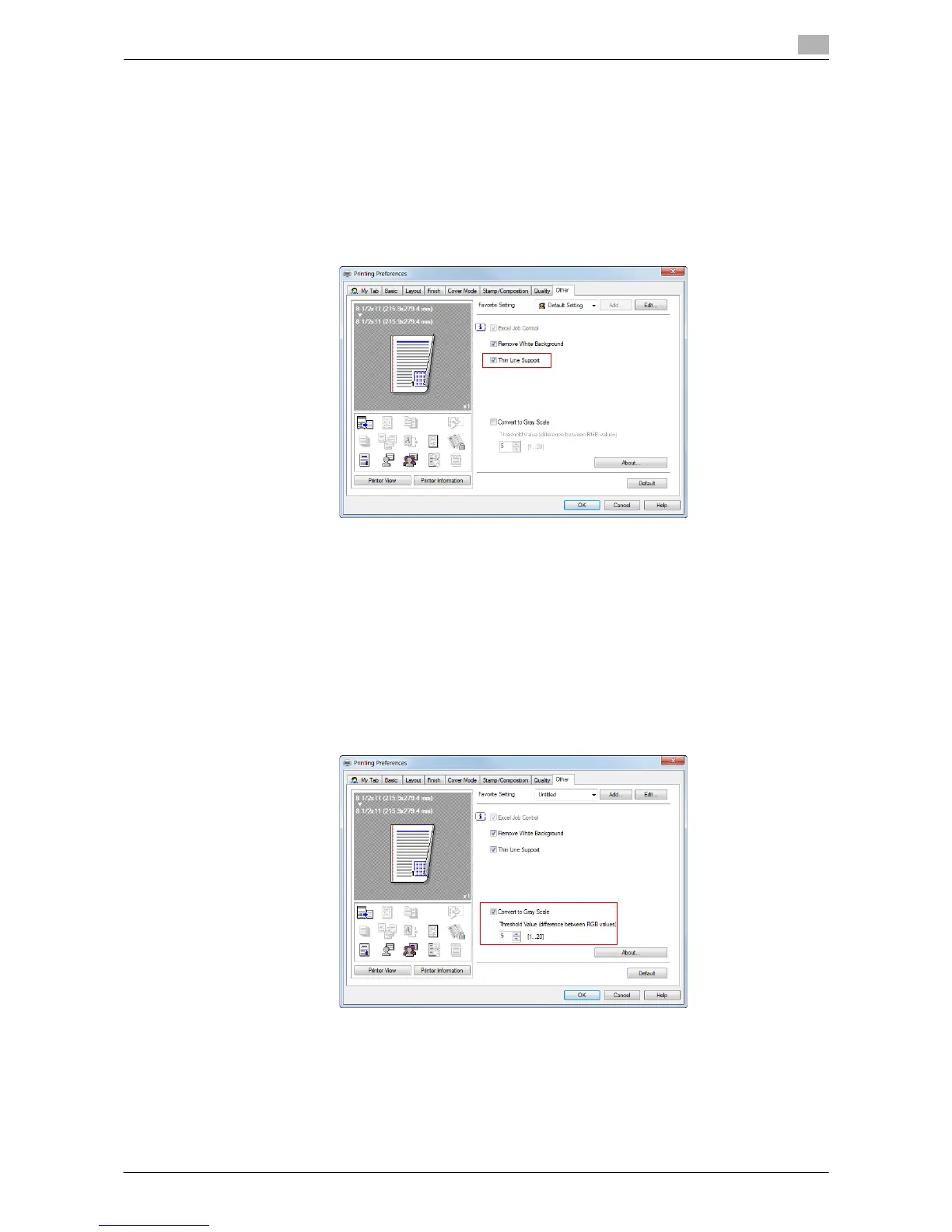
On the [Other] tab, select the [Thin Line Support] check box.
Tips
- This is effective for thin lines such as table borders created in Excel, but not for thin lines used in illus-
trations.
Convert colors according to the RGB values of the original. ([Convert to Gray
Scale]) (PCL only)
When you open the [Quality] tab and set the [Select Color] to [Auto Color], the image is automatically con-
verted into gray scale and printed if the RGB values of the original are below the thresholds you have set.
On the [Other] tab, check the [Convert to Gray Scale] box and set the threshold (the differential RGB values
to be converted into gray scale).



 To Next Page