Printing in a Mac OS Environment 3-34
3.3 Useful Printing Functions
3
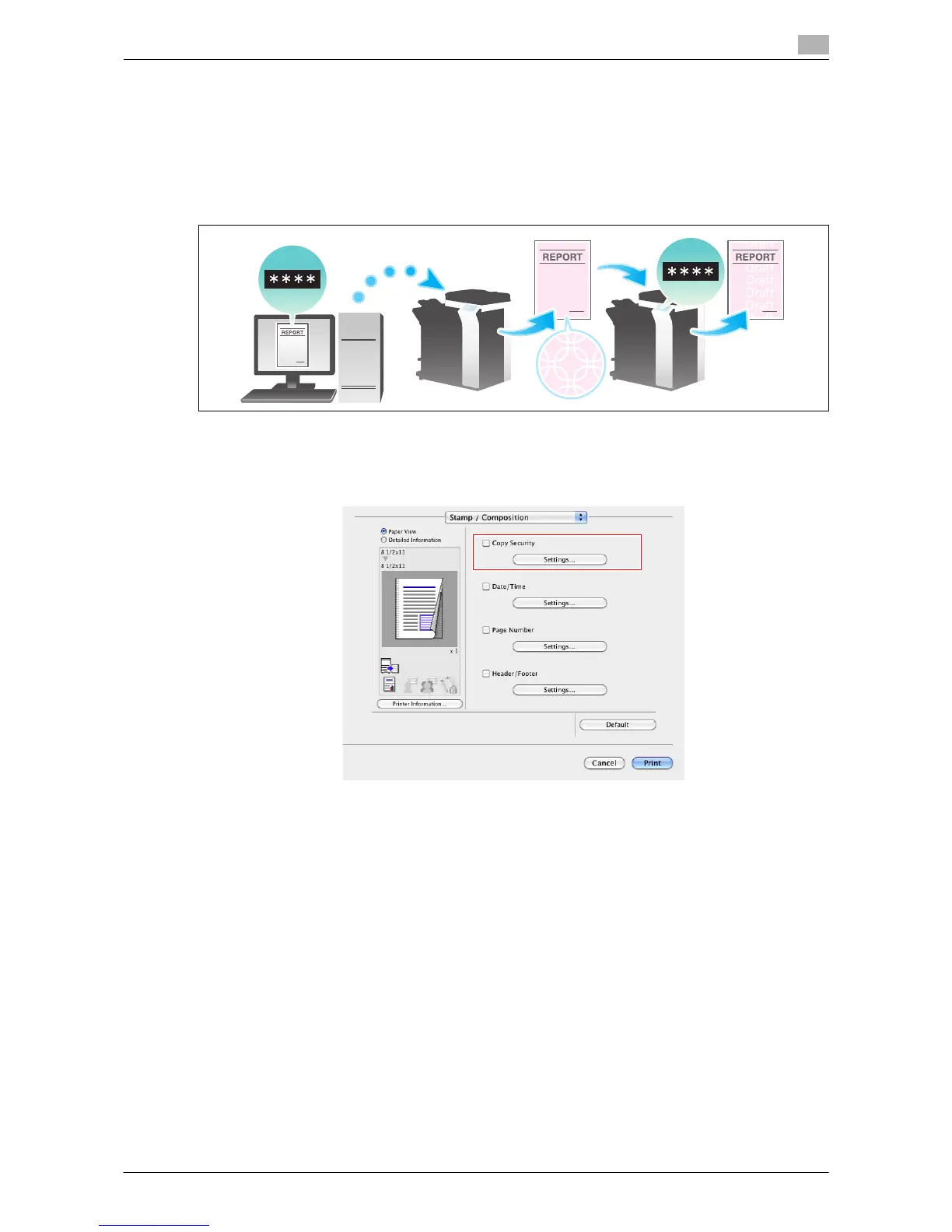
Add a password ([Password Copy])
Password Copy is a copy protection function that prints concealed security watermarks such as "Private" or
a date in the background to prevent unauthorized copying, and embeds a password for the password copy
function on all printed sheets.
If an attempt is made using a device that supports the password copy function to copy a sheet that has been
prepared for password copy, a password copy pattern is scanned and entry of a password is requested.
Copying starts if the correct password is entered.
0 To use [Password Copy], you need to install the Security Kit and enable the Password Copy function
of this machine. For details on how to enable the Password Copy function, refer to page 7-14.
1 In [Stamp / Composition], select the [Copy Security] check box, then click [Settings...].



 To Next Page
 Loading...




