Printing in the Windows Environment 2-104
2.6 Setting Items in the Printer Driver
2
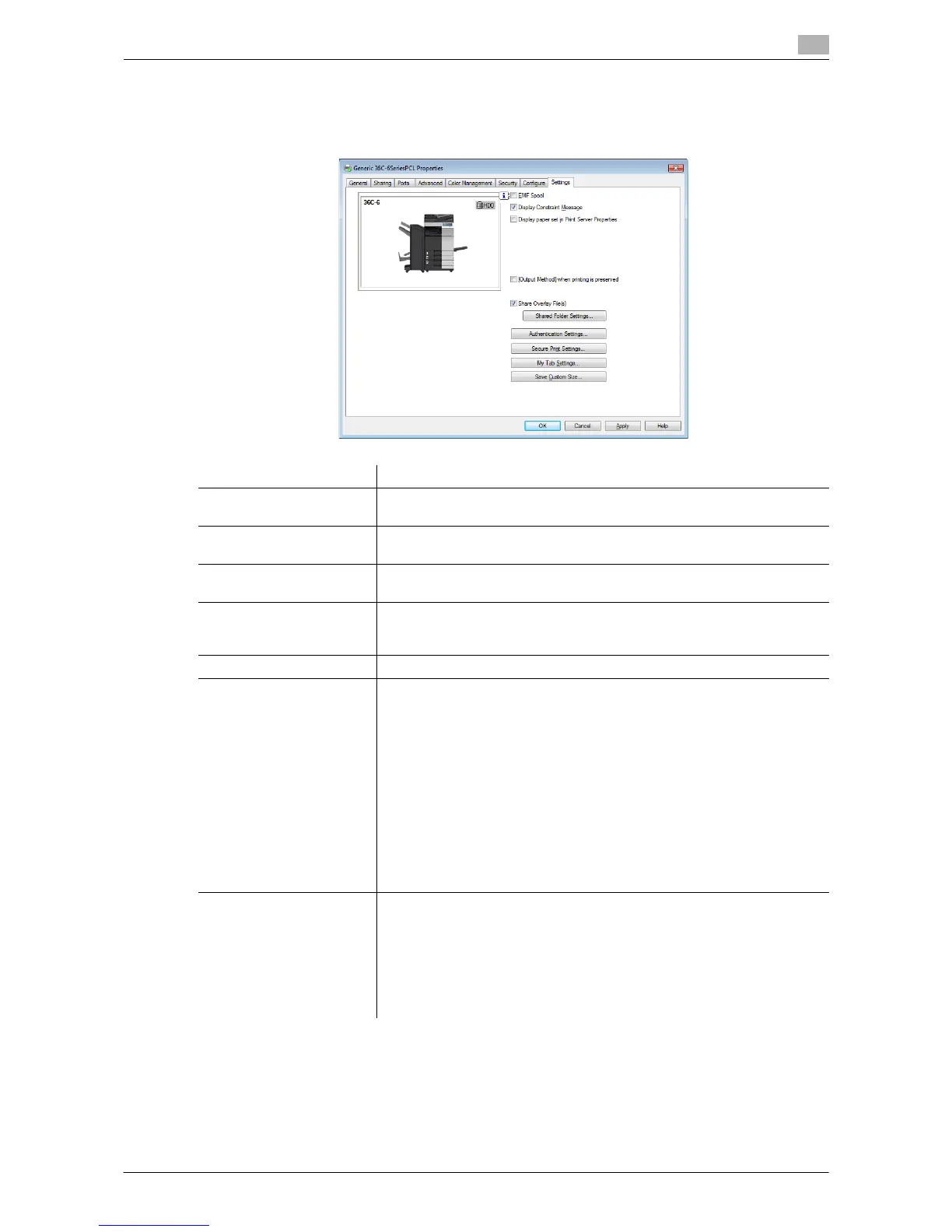
2.6.3 Available Operations in the [Settings] Tab
In the [Settings] tab, you can change the default settings for how to display confirmation messages and the
window for inputting authentication information.
Settings Description
[EMF Spool] Select this check box when meta file (EMF) spooling is required in your own
system environment.
[Display Constraint Mes-
sage]
Select this check box to display a message indicating that you have select-
ed printer driver functions that cannot be used together.
[Display paper set in Print
Server Properties]
Select this check box when using the paper added in [Server Properties] in
the printer window.
[[Output Method] when
printing is preserved]
The [Output Method] settings in the [Basic] tab are saved. This option is
helpful when you want to repeat printing with the same output method set-
tings.
[Share Overlay File(s)] To share overlay files, set a shared folder on the network for storing them.
[Authentication Settings] Configure the User Authentication/Account Track settings.
• [Verify Authentication settings before printing]: Select this check box to
enable the [Verify] button in the [User Authentication/Account Track] di-
alog box.
• [Popup Authentication Dialog when printing]: Select this check box to
display the [User Authentication/Account Track] dialog box when start-
ing printing. This option reminds you to enter the user name and pass-
word.
• [Do not allow changes to the [User Name]]: This option restricts chang-
es to [User Name] of [Recipient User] in the [User Authentication/Ac-
count Track] dialog box in the [Basic] tab.
• [Do not allow changes to the [Password]]: This option restricts changes
to [Password] of [Recipient User] in the [User Authentication/Account
Track] dialog box in the [Basic] tab.
[Secure Print Settings] Configure the Secure Print settings.
• [Secure Print only]: [Output Method] in the [Basic] tab is fixed to [Secure
Print].
• [Enter ID/PWD to execute secure print]: Select this check box to display
the [Secure Print] dialog box when starting secure printing. This option
reminds you to enter the ID and password.
• [Print without Password]: Specify whether to allow users to print with-
out entering the password.


 To Next Page
 Loading...




