Printing in the Windows Environment 2-109
2.6 Setting Items in the Printer Driver
2
2.6.5 Available Operations in [My Tab]
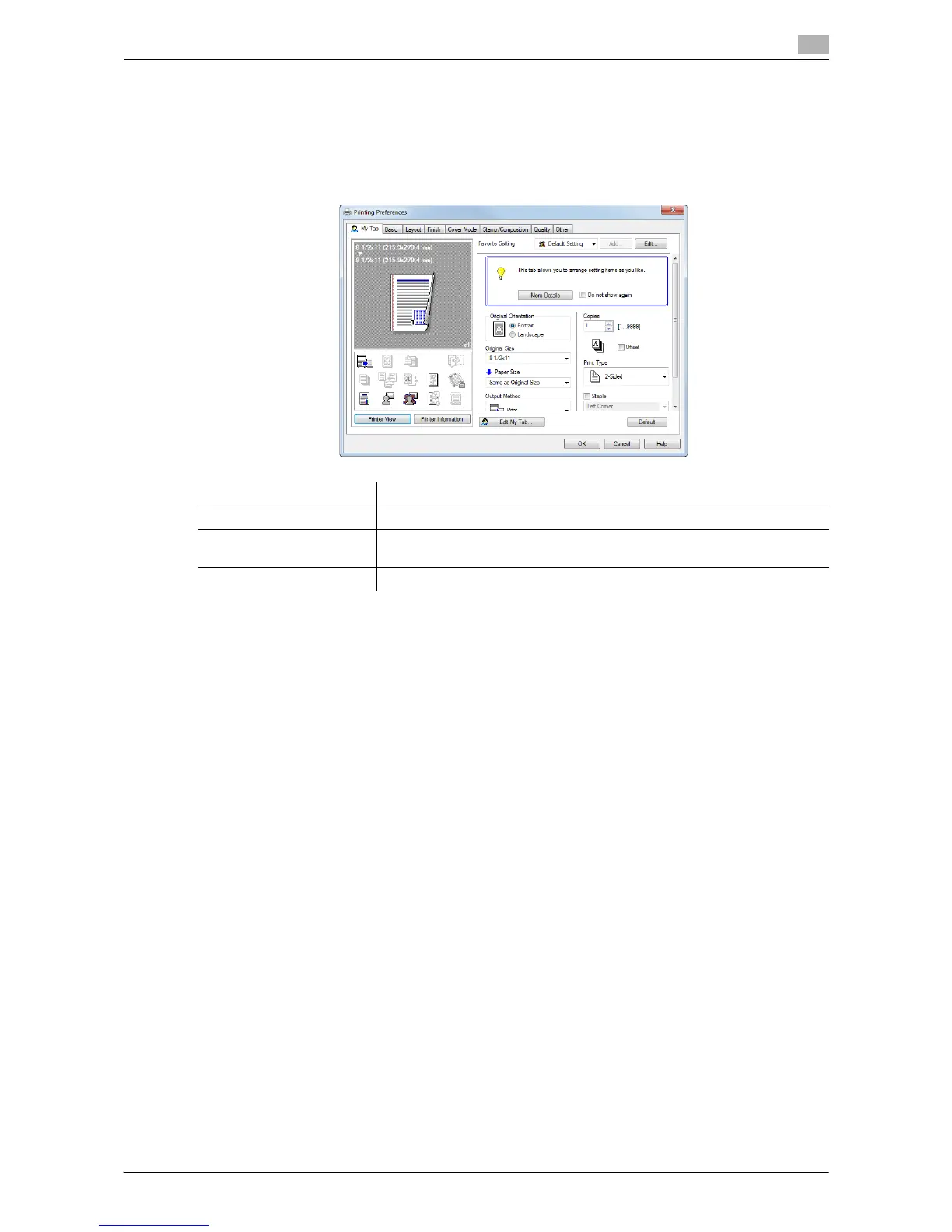
[My Tab] allows you to customize the display contents.
You can gather setting items from difference tabs and place them in [My Tab]. Registering frequently used
setting items in [My Tab] allows you to change settings in one tab, without switching among multiple tabs.
For details on how to edit [My Tab], refer to page 2-20.
Tips
- The comment field containing [More Details] or [Do not show again] is not displayed if [Display Note] is
disabled in [My Tab Settings] in the [Settings] tab of the [Properties] window.
- [Edit My Tab...] is not displayed when the [Settings] tab - [My Tab Settings] - [Prohibit Editing] is enabled
in the [Properties] window.
d Reference
For details in the [Settings] tab, refer to page 2-104.
Settings Description
[More Details] Click this button to display the Help of [My Tab].
[Do not show again] Select this check box if you do not want to display the comment field con-
taining [More Details].
[Edit My Tab...] Click this button to register or delete the functions displayed in [My Tab].



 To Next Page
 Loading...




