Printing in the Windows Environment 2-49
2.4 Useful Printing Functions
2
Creating an overlay image in the computer
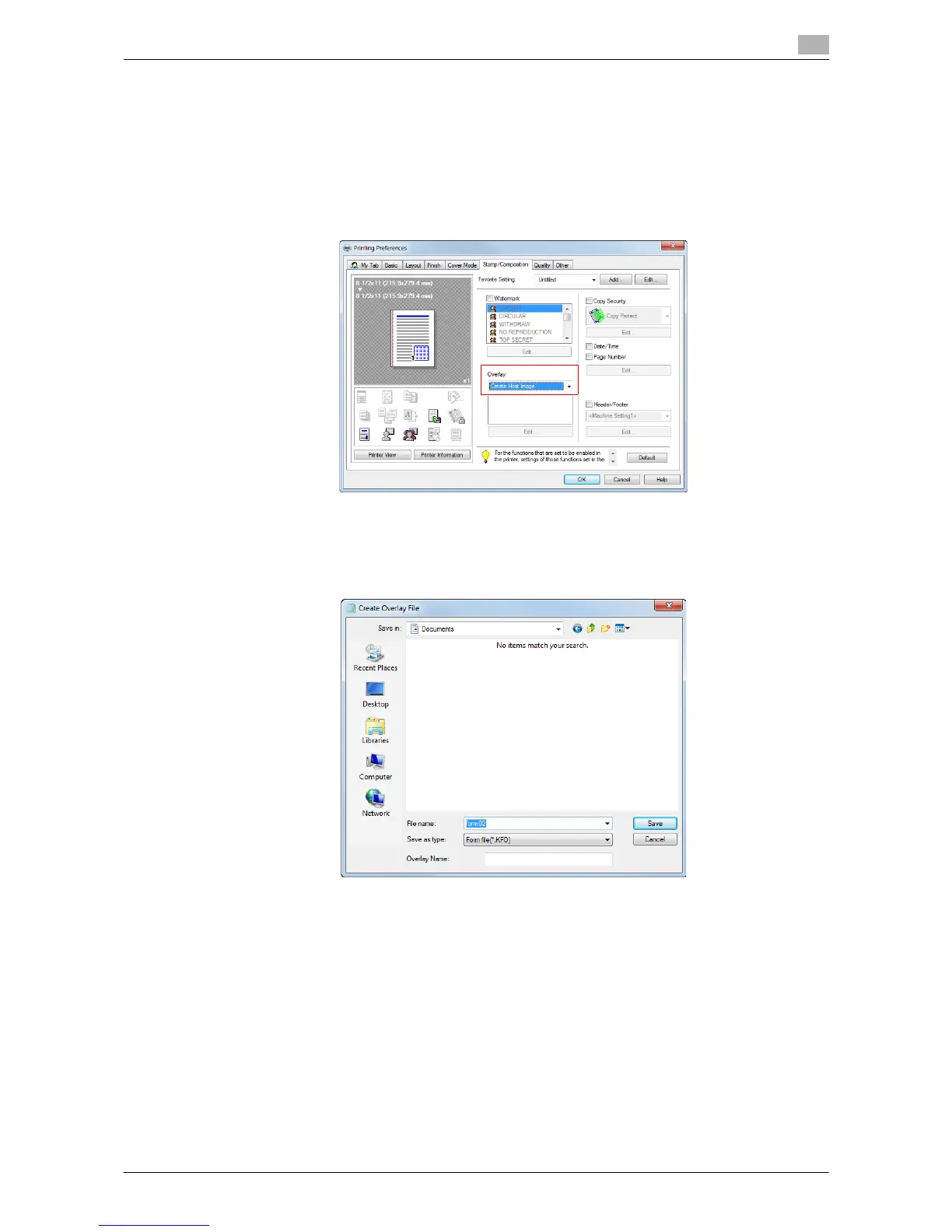
In your computer, you can create an image that is composed on the original from [Overlay] in the
[Stamp/Composition] tab. For example, you can register a corporate letterhead or other forms for use as a
composite image on the original.
1 In application software, create an original to be registered in an overlay image.
2 In [Overlay] in the [Stamp/Composition] tab, select [Create Host Image].
3 In the application software, execute printing.
The [Create Overlay File] window appears.
4 Enter the file name and save the file.
The overlay image is saved on your computer. From then on, when you select [Print Host Image] in
[Overlay] in the [Stamp/Composition] tab, the saved overlay image is displayed in the list and is also
available.



 To Next Page
 Loading...




