Printing in a Mac OS Environment 3-41
3.3 Useful Printing Functions
3
3 Click [OK].
3.3.9 Specifying the Color and Image Quality
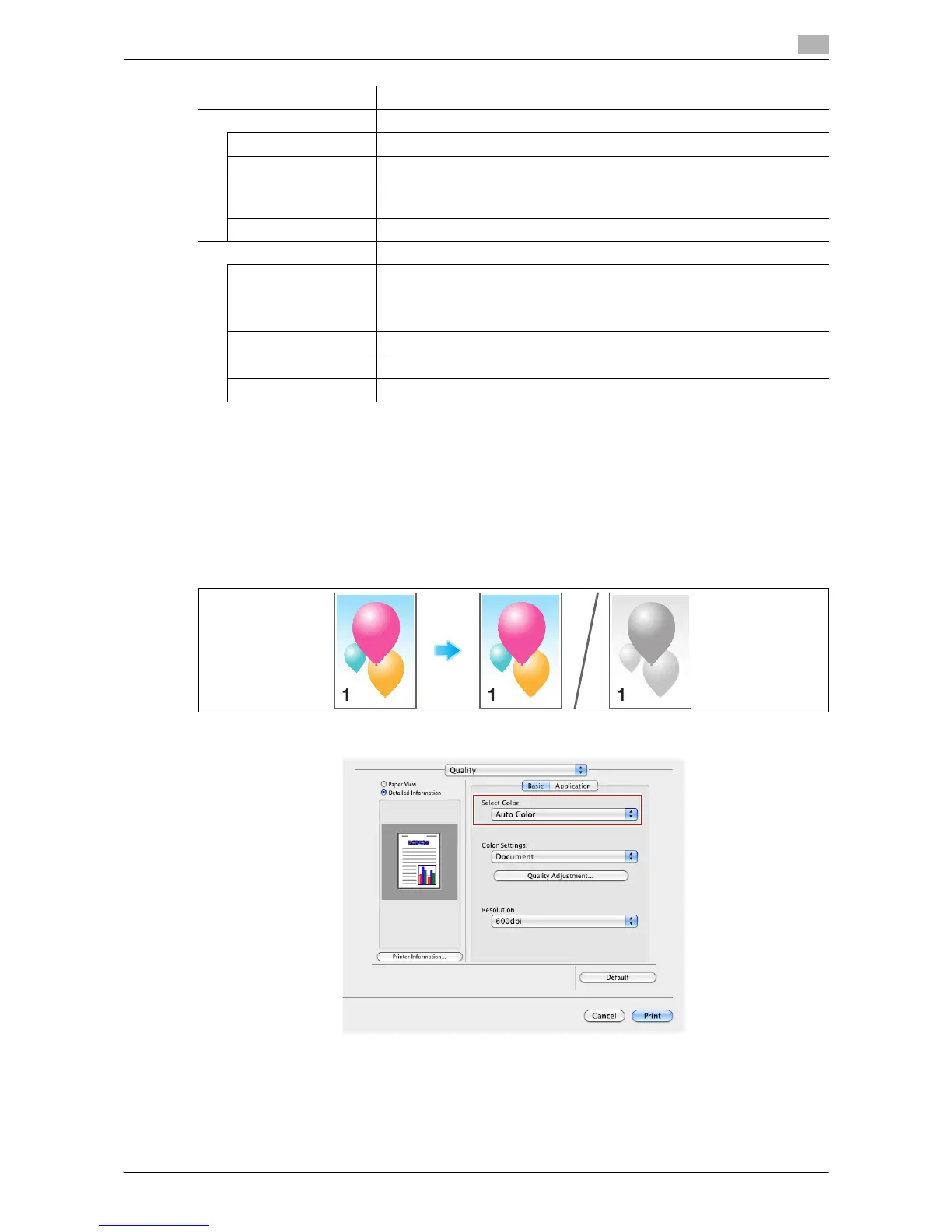
Selecting colors for printing ([Select Color:])
Select colors for printing. There are three color modes: [Auto Color] that fits the original color, [Full Color] and
[Gray Scale].
In [Select Color:] in [Quality], select a color mode for printing.
Settings Description
Setting List The settings for each page are displayed in a list.
[List Name:] Enter the name of the list to be created.
[+]/[,] These buttons move the order of settings in the list. They do not change
the settings.
[Add] This button adds the setting to the list.
[Delete] This button deletes the setting selected in the list.
[Add/Edit] You can add settings to the Setting List or edit settings.
[Page Number:] Enter the page numbers you want to add.
To specify multiple page numbers, separate each number with a comma
(for example, "2,4,6") or connect the numbers using a hyphen (for example,
"6-10").
[Print Type:] Select the print type applied when printing the specified pages.
[Paper Tray:] Select the paper tray for printing the specified pages.
[Staple:] Select the staple position applied when the specified pages are stapled.



 To Next Page