Printer Functions 1-4
1.3 Cable Connection Locations on This Machine
1
1.3 Cable Connection Locations on This Machine
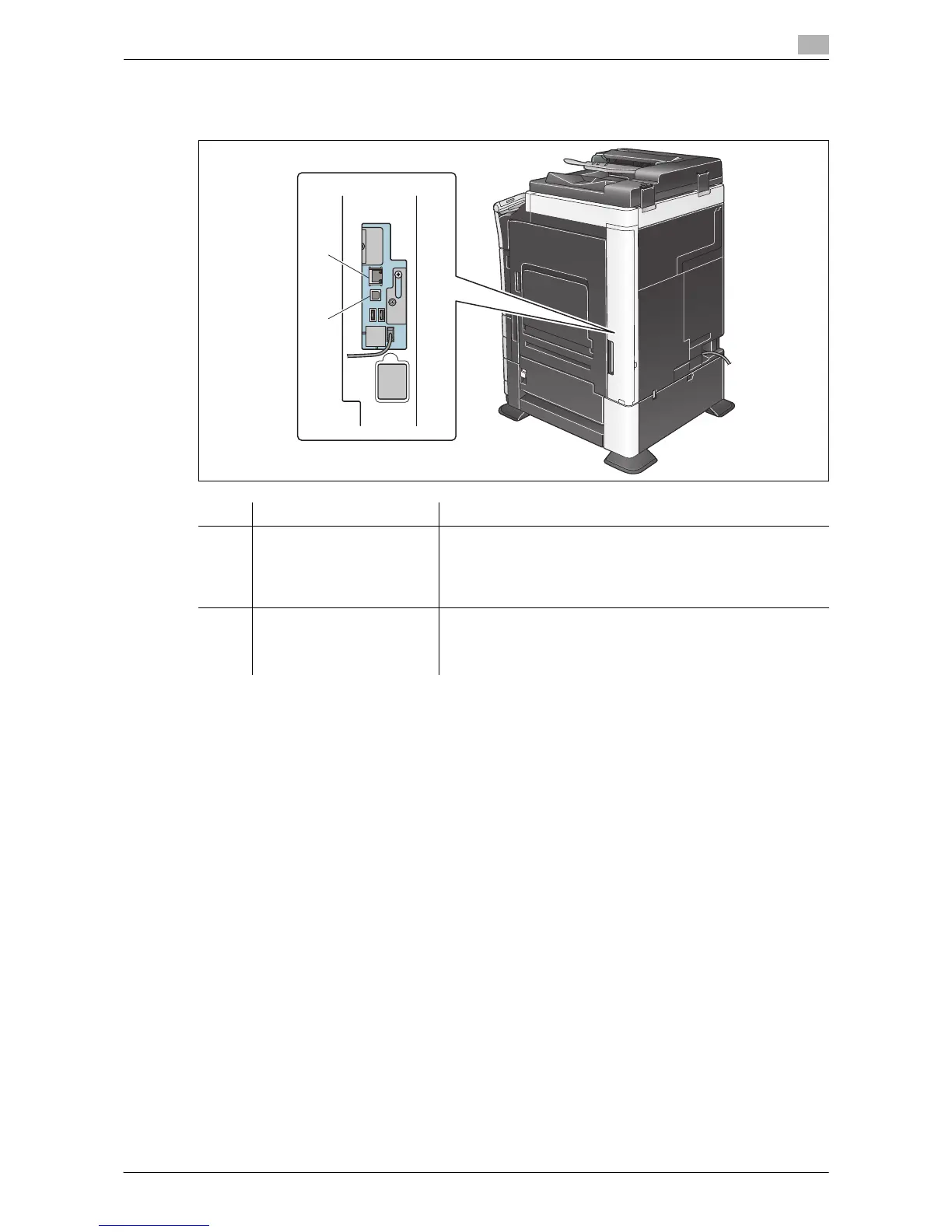
The printer cables are connected to each port on this machine.
No. Port Description
1 Ethernet port (1000Base-
T/100Base-TX/10Base-T)
Connect a LAN cable when using this machine in a network en-
vironment.
It supports 1000Base-T, 100Base-TX, and 10Base-T standards.
The TCP/IP (LPD/LPR, IPP, SMB), Web services, IPX (NetWare),
AppleTalk (EtherTalk) and other protocols are supported.
2 USB port Connect a USB cable when using this machine as a USB-con-
nected device.
Use type-A (4-pin, male) or type-B (4-pin, male) USB cables. A
USB cable measuring three meters or less is recommended.
2
1



 To Next Page