Printing in the Windows Environment 2-7
2.1 Preparation for Printing (Network Connection)
2
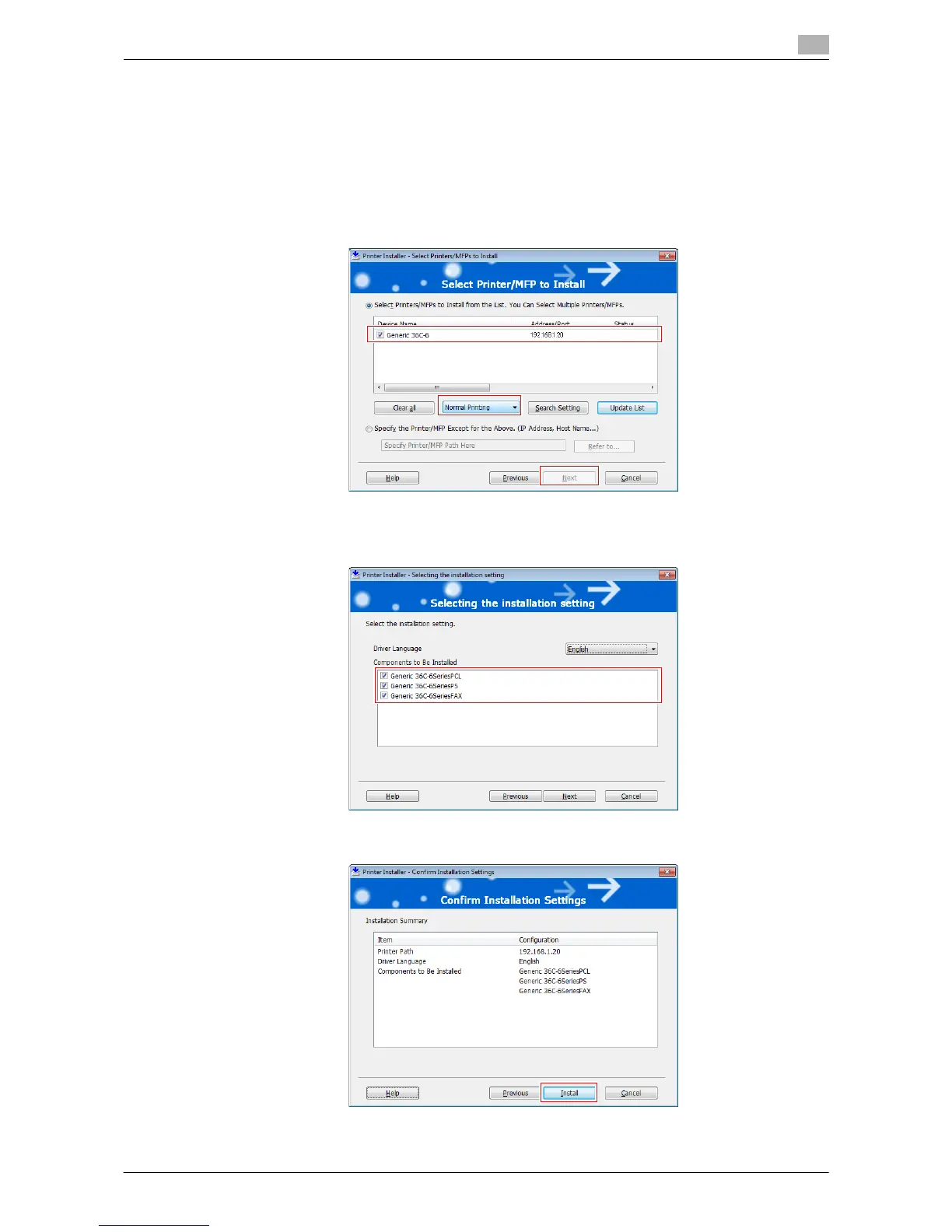
% As a printing method, you can select [Normal Printing], [Internet Printing] (IPP), or [Secure Printing]
(IPPS).
% Among the connected printers, only the target model is automatically detected and displayed. If
multiple target models are displayed, check the IP addresses.
You can check the IP address of this machine in the screen that is displayed by tapping [Utility] -
[Device Information].
% If the connection to this machine cannot be recognized, it is not displayed in the list. If this is the
case, select [Specify the Printer/MFP Except for the Above. (IP Address, Host Name...)], and man-
ually specify the IP address and host name of this machine.
6 Select the check box of the printer driver you want to install, then click [Next].
% For features of each printer driver, refer to page 2-5.
7 Check the items to be installed, and click [Install].



 To Next Page