Printing in the Windows Environment 2-53
2.4 Useful Printing Functions
2
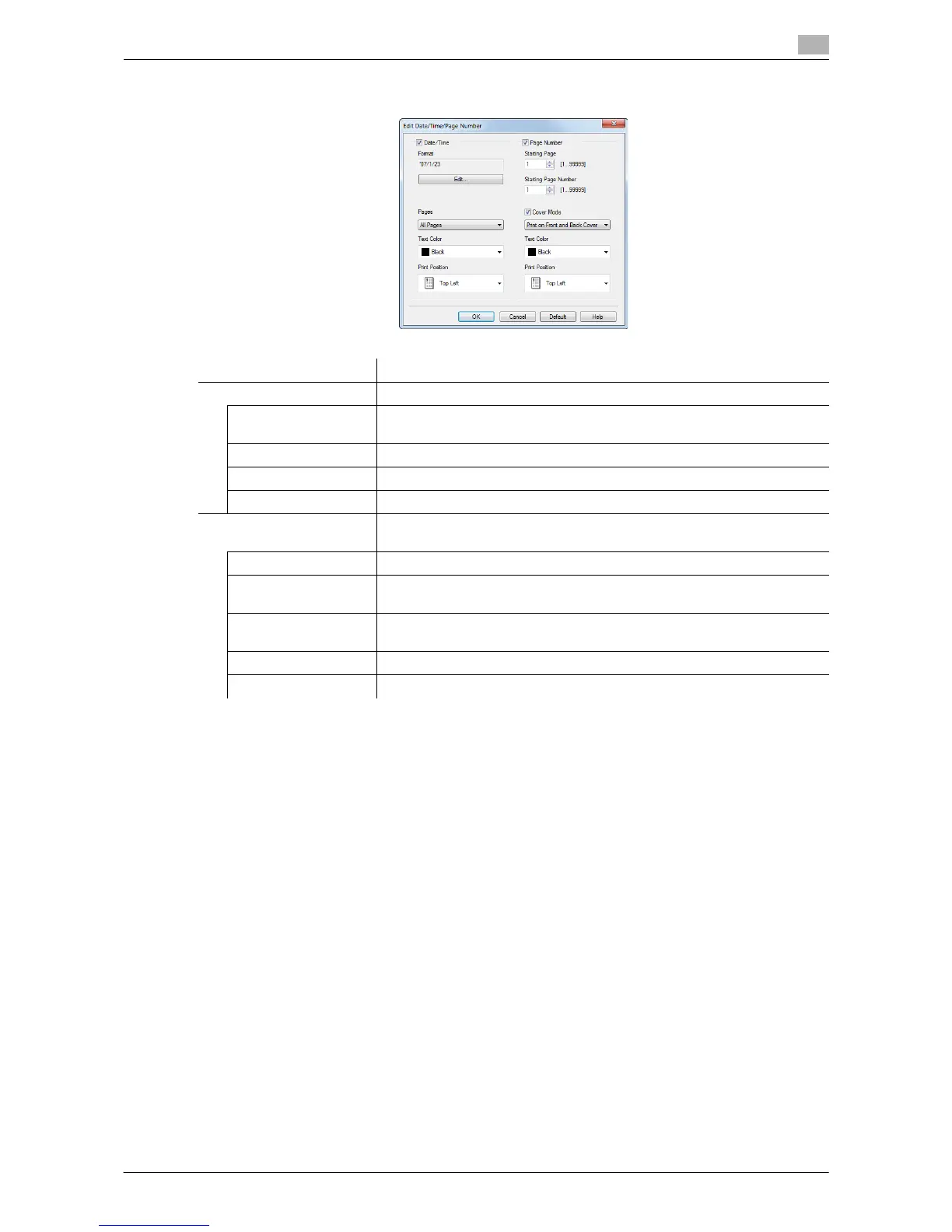
As necessary, click [Edit...] to change the print position and format of the text.
Settings Description
[Date/Time] Change the print position or format of the date/time.
[Format] As necessary, click [Edit...] to specify the date/time format or whether to
print the time.
[Pages] Specify the range of pages on which the date/time is printed.
[Text Color] Select the print color for the date/time.
[Print Position] Specify the print position for the date/time.
[Page Number] Change the print position of page numbers and the page from which the
page number printing starts.
[Starting Page] Specify the page from which the page number printing starts.
[Starting Page
Number]
Specify the page number to be printed on the page specified in [Starting
Page].
[Cover Mode] Select this check box to print page numbers on the front and back covers
when they are inserted. In addition, select the format.
[Text Color] Select the print color for the page numbers.
[Print Position] Specify the print position for the page numbers.



 To Next Page