Oki Data CONFIDENTIAL
43967002TH Rev. 1
326 /
7. Troubleshooting
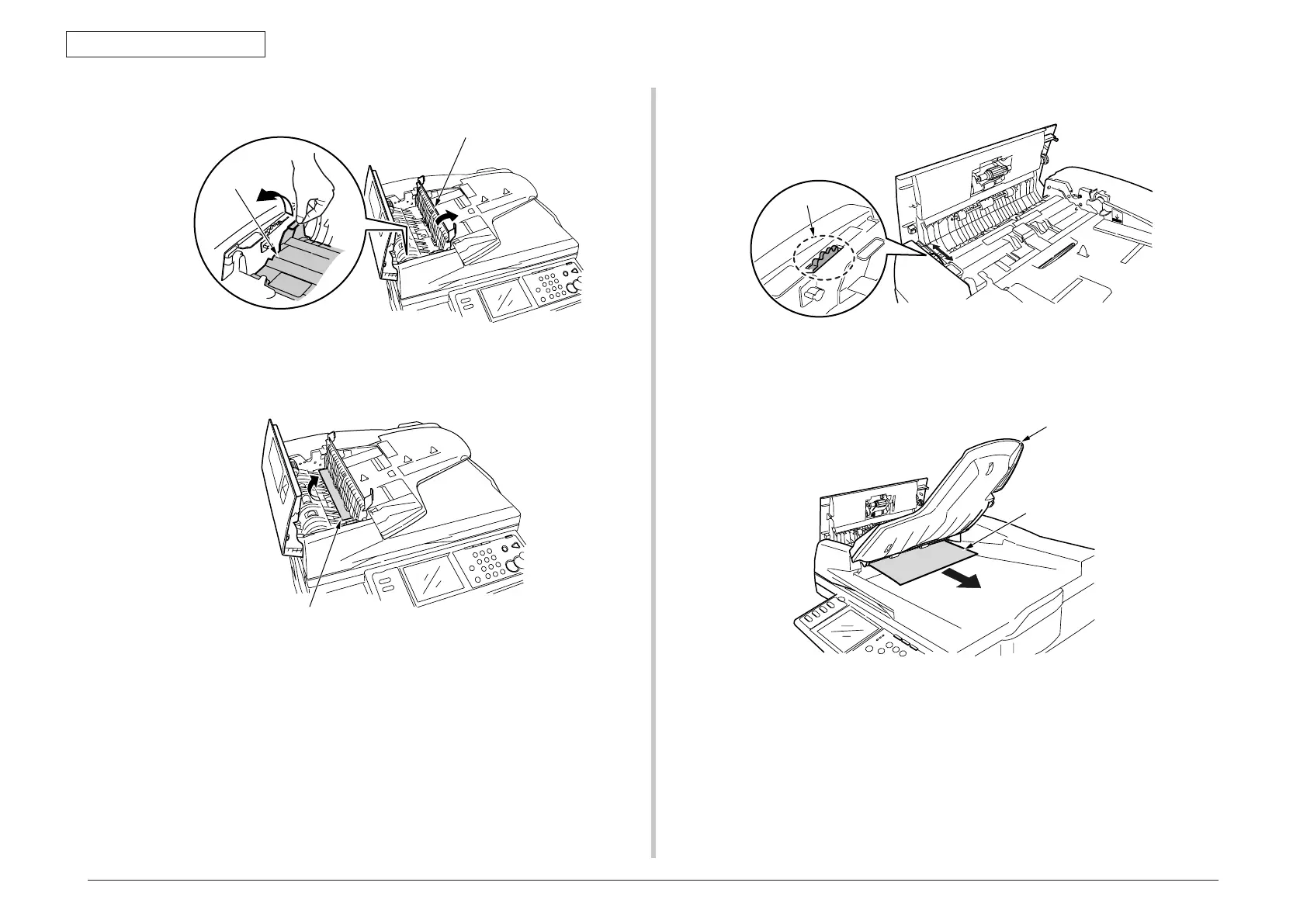
(4) Open the inside cover.
(5) If top end of the jammed paper is visible, pull it out gently.
If top end of the jammed paper is not visible, close the inside cover and go to step 3.
(6) When the jammed paper is removed, close the inside cover and go to step 9.
(7) Rotate the dial so that the jammed document is unloaded.
(8) Raise the document tray.
Remove the jammed document gently.
(9) Close the document cover.



 To Next Page