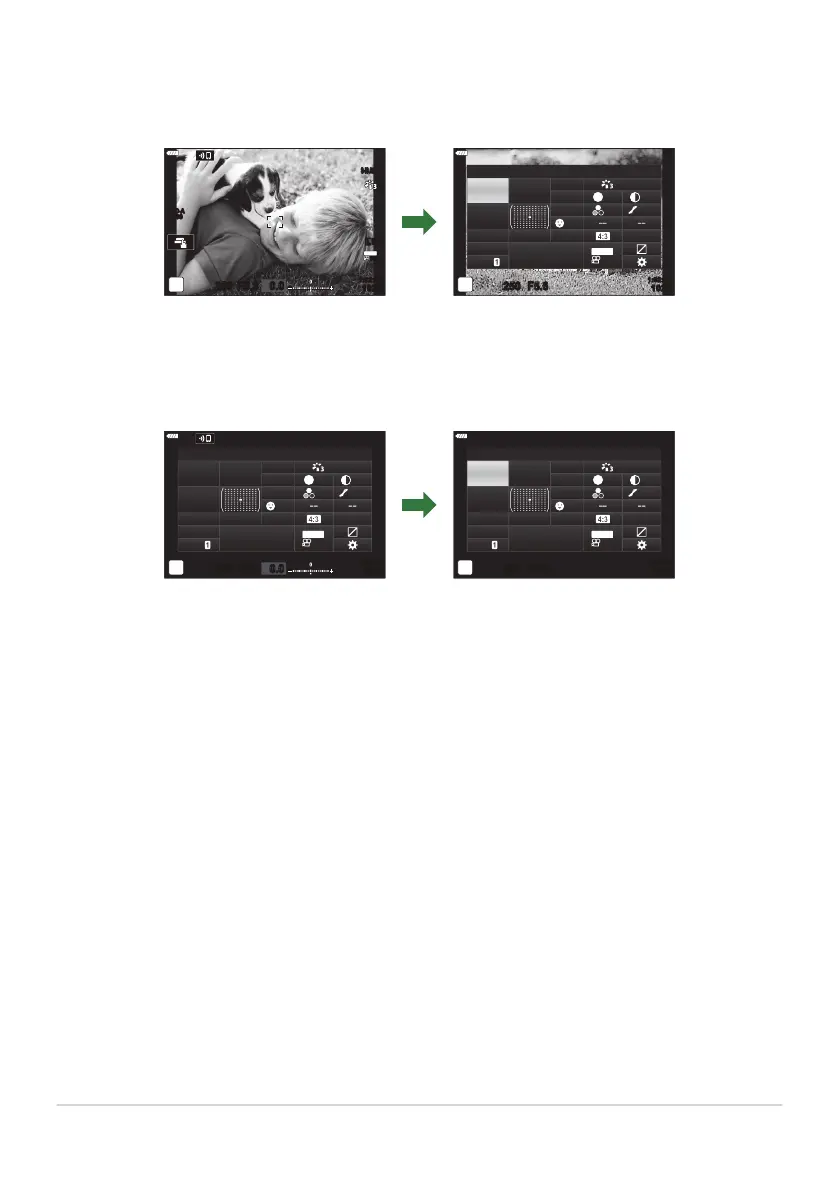
LV Super Control Panel (Live View Photography)
To display the L
V super control panel in the monitor, press the OK button during live view.
S-IS AUTOS-IS AUTO
250 F5.6
0.0
30
p
30
p
4K
YFYF
ISO-A
200
sRGB
Natural
S
Normal
WB
Auto
ISO
Auto
±
0
A
±
0
±
0 ±
0
±
0
G
±
0
250 F5.6
p
o
S
-
AF
Off
30
p
30
p
4K
S-IS Auto
Y
F
#
±
0.0
#
1023
1:02:03
M-IS
K
Recommended ISO
OK
Super Control Panel (Viewfinder Photography)
When y
ou frame subjects in the viewfinder
, the super LV control panel will be displayed in the monitor
at all times. Press the OK button to activate the cursor.
sRGB
Natural
S
Normal
WB
Auto
ISO
Auto
±
0
A
±
0
±
0 ±
0
±
0
G
±
0
2022.10.16 12:30:00
250
1023
1:02:03
F5.6
p
o
0.0
S
-
AF
Off
30
p
30
p
4K
S-IS Auto
Y
F
#
±
0.0
#
M-IS
sRGB
Natural
S
Normal
WB
Auto
ISO
Auto
±
0
A
±
0
±
0 ±
0
±
0
G
±
0
250
1023
1:02:03
F5.6
p
o
S
-
AF
Off
30
p
30
p
4K
M-IS
S-IS Auto
Y
F
#
±
0.0
#
K
R
ecommended ISO
OK
112
The Super Control and LV Super Control Panels



 To Next Page