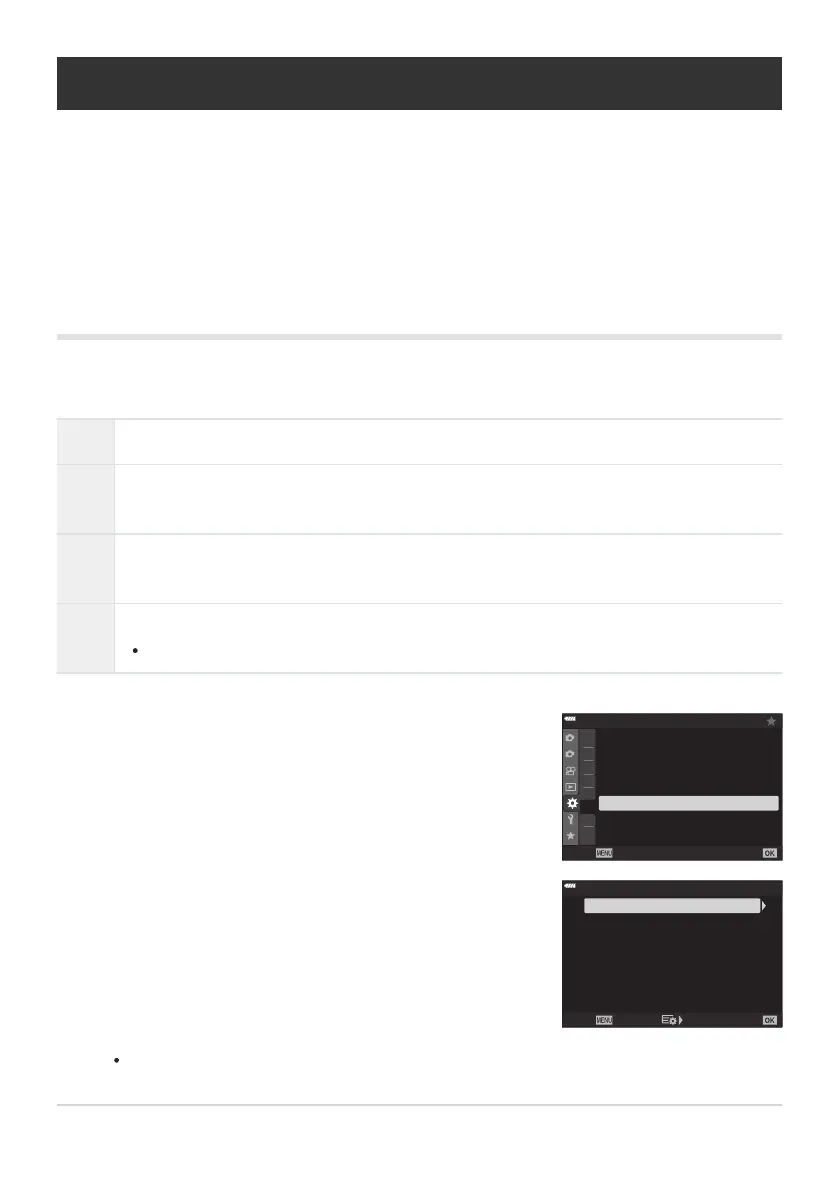
Highlight [Flicker R
eduction] in CCustom Menu g and
press the OK button.
1
2
A2
A3
A4
B
A1
C1
C
2
D1
C1
On
Off
Flicker Reduction
Back Set
C1. Release/
j
/Image Stabilizer
j
H
Settings
j
L Settings
C-AF Release Priority
S-AF Release Priority
Highlight [Anti-Flicker L
V] using the FG buttons and press
the I button.
Anti-Flicker Shooting
Anti-Flicker LV Auto
Off
Flicker Reduction
Back Set
Reducing Flicker (Flicker Reduction)
MENU Q C Q g Q [Flick
er Reduction]
When shooting under fluorescent or other artificial workplace or outdoor lighting, you may notice
flicker in the live view display or uneven exposure in photos taken at fast shutter speeds. This item
reduces these effects.
Reducing Flicker in Live View (Anti-Flicker LV)
Reduce flicker under fluorescent lighting and the like. Choose this option if flicker makes the display
difficult to view.
Auto The camera detects and reduces flicker.
50Hz
Reduce flicker under workplace or outdoor lighting powered by alternating current with a
frequency of 50Hz.
60Hz
Reduce flicker under workplace or outdoor lighting powered by alternating current with a
frequency of 60Hz.
Off
Flicker reduction off.
This option is not available when [On] is selected for [Anti-Flicker Shooting] (P. 327).
[Anti-Flicker LV] options will be displayed.
325
R
educing Flicker (Flicker Reduction)
1.
2.



 To Next Page