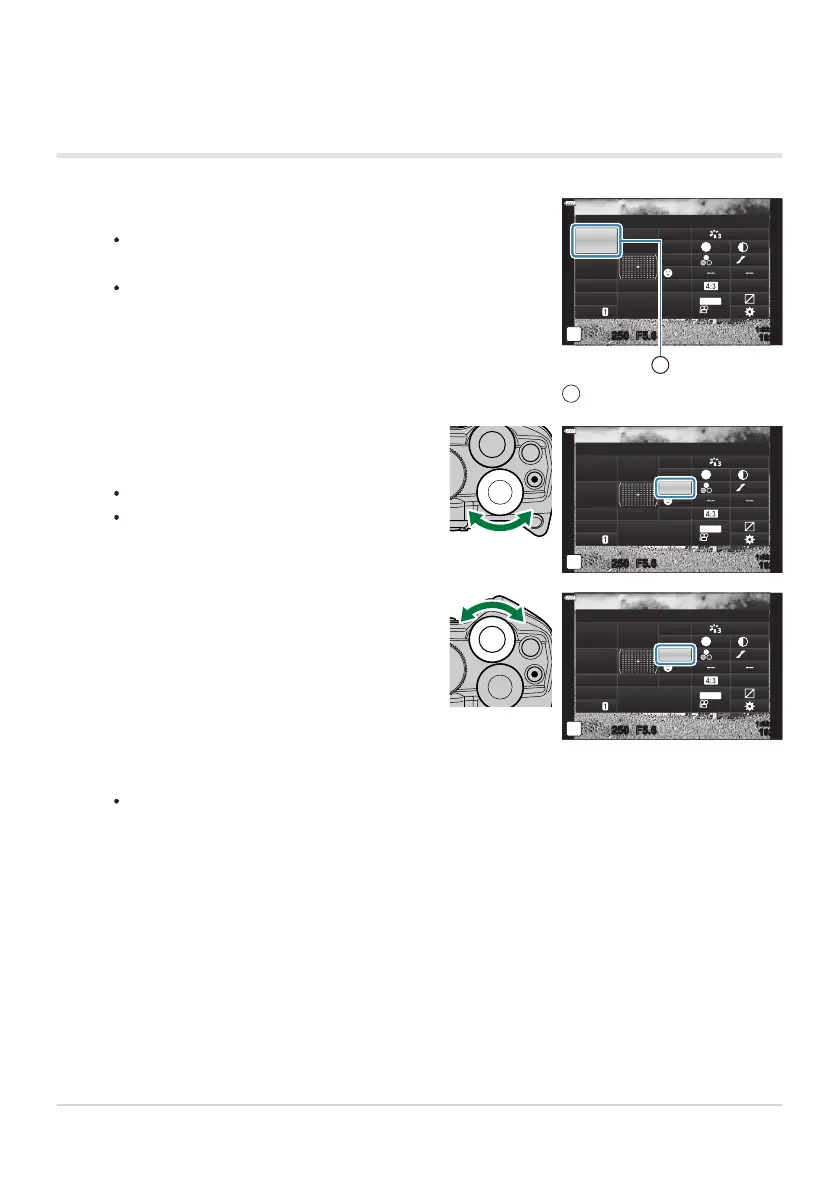
Press the OK button.
If y
ou press the button during live view, the LV super control
panel will be displayed in the monitor.
The last setting used will be highlighted.
K
R
ecommended ISO
sRGB
Natural
S
Normal
WB
Auto
ISO
Auto
±
0
A
±
0
±
0 ±
0
±
0
G
±
0
250 F5.6
p
o
S
-
AF
Off
30
p
30
p
4K
S-IS Auto
Y
F
#
±
0.0
#
1023
1:02:03
M-IS
1
Cursor
1
Highlight an item using the FGHI butt
ons
or by rotating the rear dial.
The selected setting will be highlighted.
You can also highlight items by tapping
them in the display.
K
A
F Mode
sRGB
Natural
S
Normal
WB
Auto
ISO
Auto
±
0
A
±
0
±
0 ±
0
±
0
G
±
0
250 F5.6
p
o
S
-
AF
Off
30
p
30
p
4K
S-IS Auto
Y
F
#
±
0.0
#
1023
1:02:03
M-IS
Rotate the front dial to change the highlighted
setting.
K
A
F Mode
sRGB
Natural
PreMF
S
Normal
WB
Auto
ISO
Auto
±
0
A
±
0
±
0 ±
0
±
0
G
±
0
250 F5.6
p
o
30
p
30
p
4K
Off
S-IS Auto
Y
F
#
±
0.0
#
1023
1:02:03
M-IS
Using the Super Control and LV Super Control
panels
Pr
ess the shutter button halfway to accept current settings and exit the LV super control panel.
If you are using the super control panel, the cursor will vanish and setting will end.
113
The Super Control and LV Super Control Panels
1.
2.
3.
4.



 To Next Page