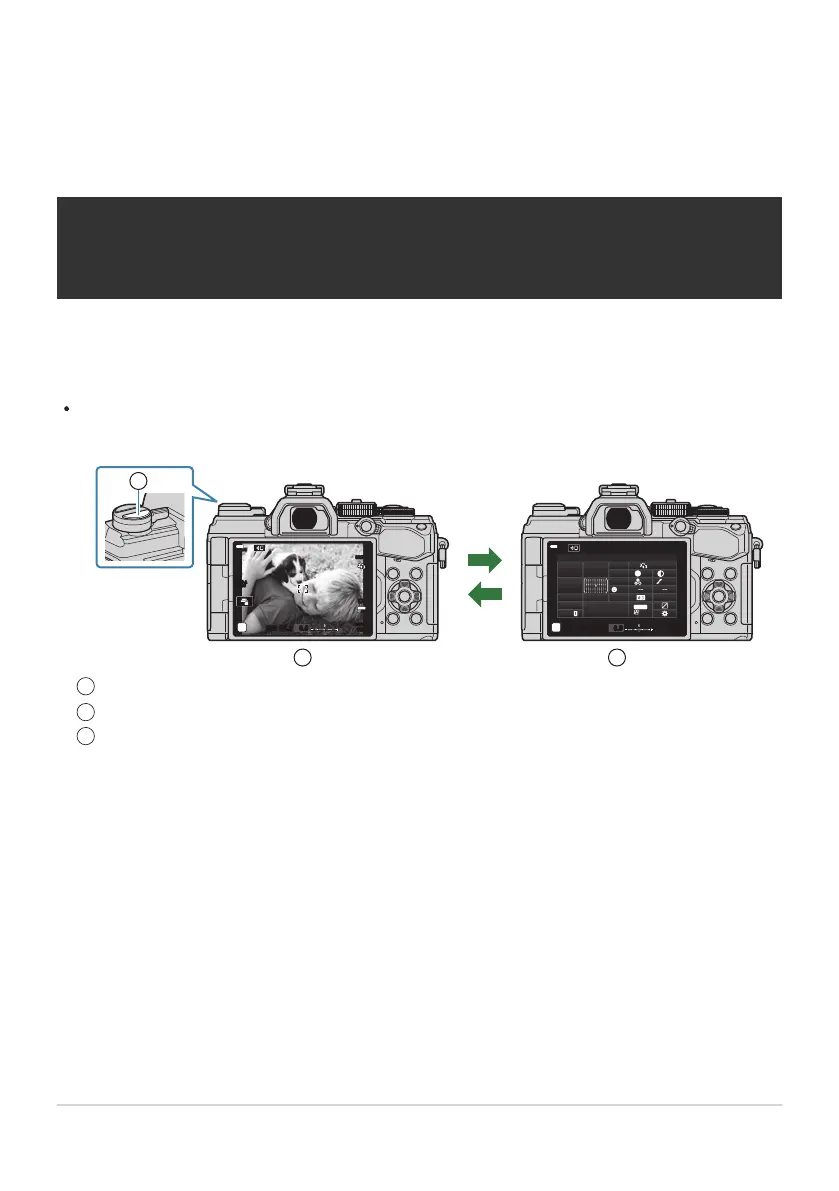
The Super Control/LV Super Control
Panel
The Super Contr
ol and LV Super Control
Panels
The super control/LV super control panel lists shooting settings and their current values. Use the LV
super control panel when framing shots in the monitor (“live view”), the super control panel when
framing shots in the viewfinder.
Pressing the U (LV) button during live view enables viewfinder photography and displays the LV
super control panel in the monitor.
S-IS AUTOS-IS AUTO
250 F5.6
0.0
30
p
30
p
4K
YFYF
ISO-A
200
sRGB
Natural
S
Normal
WB
Auto
ISO
Auto
±
0
A
±
0
±
0 ±
0
±
0
G
±
0
2022.10.16 12:30:00
250
1023
1:02:0 3
F5.6
p
o
0.0
S
-
AF
Off
30
p
30
p
4K
S-IS Auto
Y
F
#
±
0.0
#
M-IS
U
(LV)
2 3
1
U (LV) butt
on
Live view photography
Viewfinder photography (monitor turns off while viewfinder is on)
111
The Super Control and LV Super Control Panels
1
2
3



 To Next Page