EasyManua.ls Logo

OM SYSTEM OM-5 - Using Bracketing

OM SYSTEM OM-5
467 pages
Print Icon
To Next Page IconTo Next Page
To Previous Page IconTo Previous Page
Loading...
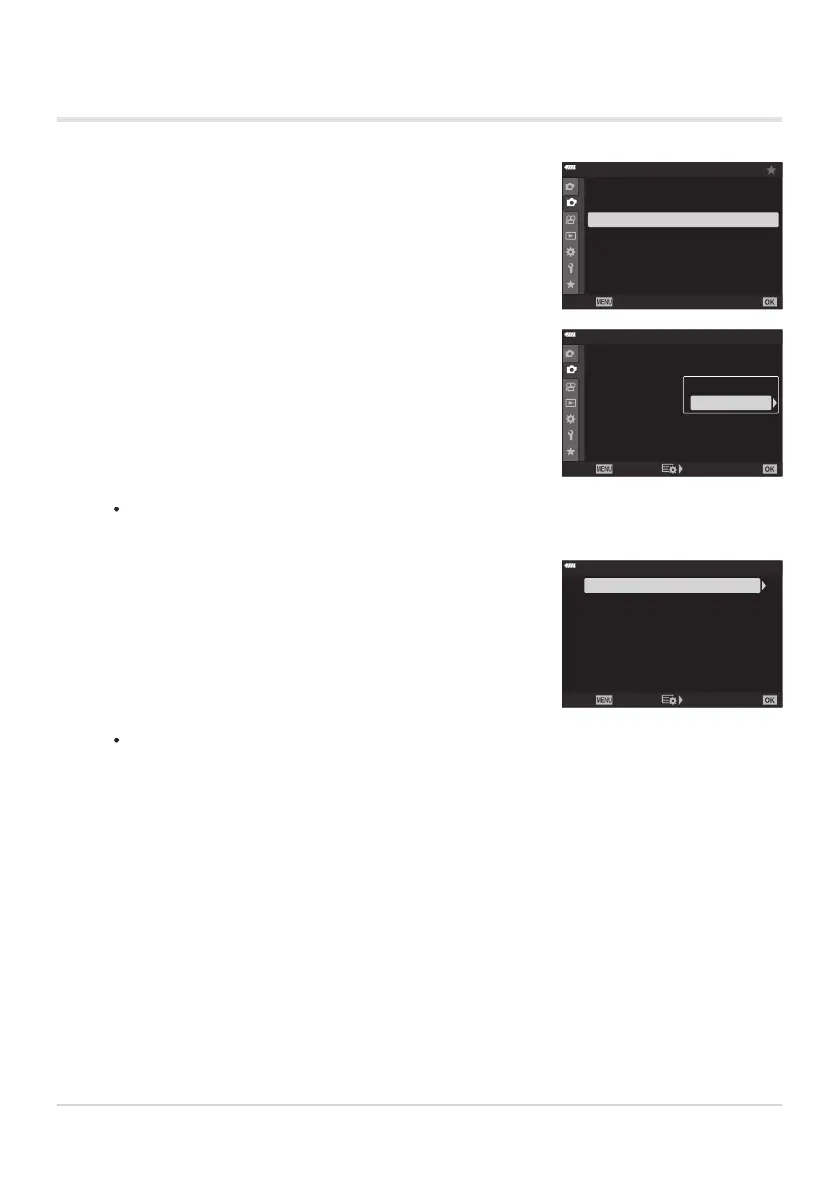
Highlight [Brack
eting] in
7Shooting Menu2 and press the
OK button.
1
2
2
Off
Off
Off
Off
Shooting Menu 2
Keystone Comp.
Multiple Exposur
e
HDR
Bracketing
Back
Set
Anti-Shock r/Sil
ent s
Off
High Res Shot
Live ND Shooting
Highlight [On] and press
I.
1
2
2
Off
Off
Off
Off
Shooting Menu 2
Keystone Comp.
Multiple Exposur
e
HDR
Bracketing
Back
Set
Anti-Shock r/Sil
ent s
Off
High R
es Shot
Live ND Shooting
Off
On
Highlight a bracketing type using the FG buttons and pr
ess
the I button.
ART BKT
ISO BKT
Focus BKT
WB BKT
AE BKT
FL BKT
3f 1.0EV
--
--
--
--
A-- G--
Back Set
Bracketing
Using Bracketing
A menu of brack
eting types will be displayed.
The camera will display bracketing options for the selected bracketing type.
221
Varying settings over a series of photographs
(Bracketing)
1.
2.
3.

Table of Contents

Other manuals for OM SYSTEM OM-5

Related product manuals