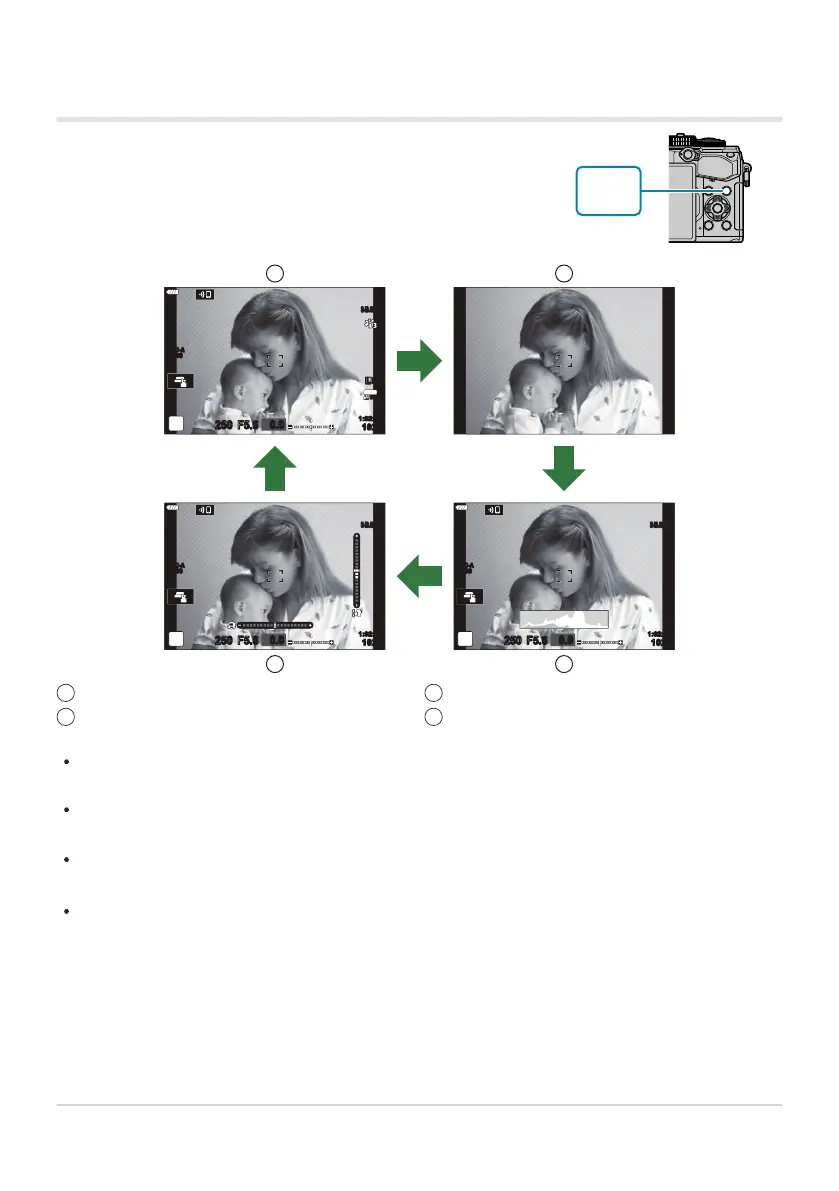
You can switch the information displayed in the monitor during
shooting using the INFO button.
Basic Information
Image Only
1
2
Histogram display (Custom1)
Level Gauge display (Cust
om2)
3
4
Switching the information display
S-IS AUTOS-IS AUTO
250 F5.6
0.0
30
p
30
p
4K
YFYF
ISO-A
200
1023
1:02:03
S-IS AUTOS-IS AUTO
250 F5.6
0.0
ISO-A
200
1023
1:02:03
S-IS AUTOS-IS AUTO
250 F5.6
0.0
ISO-A
200
INFO
INFO
INFO
INFO
1 2
4 3
The information display screens can be switched in either direction by rotating the dial while
pressing the
INFO button.
The items shown in the Custom 1 and Custom 2 displays can be chosen using [G/Info Settings]>
[LV-Info] (P. 333).
The information shown in movie (n) mode can differ from that displayed in still photography
mode. gnVideo Menu> [nDisplay Settings]> [nInfo Settings] (P. 233)
To choose the items displayed when the shutter button is pressed halfway, highlight [Image Only]
in the [LV-Info] menu and press I.
41
Switching between displays



 To Next Page