P
AUTOAUTO
UU
L
F
4:3
S-IS AUTO
30
p
30
p
4K
WB
AUTO
WB
AUTO
WB Auto
OFF
WKeep Warm Color
o
1
2
Settings
Functions
1
2
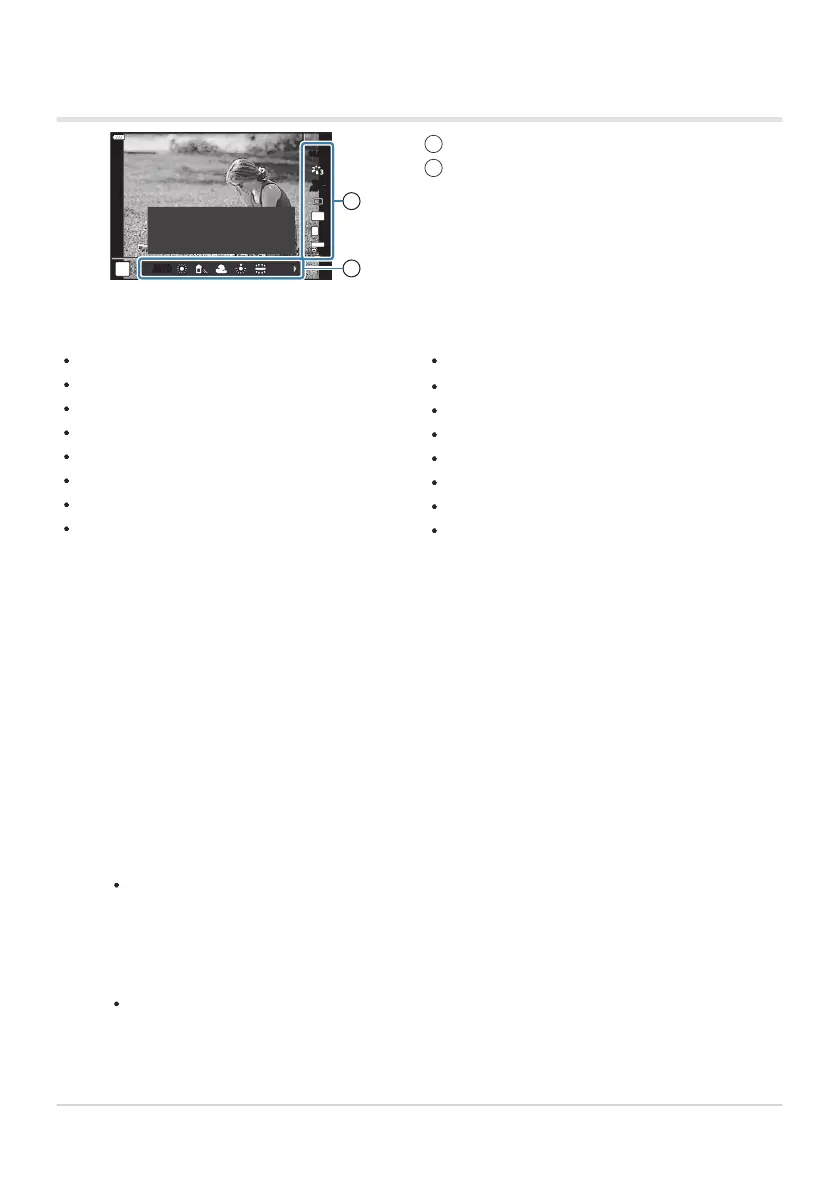
Image stabilizer (P. 134
)
Picture mode (P. 154, P. 206)
Art filter mode
1
(P. 73)
Scene mode
2
(P. 67)
White balance (P. 129)
Sequential shooting/self-timer (P. 101)
Aspect ratio (P. 138)
Image quality
Photos (P. 139)
Movies (P. 242)
-
-
n mode
3
(P. 238
)
Flash mode (P. 149)
Flash intensity control (P. 153)
Metering mode (P. 124)
AF mode (P. 118)
ISO sensitivity (P. 117)
Face priority (P. 126)
Movie sound (P. 246)
Live Controls
Av
ailable settings
Displayed in ART mode.
Displayed in SCN mode.
Displayed in movie mode.
Some functions cannot be used depending on the shooting mode.
Live controls are available in 0, P, A, S, M, B, ART, and SCN modes when [Live Control] is
selected in the [KControl Settings] display. gC Custom Menu i> [K Control Settings]
(P. 329)
Press the OK button to display live controls.
Press the OK button again to hide live controls.
Highlight items using the FG buttons, choose the desired option using the HI buttons,
and then press the OK button.
The setting is confirmed if you leave the camera as-is for 8seconds.
331
Choosing the control panel displays (K Contr
ol
Settings)
1
2
3
C
B
1.
2.



 To Next Page