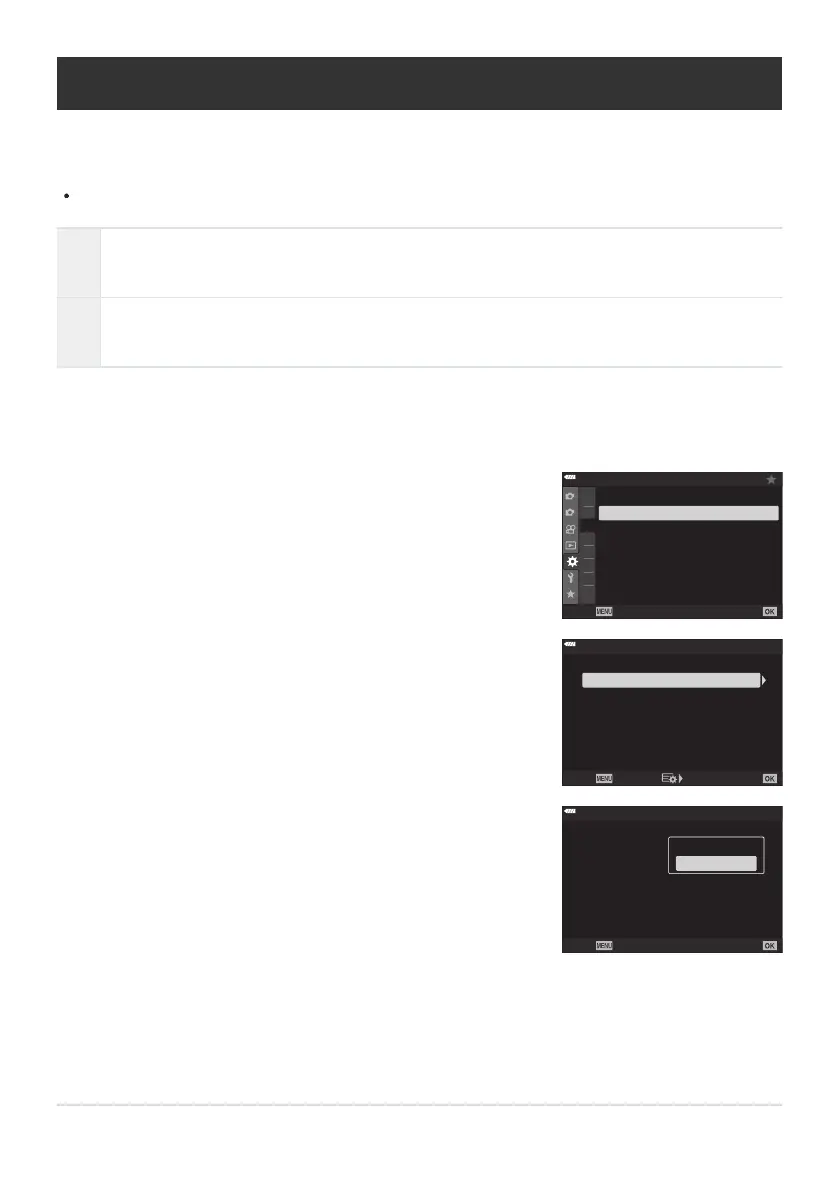
Highlight [HDMI] in
CCustom Menul and press the I
button.
1
2
D3
D4
E1
E2
E3
F
G
D2
D4
On
D4. Disp/8/
PC
USB Mode
HDMI
8
Select
Back
Set
Highlight [HDMI Control] using the FG buttons and press
the I button.
HDMI Control
Output Frame Rate
Outpu
t Size
60p Priority
Off
4K
HDMI
Back Set
Highlight [On] using the FG buttons and press the OK
button.
HDMI Control
Output Frame Rate
Outpu
t Size
60p Priority
HDMI
Bac
k
Set
Off
4K
Off
On
Using a TV Remote (HDMI Control)
When connected t
o a TV via an HDMI cable, the camera can be operated using the television remote
control.
The television must support HDMI control. See the television manual for more information.
On
The television remote control can be used to operate the camera in playback mode. The
camera can be used for playback only
.
Off
The television remote control cannot be used to operate the camera. Indicators appear only
in the TV display.
Press the MENU button to view the menus.
Press the MENU button repeatedly to exit the menus.
388
Using a TV Remote (HDMI Control)
1.
2.
3.
4.
5.



 To Next Page